introduction
Confused about why your score in Canvas doesn’t match your expected grade? 🤔
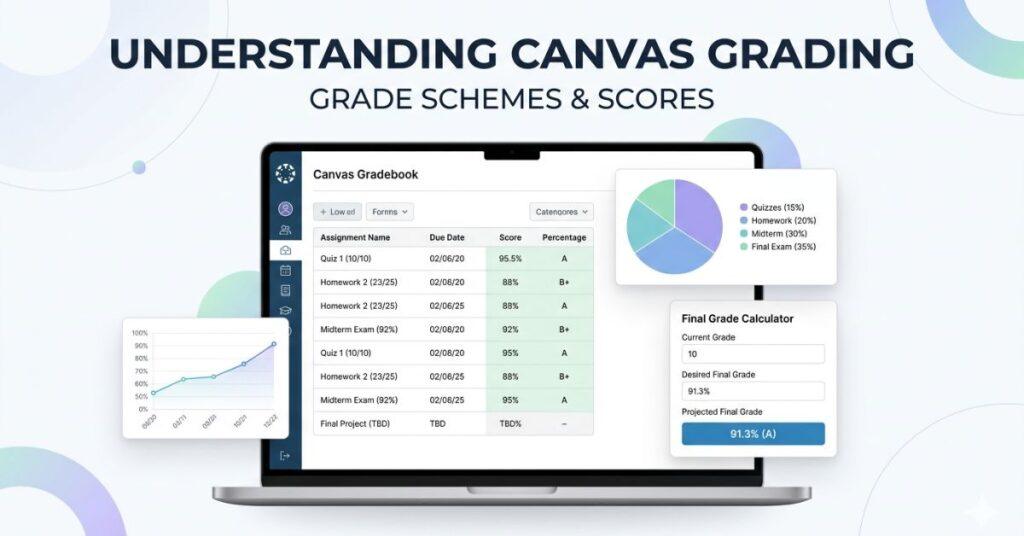
Many students in the United States rely on Canvas every day, yet Canvas grading can still feel unclear. You may see percentages, points, and letter grades that don’t always match up. Beginners often struggle to understand how grading in Canvas actually works, making it harder to plan assignments or prepare for finals. The challenge grows when instructors use different rules. Some courses use a Canvas grading scheme, while others rely on weighted categories. Even the Canvas default grading scheme can vary between classes, making it hard to predict your final grade.
This guide breaks everything down in simple terms. You’ll learn how scores convert into percentages, how grading schemes work, and how your final grade is calculated. By the end, you’ll know exactly how to track your progress and avoid surprises before finals. 🎯
Want to know where you stand right now?
Try our Canvas Grading Calculator to estimate your current grade instantly.
Why Understanding Canvas Grading Matters
Understanding Canvas grading helps you make better academic decisions early. Many students only check their scores after major assignments. By then, fixing a low grade becomes much harder.
Canvas uses different grading methods depending on the instructor. Some courses use points, others use percentages, and some apply weighted categories. Not knowing the system may lead you to misjudge your progress, as a score that looks good might not ensure a strong final grade.
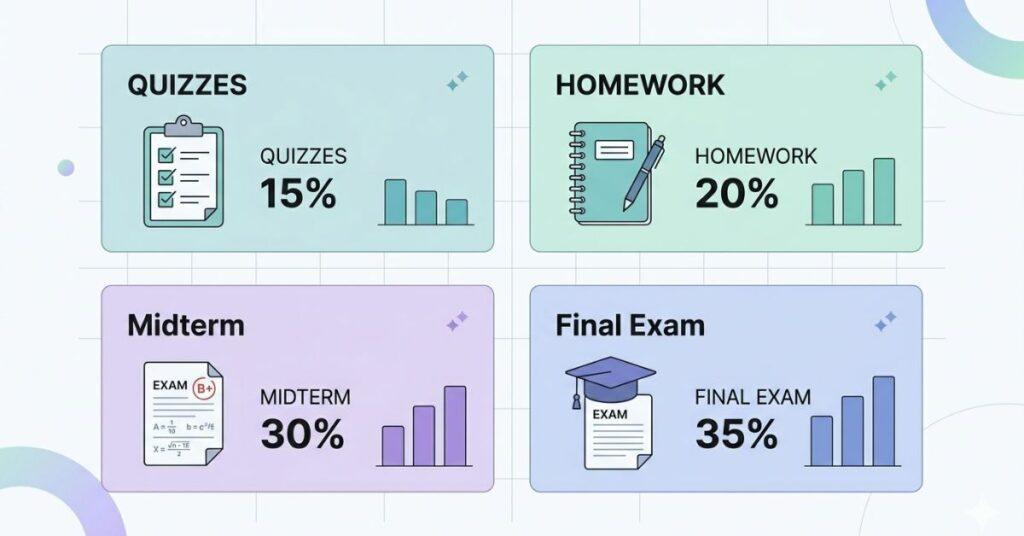
For example, a small quiz may show 100%, but it may count for very little. Meanwhile, a midterm worth 30% can impact your course grade heavily. When you understand grading rules, you can focus on high-weight assignments first. This strategy improves results without extra stress.
Another reason this matters is planning for finals. Canvas often shows your current grade, not your final outcome. If you know how grades are calculated, you can estimate what score you need. This helps you set realistic goals before exams.
“After learning the basics, learn about special grading types in Canvas to see how different rules apply.”
Students who track grading early usually avoid surprises. They also manage deadlines better and prioritize tasks wisely. A clear view of grading helps you stay motivated throughout the semester.
Takeaways
- Canvas grades may not reflect your final course result.
- Weighted assignments affect your grade differently.
- Understanding grading helps you prioritize important work.
- Early tracking prevents last-minute surprises.
Differences Between Scores, Percentages, and Letter Grades
Canvas displays grades in three common formats: scores, percentages, and letter grades. Each format tells part of the story. Understanding the difference helps you interpret your performance correctly.
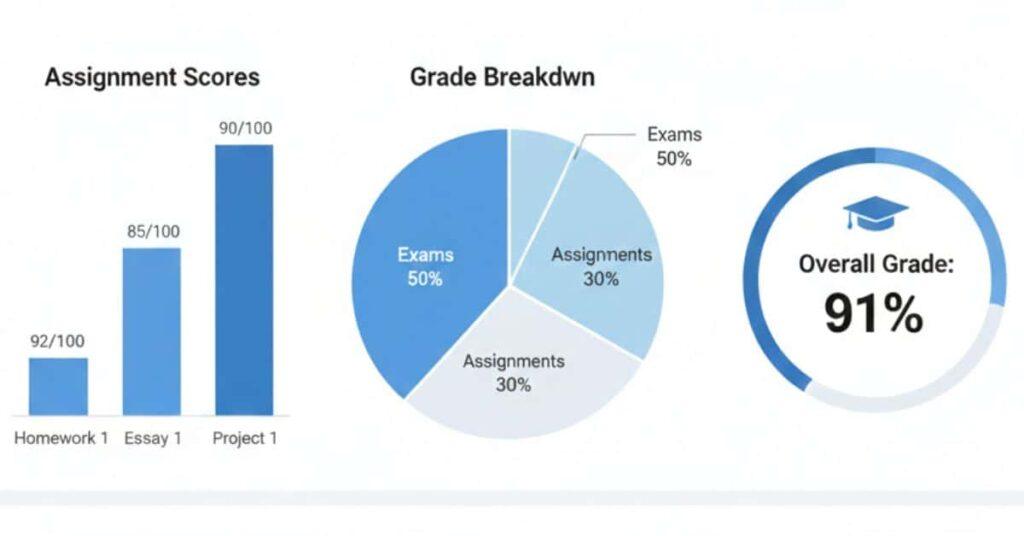
A score shows points earned out of total points. For example, 18 out of 20 is your raw performance. This number alone does not show your overall course standing. It only reflects one assignment.
A percentage converts your score into a normalized value. In the example above, 18 out of 20 equals 90%. Percentages make it easier to compare assignments with different point totals. However, percentages still may not include assignment weights.
A letter grade depends on the course grading scheme. In many courses, 90% may equal an A-, but this can vary. Some instructors adjust ranges, which changes your final letter grade. Always check your course grading settings.
Understanding these differences prevents confusion. You might see a high score but a lower overall percentage. This usually happens when high-weight assignments remain incomplete.
Pro Tips
- Always check the assignment weight before judging performance.
- Compare percentages, not raw scores.
- Review the grading scheme for accurate letter grade expectations.
- Monitor missing assignments to avoid grade drops.
Canvas Grading Schemes Explained
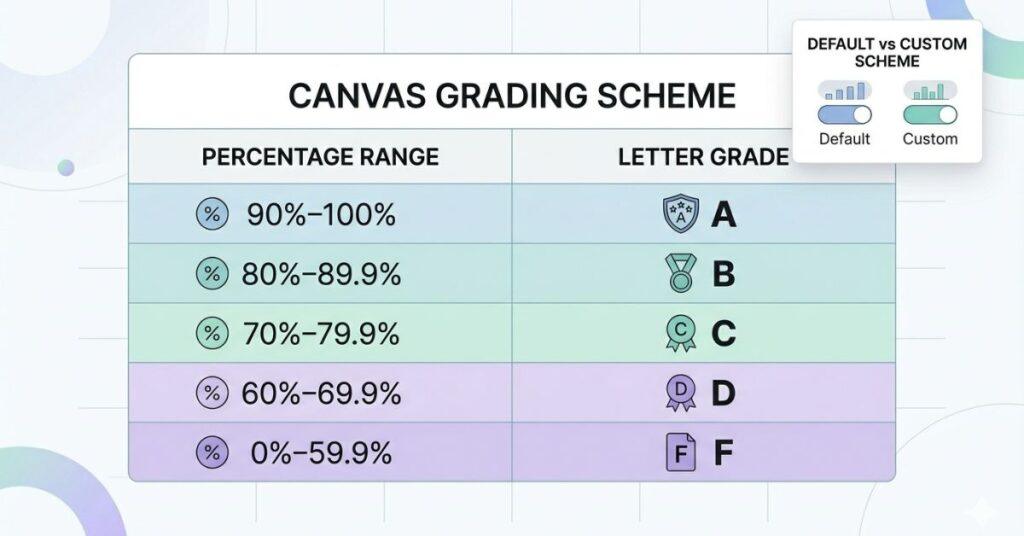
A Canvas grading scheme translates percentages into letter grades. This approach lets students gauge performance instantly. Instead of just numbers, you see clear A, B, or C ranges.
Most courses rely on grading schemes to standardize results, but instructors can customize them. This means percentages may equal different letter grades in different courses, so understanding your course’s approach prevents confusion.
For instance, one course may define 93% as an A. Another might set the threshold at 90%. These slight differences impact your final grade. Always check the grading scheme at the semester’s start.
Grading schemes help Canvas convert final percentages into letter grades after combining weighted assignments. Ignoring the scheme may cause you to misread your standing.
Checking grading schemes early gives students clarity on grade goals, helping prioritize assignments and manage stress before finals.
Takeaways
- Grading schemes convert percentages into letter grades.
- Different courses may use different ranges.
- Always check grading rules early.
- Final grades depend on the applied scheme.
Default Grading Scheme in Canvas
Canvas includes a default grading scheme used in many courses. This scheme maps percentage ranges to letter grades. It provides a standard reference for instructors and students.
Normally, the default scheme uses standard academic ranges—for example, 90–100% is an A, 80–89% a B. However, these intervals can change. Institutions or instructors may customize them.
The default scheme works well for general grading. It simplifies grade interpretation across assignments. Students can quickly understand their standing without manual calculations.
However, relying solely on the default scheme may cause confusion. Some instructors disable or modify the ranges. When this occurs, your displayed letter grade can shift. Always confirm your course’s actual setup.
Checking the syllabus or gradebook settings helps you target the correct letter grade. Small changes in thresholds can make a difference, so review these details early.
Course-Specific Grading Schemes
Some instructors create course-specific grading schemes. These customized ranges reflect course difficulty or department rules. They may differ from the default Canvas setup.
For example, one instructor may count 92% as an A instead of 90%. Another might assign plus or minus grades. These adjustments alter how percentages map to letter grades.Instructors align grading expectations. They also allow flexibility for advanced or specialized courses. However, students must review these changes carefully.
You can usually find the scheme in the course syllabus. Some instructors also enable it in the Canvas gradebook. If you cannot find it, check assignment feedback or announcements.
Understanding course-specific rules ensures your expectations match your performance, so you don’t assume the wrong letter grade.
Pro Tips
- Review the syllabus at the start of the course.
- Review the syllabus at the start of the course. or if it is unclear.
- Recheck grading after major exams.
How Instructors Apply Grading Schemes
Instructors apply grading schemes within course settings. Once enabledInstructors configure grading schemes in course settings. Once set, Canvas immediately translates percentages into letter grades after assignment totals calculate. only for final grades. This difference affects what you see during the semester. Your current grade may appear as a percentage only.
Instructors also combine grading schemes with weighted categories. ForInstructors may pair grading schemes with weighted categories—exams can outweigh quizzes. Canvas first figures the weighted percentage, then converts it to a letter grade.ually happens to clarify expectations. When this occurs, your displayed letter grade may change. Always review announcements for updates.
Knowing how instructors apply schemes helps you interpret grades correctly. You understand whether your letter grade reflects final performance or current progress.
Pro Tips
- Check if the scheme applies to final grades only.
- Monitor announcements for grading updates.
- Understand weighted categories before evaluating grades.
- Compare the percentage and the letter grade together.
Calculating Grades in Canvas
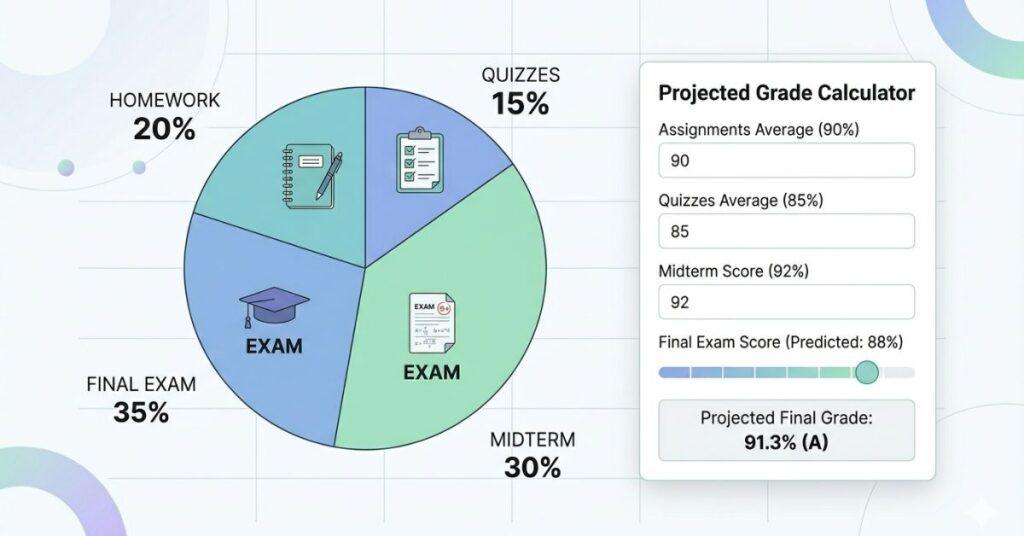
Canvas calculates grades using points, percentages, and sometimes weighted categories, depending on how instructors structure assignments. Understanding this helps you predict outcomes early.
Most courses split work into categories like quizzes, homework, and exams, each with different weights. For instance, homework often counts less than the final exam, so not all assignments affect your grade equally.
Canvas updates your current percentage automatically but may exclude future assignments. Because of this, your displayed grade can later change, which may cause confusion if the current score is assumed to be final.
When you understand how grades are calculated, you can plan smarter. Focus first on categories with higher weights. This improves your overall grade faster. It also helps you decide how much effort to spend on each task.
Want to see your final grade instantly?
Try our Canvas Grading Calculator to quickly predict your course outcome. It helps you estimate scores and avoid surprises.
Takeaways
- Canvas grades depend on assignment weights.
- Current grade may not include future work.
- High-weight categories impact your result the most.
- Grade tracking helps you plan better.
Weighted Categories & Scores
Now, let’s explore how weighted categories affect your scores. Weighted categories assign importance to different assignment groups. Instead of treating all work equally, Canvas gives each category a percentage. This determines how much it affects your final grade.
For example, a course may use this structure:
- Homework — 20%
- Quizzes — 20%
- Midterm — 25%
- Final Exam — 35%
In this setup, the final exam has the biggest impact. Even a small change in that score can shift your grade. Meanwhile, homework may have less influence overall.
Canvas multiplies your category percentage by its weight. Then it combines all results into your course grade. This method ensures major assessments count more.
Students often misunderstand weighted grading. A high quiz score may not raise your grade much. But improving a midterm score can make a big difference. Always check weights before prioritizing tasks.
How Final Exam Weight Affects Your Grade
The final exam often carries the largest weight in Canvas. This makes it one of the most important components. Your final score can change significantly after this exam.
For example, imagine your current grade is 82%. If the final exam counts for 30%, the result is still flexible. A strong exam score can raise your overall grade. A weak score can lower it quickly.
This is why understanding exam weight matters early. Students who ignore this may feel surprised later. Planning ahead helps you calculate the score you need. Canvas sometimes hides future assignments in the current grade. When the final exam appears, your percentage updates. This change can be large if the exam weight is high.
Using a calculator helps estimate outcomes before the exam. You can test different scenarios and set realistic goals. This removes guesswork and improves preparation.
Step-by-Step Example of Grade Calculation
Let’s look at a simple example of Canvas grade calculation. Suppose your course uses weighted categories. This makes it easier to understand how scores combine.
Here is a sample breakdown:
- Homework — 20% (score: 85%)
- Quizzes — 20% (score: 90%)
- Midterm — 25% (score: 78%)
- Final Exam — 35% (not taken yet)
Canvas multiplies each score by its weight. Then it adds the results together. This gives your projected course grade.
If you score 88% on the final exam, your overall grade increases. If you score lower, the final result drops. This step-by-step process shows how each category contributes.
Understanding this example helps you test scenarios. You can change scores and see different outcomes. This approach improves decision-making before exams.
Pro Tips
- Use sample calculations to test scenarios.
- Update scores after each assignment
- Monitor categories with low averages.
- Set the target score for the final exam.
Tips for Maximizing Your Canvas Grade
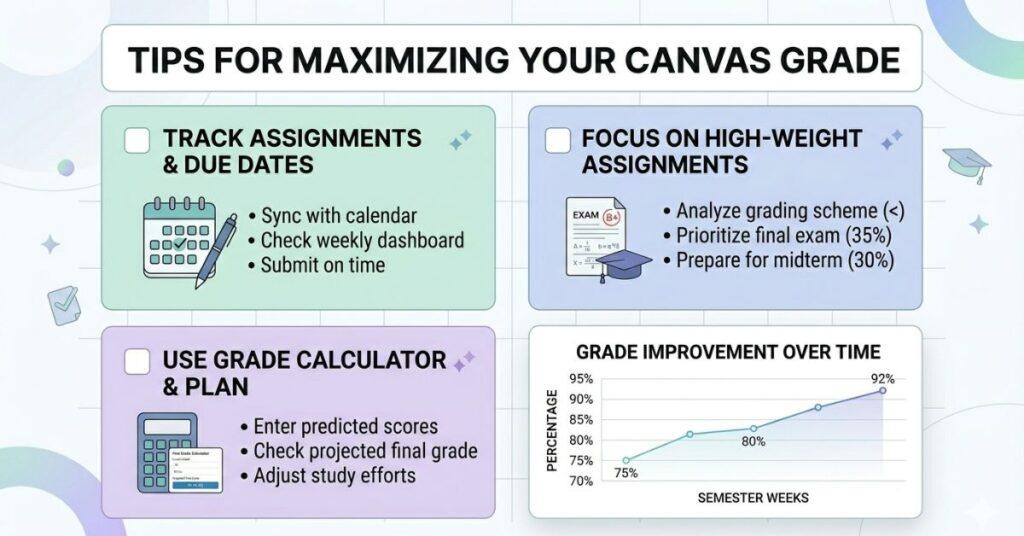
Raise your Canvas grade with a clear, strategic approach. Many students focus only on completing assignments. However, strategy matters just as much as effort. Understanding where to invest time can raise your grade faster.
Canvas offers tools that track your progress throughout the semester. With the ability to view assignment scores, category averages, and missing work, you gain valuable insights. Regularly reviewing these details helps many students sidestep last-minute stress.
Another key factor is assignment weight. Some tasks affect your grade more than others. Prioritizing high-impact work helps you improve efficiently. Small improvements in major categories can boost your final result.
Using a grade calculator also improves planning. You can estimate the required scores before exams. This allows you to set realistic goals and prepare early.
Takeaways
- Track your grades weekly.
- Prioritize high-weight assignments
- Plan early for final exams.
- Use prediction tools to set goals.
Track Assignments & Participation
By tracking assignments regularly, you avoid unexpected grade drops. Missing small tasks, which still impact averages, is a common pitfall. Checking your Canvas dashboard each week keeps you on track and aware of upcoming responsibilities.
Start by reviewing upcoming deadlines to ensure timely submissions. Late work often loses points, even with correct answers, while consistent tracking reduces this risk significantly.
Participation grades also matter in some courses. Discussions, quizzes, or attendance may count toward your total. These points are usually easy to earn. Ignoring them can lower your overall percentage.
Create a simple routine by checking your gradebook at the start of each week. As you look for missing assignments and low scores, address them early. Tackling issues quickly prevents them from lowering your average.
Pro Tips
- Check Canvas at least twice weekly.
- Complete participation activities early
- Fix missing assignments quickly.
- Track low scores and improve next tasks.
Focus on High-Weight Assignments
Assignments with the highest weight have the greatest impact on your grade, such as midterms, projects, and final exams. Excelling in these areas increases your overall percentage far more rapidly than others. Students sometimes spend too much time on small tasks. While homework matters, it may only count for a small percentage. A major exam usually influences your grade more.
Check your course weight breakdown early to identify categories with the highest percentages. When you allocate more study time to these areas, your effort aligns with grade impact and creates efficient improvement. Balancing effort is still important. Don’t ignore smaller assignments completely. Instead, prioritize major categories while maintaining steady performance elsewhere.
Pro Tips
- Review assignment weights in the syllabus
- Prioritize exams and major projects.
- Allocate study time based on impact.
- Maintain consistency in smaller tasks.
Use the Calculator to Plan for Final Exam Success
Planning for the final exam improves your chances of success. Many students wait until the last week. By then, it may be too late to improve. A grade calculator helps you estimate required scores. Enter your current grades and assignment weights. You can see what score you need on the final exam. This removes guesswork.
Testing different scenarios also helps. You can check how improving one category affects your grade. This allows you to focus on the most effective strategy.
Using a calculator early reduces stress. You know your target before exam week. This helps you prepare confidently and avoid surprises.
Common Questions About Canvas Grading
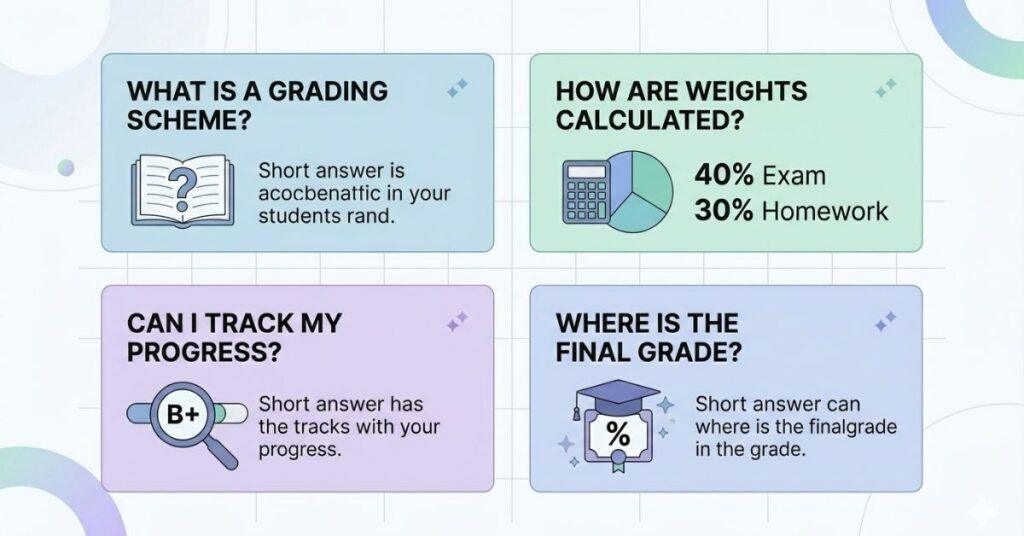
Students often have specific questions about Canvas grading. Understanding these answers helps you interpret scores accurately. These main concerns involve grading schemes, letter grades, and course adjustments.
Knowing how Canvas grading works reduces confusion during the semester. With this foundation, let’s move into answers for the most frequent grading questions. You can track progress more confidently and avoid misreading percentages. The answers below clarify key points beginners often ask.
What is a grade scheme in Canvas?
A grade scheme in Canvas translates percentages into letter grades. It specifies which percentage range counts as A, B, or C. This lets students gauge performance quickly.
For instance, 90% might equal an A in one course, while another may require 93% for an A. These differences depend on instructor settings.
Grade schemes appear in the course grading setup. Some instructors use the standard scheme. Others design custom ranges for their course. Always check your syllabus or gradebook.
Understanding the scheme prevents confusion. Your percentage may look strong, but it still falls into a lower letter range. Knowing the cutoff helps you set the right target.
How do I know my letter grade?
Canvas usually displays your percentage in the gradebook. If a grading scheme is enabled, a letter grade appears next to it. Sometimes, you may only see a percentage. This happens when the instructor applies the scheme to final grades only. In that case, you must check the course grading ranges.
You can calculate your letter grade manually. Compare your percentage with the grading scheme. This gives you an estimate of your standing.
Checking regularly helps you track progress. Your letter grade may change after major assignments. Monitoring updates prevents surprises later.
Can grading schemes change during a course?
Yes, instructors can revise grading schemes during a course. This usually occurs to clarify expectations or adjust ranges. Changes may shift how percentages become letter grades.
When a scheme changes, your displayed letter grade may update. The underlying percentage usually remains the same. Always review course announcements for updates.
Most instructors avoid significant changes late in the semester. However, minor adjustments may still occur. Checking regularly keeps you informed.
If you notice a sudden letter grade shift, compare the scheme. This helps you confirm whether ranges changed. Contact your instructor if something looks unclear.
Conclusion
You now understand how Canvas grading works, including scores, percentages, weights, and grading schemes. These insights help you track progress and avoid surprises before finals. Understanding Canvas grading makes it easier to set realistic targets and improve performance throughout the semester.
Whether your course uses a canvas grading scheme or weighted categories, planning ahead matters. Checking your gradebook regularly and focusing on high-impact assignments can boost your results. Small adjustments during the semester often lead to better final outcomes.
Want a quick and accurate prediction?
Use our Canvas Grading Calculator now to instantly estimate your final grade, test scenarios, and take control of your results today!
If you found this guide helpful, take the next step: explore our other Canvas tools and share this resource with classmates. Unlock better grades for you and your friends!

We are the Canvas Academic Team, a developer team focused on building simple and practical tools that help students succeed academically. This platform was created specifically for Canvas LMS students to make grade tracking, GPA calculations, exam planning, and academic management easier and more efficient.
Our focus is on creating fast, accurate, and student-friendly educational tools along with helpful learning resources that improve productivity and reduce academic stress.
Through CanvasGradeCalculator.com, our goal is to continue building useful resources that help students study smarter, stay organized, and achieve better academic results.