
🟨 1. Introduction
Canvas LMS has made it easier for students to access lectures, assignments, and grades in one place—but many students still struggle to manage their semester effectively. The issue is not access to information, but how that information is organized and followed consistently.
Most students face the same problems throughout the semester: missed deadlines, late assignment submissions, and poor attendance tracking inside Canvas. At the beginning, everything feels manageable, but as courses get busier, tasks pile up, and important updates are easily ignored. This is where students begin to fall behind without even realizing it.
The real challenge is not a lack of motivation—it is a lack of system. Relying on memory or last-minute effort does not work in a structured LMS environment like Canvas. Students who succeed are not always the most motivated; they are the ones who follow a simple, repeatable system every day.
This guide is designed to solve exactly that problem. It helps students build a practical Canvas student checklist that supports organization, improves consistency, and reduces academic stress. By following a clear structure, students can stay on top of deadlines, track their progress, and steadily improve their grades throughout the semester.
In short, this is a complete semester survival guide for students who want to stay organized, avoid last-minute pressure, and take control of their academic performance inside Canvas LMS.
If your grades are low, you can use our grade improvement plan calculator to find exactly what score you need to recover.
🟩Canvas Semester Survival System
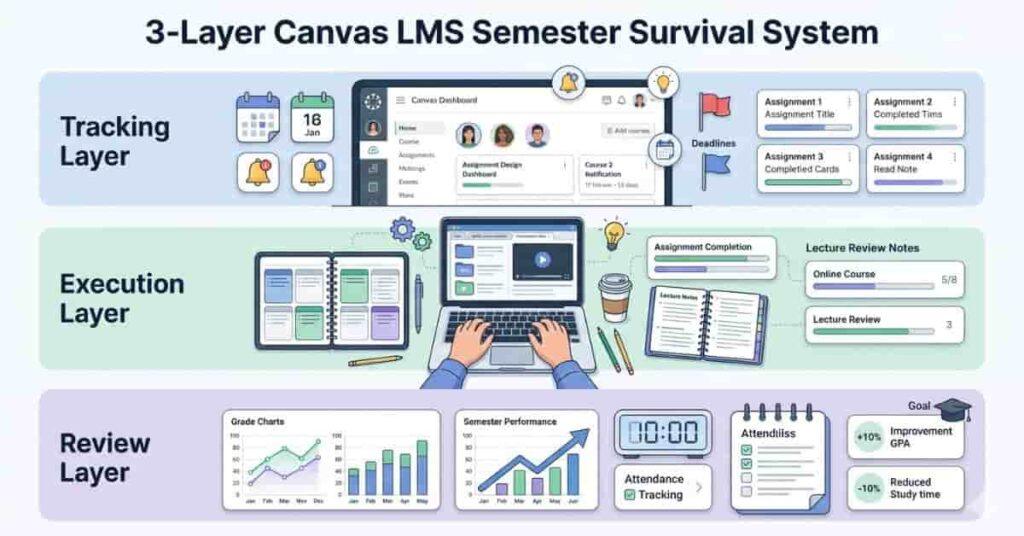
Success in Canvas LMS is not about working harder every day—it is about following a structured system that keeps everything under control. Most students fall behind because they only focus on assignments when they are already due. A proper system prevents this situation before it happens.
✔ 3-Layer Student System
To manage your semester effectively, you need to divide your academic routine into three simple but powerful layers:
1. Tracking Layer (Stay Aware of Everything)
This is the foundation of your entire system. If you don’t track, you will miss important tasks without realizing it.
- Regularly check your Canvas dashboard.
- Monitor all upcoming deadlines.
- Turn on and review notifications.
- Use the Canvas calendar for weekly planning.
👉 Purpose: To always know what is coming next so nothing surprises you.
2. Execution Layer (Daily Academic Action)
This is where actual progress happens. Tracking is useless without execution.
- Follow a consistent daily study routine.
- Complete assignments step by step instead of waiting for the deadline
- Review lecture materials after each class.
- Break large tasks into small, manageable parts.
👉 Purpose: To complete work on time without stress or last-minute pressure.
3. Review Layer (Improve and Stay on Track)
This layer helps you understand your performance and fix mistakes early.
- Conduct weekly and monthly performance checks.
- Track your grades in Canvas regularly.
- Identify weak subjects or topics.
- Adjust your study plan based on progress.
👉 Purpose: To continuously improve instead of repeating the same mistakes.
Students can also use our study hour planner tool to find exact study time needed to reach their target grade.
👉 Why This System Works
When these three layers work together, students develop a stable routine that prevents missed deadlines, reduces stress, and improves academic performance over time. This Canvas student checklist system is designed to keep you consistent throughout the semester and help you build long-term study discipline.
🟦Daily Canvas LMS Student Checklist
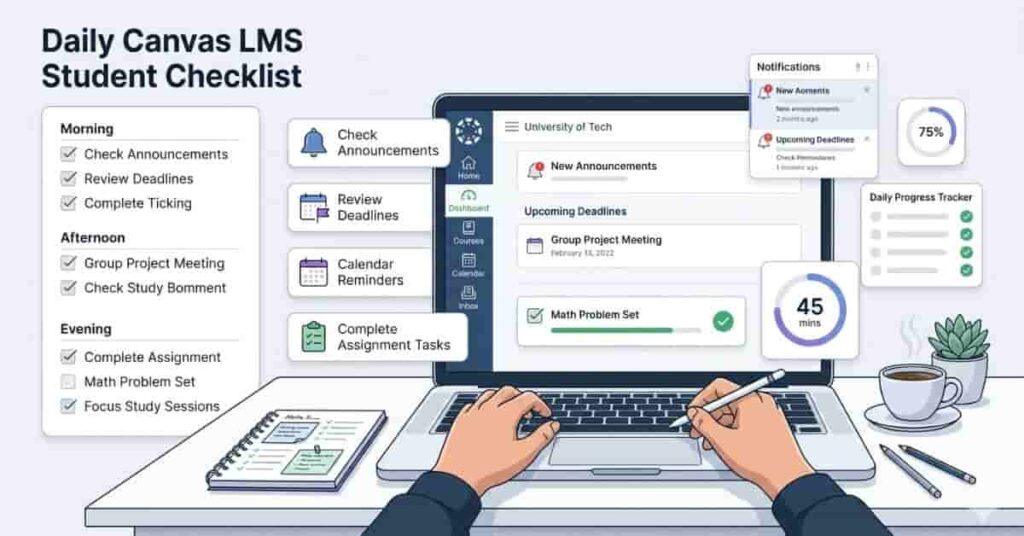
A successful semester in Canvas LMS depends heavily on what you do every single day. Small, consistent actions are far more effective than last-minute study sessions. A structured daily routine helps you stay up to date, avoid missed deadlines, and keep your academic workload under control.
Every day, students should follow this Canvas LMS routine:
- Log in to Canvas LMS and check the dashboard.
- Review new announcements from instructors.
- Check all due and upcoming assignments.
- Look at the calendar deadlines for the next few days.
- Complete at least one focused study or assignment task.
- Revise yesterday’s topic for 10–20 minutes to strengthen memory.
Following this daily student checklist helps you stay aware of your coursework and prevents tasks from piling up unexpectedly. It also builds consistency, a key factor in better grades and reduced academic stress throughout the semester.
🟨Weekly Student Checklist
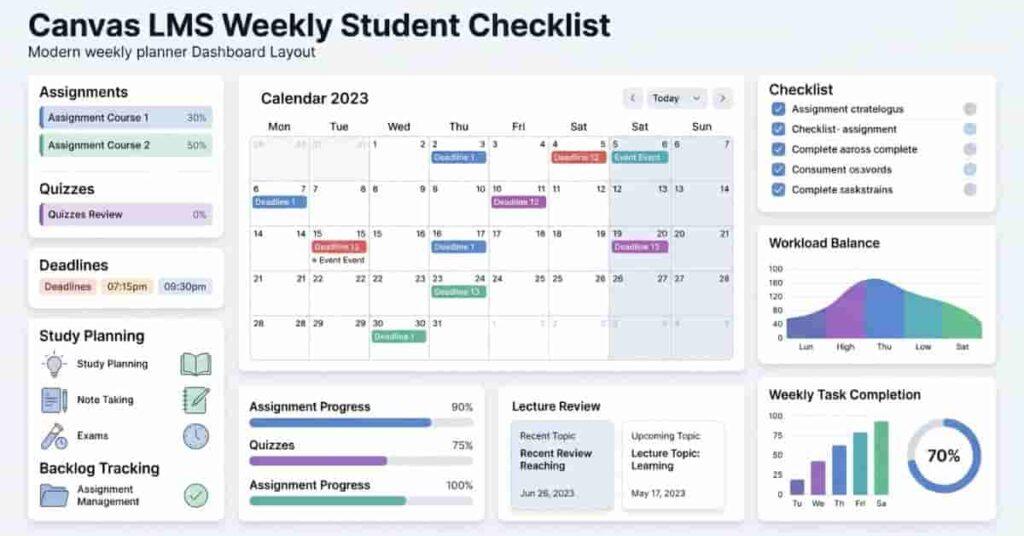
A weekly routine is where real academic control is built in Canvas LMS. While daily tasks keep you consistent, the weekly system helps you see the bigger picture—what is due, what is pending, and what needs immediate attention. Without weekly planning, students often end up overwhelmed by deadlines they did not prepare for in time.
Every week, students should follow this structured college weekly plan:
- Review all upcoming deadlines for the next 7 days.
- Track the progress of current assignments in Canvas LMS.
- Update and adjust your study schedule based on workload.
- Identify backlog tasks that are still incomplete.
- Catch up on missed lectures, notes, or readings.
- Prepare in advance for quizzes, tests, or exams.
This assignment-tracking system ensures nothing is forgotten or left until the last minute. It helps you distribute workload evenly across the week, reduce stress before deadlines, and maintain steady academic performance throughout the semester.
🟩Monthly Academic Performance Review
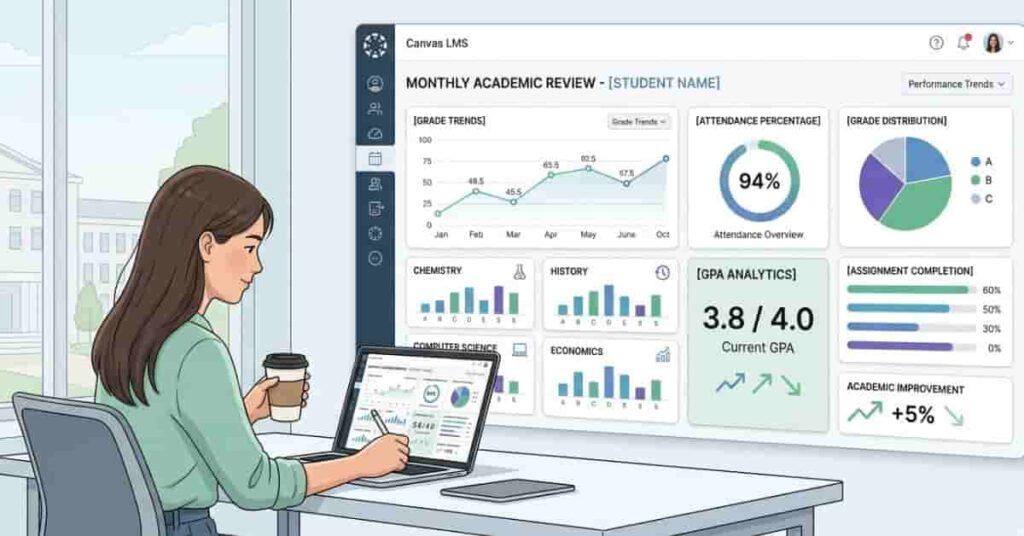
A monthly review is the point where you step back and evaluate your overall academic performance in Canvas LMS. While daily and weekly routines focus on tasks, this stage focuses on results. It helps you understand whether your current strategy is actually working or needs adjustment.
Once every month, students should conduct a structured student performance review:
- Check updated grades in Canvas LMS for all subjects.
- Identify weak subjects or topics with low performance.
- Review overall attendance percentage and participation level.
- Analyze performance trends (improving, stable, or declining)
- Adjust your study strategy based on real results.
This Canvas grade tracking habit is important because it shifts your focus from just completing tasks to improving outcomes. Instead of repeating the same mistakes, you start making informed decisions about how to study smarter, manage time better, and improve grades consistently over the semester.
🟥Warning Signs You Are Falling Behind
In Canvas LMS, falling behind usually doesn’t happen suddenly—it builds up slowly through small, ignored tasks. Most students only realize the problem when deadlines start overlapping and catching up becomes difficult. Recognizing early warning signs is the key to staying in control of your semester.
If you notice any of the following signs, it means you need to fix your study system immediately:
- Missing assignment deadlines or submitting work late
- Not checking Canvas LMS on a daily basis.
- Ignoring notifications, announcements, or updates
- Low participation in class activities or submissions
- A growing backlog of unfinished assignments or lectures
These warning signs indicate that your current routine is not working effectively. The longer they continue, the harder it becomes to recover. Identifying them early allows you to take action before your grades are affected.
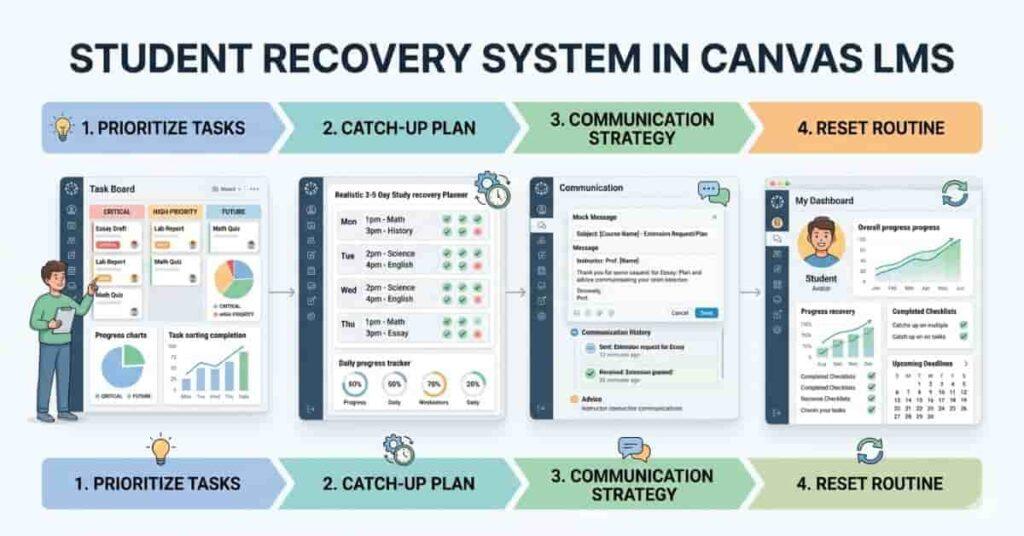
🟧 Recovery System for Students
If you fall behind in Canvas LMS, the most important thing is not to panic—it is to have a clear recovery plan. Most students try to fix everything at once, which creates more stress and leads to even more missed deadlines. A structured recovery plan helps you regain control step by step.
✔ Step 1: Prioritize Tasks (Damage Control Mode)
Start by organizing everything you have pending.
- Focus on urgent deadlines first.
- Complete high-weight assignments before low-weight tasks.
- Separate tasks into: “Must do today” vs “Can wait.”
👉 Purpose: Stop further grade loss immediately.
✔ Step 2: Catch-Up Plan (3–5 Day Reset Strategy)
Now focus on clearing your backlog in a realistic way.
- Break all pending work into daily targets.
- Work on one subject at a time to avoid confusion.
- Set small daily goals instead of trying to finish everything in one day.
👉 Purpose: Gradually eliminate backlog without burnout.
✔ Step 3: Communication Strategy (Smart Academic Support)
Sometimes recovery requires communication.
- Politely email your instructor if you miss a deadline.
- Request extensions only when you have a valid reason
- Be honest, clear, and professional in communication.
👉 Purpose: Reduce penalty impact and show responsibility.
✔ Step 4: Reset Routine (Back to Discipline)
Once the backlog is under control, restart your system.
- Follow the daily Canvas checklist strictly.
- Avoid skipping dashboard checks or notifications.
- Stick to your weekly study schedule again.
👉 Purpose: Prevent falling behind again.
👉 Why This Recovery System Works
This student recovery plan works because it focuses on prioritization, structured catch-up, and a discipline reset rather than random effort. It is designed to help students understand how to catch up in college without stress, confusion, or last-minute pressure.
🟦 Tips to Improve Canvas LMS Productivity (AdSense Safe Value Section)
Improving productivity in Canvas LMS is not about studying more hours—it is about using the platform more efficiently. Small adjustments in how you manage notifications, deadlines, and planning can significantly improve your academic performance and reduce unnecessary stress.
Here are practical tips to improve your Canvas LMS productivity:
- Turn on Canvas notifications so you never miss announcements or deadline updates.
- Use the Canvas calendar integration to track all assignments in one place.
- Set personal study reminders for daily and weekly tasks.
- Avoid last-minute submissions by starting assignments early.
- Maintain a weekly planner to organize tasks and study sessions in advance.
These simple habits help you stay consistent, reduce confusion, and keep your academic workload under control. Over time, they improve your efficiency and ensure that your Canvas student checklist works smoothly throughout the semester.
Many students combine this with a study hour planner tool to create a complete improvement strategy for better academic performance.
🟩Conclusion
Success in Canvas LMS is not about working under pressure—it is about staying consistent with a simple system that you follow every day. Most students struggle not because the workload is impossible, but because they don’t have a clear structure to manage it.
When you build strong daily habits, even small actions start to create big academic results. Checking Canvas regularly, tracking assignments, and following a weekly routine all combine to improve your grades naturally over time.
The key idea is simple: small daily habits lead to better grades and less stress. Instead of reacting to deadlines at the last moment, you stay in control throughout the semester by following your system.
👉 Final Message
Stick to your routine, trust the process, and focus on consistency—not pressure. That is how you complete a semester successfully in Canvas LMS.
Take the next step to improve your academic performance:
- 📄 Download a printable Canvas student checklist
- 📊 Use a grade calculator tool to track your progress
- 🧠 Build your personalized study plan for the semester
👉 Start organizing your semester today instead of waiting for deadlines to control you.