
Late Assignment Email Generator for Canvas LMS Students (Free & Professional)

Create professional late assignment emails instantly for professors, instructors, and teachers with our free late assignment email generator. Designed specifically for Canvas LMS students, this academic email tool helps you write respectful, professional, and well-structured late submission emails in seconds. Whether your assignment is late due to illness, personal emergencies, workload pressure, technical issues, or missed deadlines, our tool helps you communicate professionally and improve your chances of getting it accepted.

No confusing templates. No AI writing fees. Just a simple and effective academic email tool built for college and university students.
✅ No Sign-Up Required
✅ 100% Free
✅ Student Friendly
✅ Instant Copy & Paste
✅ Professional Academic Tone
✅ Works for Canvas LMS Courses

Our late assignment email generator helps Canvas LMS students quickly and easily create polite, professional emails for late homework, overdue assignments, missed deadlines, and assignment extension requests.

🎓 Why Students Use Our Late Assignment Email Generator

Writing an email to a professor about a late assignment can feel stressful, awkward, and time-consuming — especially when you are already dealing with deadlines, exams, or personal issues. Many students struggle to find the right words, worry about sounding unprofessional, or don’t know how to politely explain their situation.
Our Late Assignment Email Generator helps Canvas LMS students create respectful, professional, and academically appropriate emails within seconds. Instead of wasting time writing from scratch, you can instantly generate a clear and well-structured email ready to copy, edit, and send.
Whether you missed a homework deadline, submitted an assignment late, or need extra time because of personal circumstances, this academic email generator makes communication with professors easier and more professional.

⏱️ Save Time

Stop staring at a blank screen, trying to figure out what to say. Generate a complete professional student email instantly with properly structured wording, respectful language, and a polished academic tone.
Perfect for busy college and university students who need a quick solution for late assignments and overdue homework.

🎯 Sound Professional

Communicating with professors requires the right tone. Our tool helps students write polite, respectful, and professional emails that sound academically appropriate instead of emotional, rushed, or poorly written.
This helps improve student-professor communication and creates a better impression when requesting consideration for late submissions.

💬 Improve Communication

Many students struggle to write late-assignment emails correctly. Saying too little can sound careless, while saying too much can feel unprofessional.
Our academic email generator creates balanced and structured emails that clearly explain your situation while remaining respectful and professional.

🔒 Private & Secure

Your privacy matters. No sign-up is required, no personal data is stored, and no unnecessary tracking is involved.
Simply enter your details, generate your email, and copy it instantly — fast, secure, and student-friendly.

📱 Mobile Friendly

Use the late assignment email generator from anywhere. The tool works smoothly on phones, tablets, laptops, and desktops, making it easy to generate academic emails whenever you need them.
Perfect for students managing assignments on the go.

🚀 Built to Help Students Write Better Academic Emails

Our tool is more than just a simple template generator. It is a smart academic email tool designed to help students communicate professionally, save time, reduce stress, and handle late assignment situations more confidently.
Whether you need a:
  • professional student email
  • assignment apology email
  • late homework email
  • overdue assignment request
This generator helps you create the right message quickly and easily.

Late Assignment Email Generator

Generate professional academic apology emails in seconds — no sign-up, no AI fees, fully private.

📋 Input Details
Include apology statement
Request acceptance
Mention circumstances
✉️ Generated Email

Fill in the form and click Generate Email to see your professional email here.

📌 Subject Line

Canvas Email Tools — Professional academic email generator. 100% private, runs in your browser.

Copied successfully!

✍️ How to Write a Late Assignment Email

Writing a late assignment email to a professor can feel uncomfortable, especially when you are unsure what to say or how to sound professional. Many students worry about using the wrong tone, overexplaining their situation, or sending an email that comes across as rushed and unprofessional. Our Late Assignment Email Generator makes the process simple for Canvas LMS students by guiding you step-by-step. In just a few moments, you can create a respectful and professionally written academic email ready to send to your professor.
 
If you are searching for how to write a late assignment email or how to email a professor about late work, follow these simple steps below.

👤 Step 1 — Enter Your Student Details

Student details form in late assignment email generator for Canvas LMS students

Start by entering your name so the email feels personal and professional. Adding accurate student information helps professors quickly identify who you are and which class the email relates to.

✅ Helps personalize your academic email
✅ Makes communication clearer for instructors
✅ Creates a more professional impression

Example:

  • Student Name: Alex Johnson

👨‍🏫 Step 2 — Add Your Professor’s Name

Professor name input field in academic late assignment email generator

Next, enter your professor or instructor’s name. Addressing professors correctly shows professionalism and respect, which is important when discussing late assignments or missed deadlines.

Using your professor’s real name makes your email sound more genuine and academically appropriate.

Example:

  • Professor Name: Dr. Sarah Williams

📘 Step 3 — Enter Course & Assignment Information

Course name and assignment details section in late submission email generator

Provide your course name and assignment title so your professor immediately understands which submission you are referring to.

This step is especially helpful for Canvas LMS students managing multiple classes and assignments at the same time.

✅ Reduces confusion
✅ Makes your email more organized
✅ Helps professors identify your work faster

Examples:

  • Course Name: Introduction to Psychology
  • Assignment Name: Research Essay Chapter 3

⏰ Step 4 — Mention How Late the Assignment Is
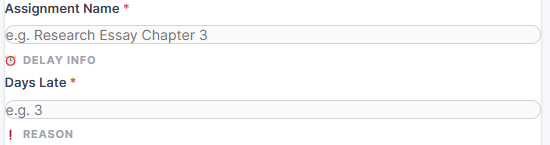
Days late field in professional late assignment email generator for students

Be honest about the number of days your assignment is late. Clear communication builds trust and shows accountability.

Professors appreciate students who communicate respectfully instead of avoiding the situation completely.

Example:

  • Days Late: 3

❗ Step 5 — Explain the Reason Professionally
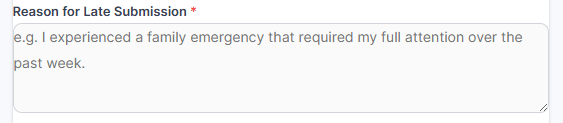
Reason for late submission section in academic email generator for Canvas LMS students

Briefly explain why your assignment was submitted late. You do not need to write a long emotional story — a short and respectful explanation is usually enough.

Our academic email tool helps students phrase their reasons professionally and politely.

Common reasons include:

  • Family emergencies
  • Illness
  • Technical problems
  • Heavy academic workload
  • Personal circumstances

Example:
“I experienced a family emergency that required my full attention over the past week.”

✅ Keeps your explanation respectful
✅ Avoids awkward wording
✅ Improves professor communication

🎛️ Step 6 — Choose Your Preferred Email Tone

Polite formal and professional tone options in late assignment email generator

Every situation is different, which is why the tool allows you to select the tone that best fits your situation.

You can choose:

  • Polite
  • Formal
  • Very Professional

This feature helps students create professional student emails that sound respectful, confident, and academically appropriate.

⚙️ Step 7 — Select Smart Email Options
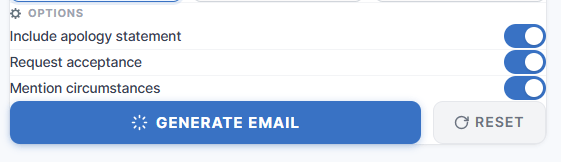
Late assignment email generator options including apology statement and acceptance request

Customize your email using smart academic options like:

✅ Include apology statement
✅ Request assignment acceptance
✅ Mention personal circumstances

These options help you create a more complete and professional late submission email without writing everything manually.

🚀 Step 8 — Generate & Copy Your Email Instantly
Generate professional late assignment email button for college students

Once everything is complete, click the “Generate Email” button and your professional late assignment email will appear instantly.

You can:

  • Copy the email
  • Edit it if needed
  • Send it through Canvas LMS or email

No templates to search for. No AI writing fees. No complicated setup.

Just a fast, simple, and professional way to communicate with professors about late assignments.

✉️ Example Late Assignment Email to a Professor

Writing a professional late assignment email can be difficult when you are stressed, busy, or unsure how to explain your situation respectfully. Many students worry about sounding unprofessional, using the wrong tone, or making their email too short or too emotional. To help Canvas LMS students communicate more confidently with professors, our Late Assignment Email Generator creates clear, respectful, and academically appropriate emails within seconds.
 
Below is a sample late assignment email generated using our tool. This example shows how students can professionally apologize, explain their situation, and request consideration for late work while maintaining a respectful academic tone. Whether you are looking for a sample late assignment email, an apology email to a professor, or a late homework email example, this template demonstrates the type of polished email our tool can generate instantly.

Late Assignment Submission Request

Dear Professor Williams,

I hope you are doing well. I am writing regarding my late submission for the Research Essay Chapter 3 assignment in Introduction to Psychology.

I sincerely apologize for not submitting the assignment before the deadline. Over the past few days, I experienced a family emergency that affected my ability to complete the work on time.

I fully understand the importance of assignment deadlines and take responsibility for the delay. I truly value your class and appreciate your support throughout the course.

I respectfully ask if you would consider accepting my late submission. I have completed the assignment and can submit it immediately through Canvas LMS.

Thank you for your understanding and consideration.

Sincerely,
Alex Johnson

📌 What Is This?

This is a professionally written academic email example created using our Late Assignment Email Generator for Canvas LMS students. The tool helps students quickly generate respectful and well-structured emails for:
  • Late assignment submissions
  • Missed homework deadlines
  • Assignment extension requests
  • Academic apology emails
  • Professional communication with professors
Instead of searching for templates online or struggling to write from scratch, students can instantly create personalized academic emails that sound professional, polite, and trustworthy.

📚 What Should You Include in a Late Assignment Email?

Writing a late assignment email to a professor is not just about apologizing — it is about communicating professionally, respectfully, and clearly. A well-written academic email can leave a better impression on your instructor and increase the likelihood that your late submission will be considered.
Many Canvas LMS students struggle with what to say in a late assignment email or how to apologize for late homework without sounding disrespectful, careless, or overly emotional. The good news is that most professional academic emails follow a simple structure.
Below are the most important things every student should include when writing a professional late assignment email to a professor.

👋 A Respectful Greeting

Always begin your email with a professional and respectful greeting. Address your professor properly using their title and last name whenever possible.
Starting your email respectfully immediately creates a more professional tone and shows academic courtesy.
Good examples:
  • Dear Professor Williams,
  • Hello Dr. Johnson,
  • Dear Instructor Smith,
Avoid:
  • Hey
  • Hi teacher
  • Informal or overly casual greetings
A respectful opening helps your email sound more professional and student-friendly from the very beginning.

📝 A Clear Explanation

After greeting your professor, briefly explain why your assignment is late. Keep your explanation honest, short, and respectful.
You do not need to write a long emotional story. Professors usually appreciate clear communication more than lengthy excuses.
Common professional reasons include:
  • Illness
  • Family emergencies
  • Technical issues
  • Personal circumstances
  • Heavy academic workload
The goal is to explain the situation clearly while maintaining a calm and professional academic tone.

✅ Accountability

Taking responsibility for the missed deadline is an important part of writing a professional student email. Acknowledge the delay respectfully, rather than sounding defensive or careless.
Simple statements like:
  • “I understand the importance of deadlines.”
  • “I apologize for the late submission.”
  • “I take full responsibility for the delay.”
can make your email sound more mature and professional.
Professors are often more understanding when students communicate honestly and respectfully about late work.

🙏 A Request for Consideration

If you want your professor to accept the assignment, politely ask for consideration. Keep your request respectful and realistic.
Examples:
  • “I respectfully ask if you would consider accepting my late submission.”
  • “I would greatly appreciate your understanding.”
  • “If possible, I kindly request consideration for the delayed submission.”
A polite request sounds far more professional than demanding or expecting acceptance automatically.
This is one of the most important parts of learning how to email a professor about late work professionally.
 

💙 Appreciation & Gratitude

Always end your email by thanking your professor for their time, patience, and understanding.
A simple thank-you message helps leave a respectful final impression and shows professionalism.
Examples:
  • “Thank you for your time and consideration.”
  • “I truly appreciate your understanding.”
  • “Thank you for your patience and support.”
Ending your email politely can make your communication feel more genuine and respectful.

🎓 Who Can Use This Email Generator?

Our Late Assignment Email Generator helps students communicate professionally with professors, instructors, and teachers when assignments are submitted late. Whether you are studying online, attending college classes, or managing multiple deadlines, this tool makes academic communication faster, easier, and more professional.
This student email generator is specially built for Canvas LMS students, but it can also be used by anyone who needs help writing respectful academic emails for late submissions, missed homework, or assignment extension requests.
Below are the students who can benefit the most from this college email tool and university email template generator.

👨‍🎓 College & University Students

College and university students often deal with multiple assignments, exams, projects, and deadlines at the same time. Missing a submission deadline can happen to anyone, especially during stressful academic periods.
This academic email tool helps students quickly generate professional emails for:
  • Late homework submissions
  • Missed assignments
  • Assignment extension requests
  • Academic apology emails
  • Communication with professors
Instead of struggling to write from scratch, students can create polished, respectful emails in seconds.

💻 Online Learners & Canvas LMS Students

Online learning requires regular communication via platforms such as Canvas LMS. Many students feel unsure about how to professionally explain late work or contact instructors online.
This tool is specifically optimized for:
  • Canvas LMS students
  • Online college classes
  • Remote learning programs
  • Digital assignment submissions
  • Virtual classrooms
Whether your assignment was uploaded late or you missed a Canvas LMS submission deadline, this tool helps you communicate clearly and professionally.

⏳ Busy Students Managing Multiple Deadlines

Academic pressure can become overwhelming during:
  • Midterms
  • Final exams
  • Group projects
  • Part-time jobs
  • Personal responsibilities
Sometimes students simply run out of time or face unexpected situations that delay assignment submissions.
Our professional student email generator helps busy students quickly create respectful emails without spending extra time searching for templates or worrying about wording.

🌍 International Students

Many international students understand their coursework well but struggle with writing professional English emails to professors.
This university email template generator helps students:
  • Improve academic email writing.
  • Use a professional English tone.
  • Avoid awkward wording
  • Communicate respectfully with instructors.
The tool creates clear and professionally structured emails that sound natural, polite, and academically appropriate.

📚 Students Facing Personal or Emergency Situations

Unexpected situations can affect assignment deadlines, including:
  • Illness
  • Family emergencies
  • Mental stress
  • Technical problems
  • Internet or device issues
In these moments, students often need a fast and professional way to explain their situation respectfully.
This late assignment email generator helps students communicate calmly and professionally during stressful situations.

🚀 Built for Modern Academic Communication

Today’s students need faster, smarter, and more professional ways to communicate with professors online. That is why this college email tool is designed to make academic communication simple, respectful, and stress-free.
Whether you need:
  • a student email generator
  • a college email tool
  • a university email template
  • a late homework email
  • a professional apology email to a professor
This tool helps you generate polished academic emails in seconds.

🚀 Generate Your Late Assignment Email Now

Stop worrying about how to email a professor about late work. Our Late Assignment Email Generator helps students create respectful, professional, and academically appropriate emails within seconds.
Whether you missed a deadline, submitted homework late, or need to request consideration from your instructor, this Canvas LMS student tool makes academic communication simple and stress-free.

✅ Perfect For

  • Late assignment emails
  • Homework apology emails
  • Assignment extension requests
  • College & university students
Write a professional academic email in less than a minute and copy it instantly.

📌Frequently Asked Questions :

💸 Is this late assignment email generator free?

Yes — our late assignment email generator is completely free to use.

Students can generate professional academic emails instantly without paying subscription fees, purchasing credits, or signing up for expensive AI writing tools.

This free email generator for students is designed to make academic communication easier, faster, and more accessible for everyone.

Absolutely. This tool is specifically optimized for Canvas LMS students and online learning environments.

Whether you need to:

  • explain a late assignment
  • request deadline consideration
  • apologize for overdue homework
  • communicate with an instructor online

the tool helps you generate professional emails suitable for Canvas LMS communication.

No. Your information remains completely private.

We do not require sign-ups, store personal information, or save the details you enter into the generator. Everything is designed to be simple, secure, and student-friendly.

You can generate your academic email, copy it instantly, and use it confidently without worrying about privacy concerns.

Yes. The tool allows students to choose different professional email tones based on their situation.

You can select:

  • Polite
  • Formal
  • Very Professional

This helps students create academically appropriate emails that sound respectful, professional, and well-structured when communicating with professors or instructors.

Yes. Every generated email is fully editable.

After generating your late assignment email, you can:

  • copy the email instantly
  • make personal edits
  • adjust wording if needed
  • customize the message before sending

This gives students flexibility while still saving time and maintaining a professional academic tone.

Yes. In addition to late assignment emails, students can also use this assignment extension email generator for:

  • extension requests
  • missed homework explanations
  • overdue assignment submissions
  • academic apology emails
  • deadline consideration requests

The tool is designed to help students communicate professionally in different academic situations.

This academic email tool is ideal for:

  • college students
  • university students
  • online learners
  • Canvas LMS students
  • international students
  • students managing heavy workloads or emergencies

Whether you are writing your first email to a professor or simply need help finding the right words, this tool helps students create professional and respectful academic emails quickly and confidently.

Scroll to Top
