Introduction
Ever wondered why two students get different results from the same assignment?
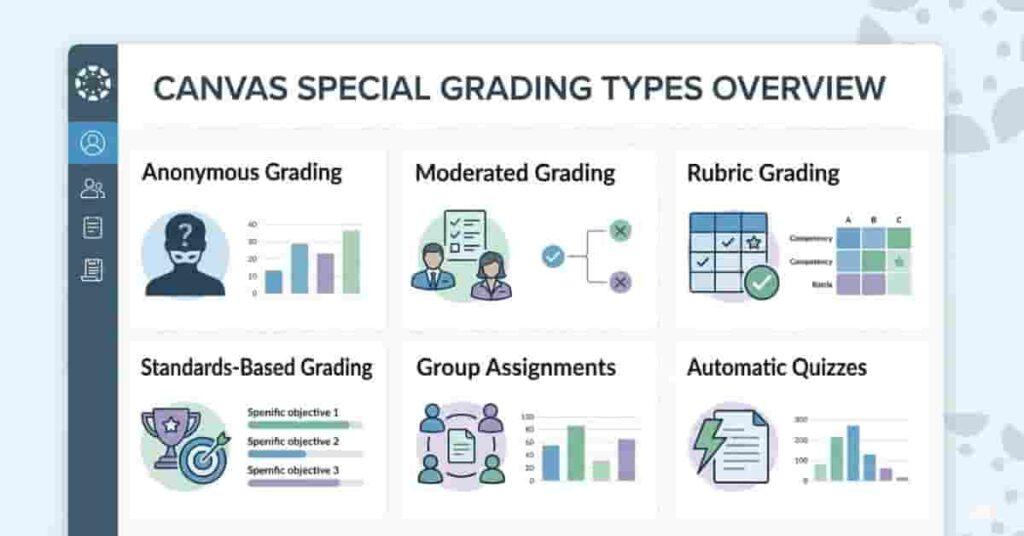
Canvas Special Grading Types affect score calculation, display, and review. Many beginners in the USA are confused by unfamiliar grading options. Features such as Canvas anonymous grading or rubric scoring may seem complex. These tools directly affect fairness, transparency, and final grades. Early understanding helps students avoid surprises and plan smarter.
This guide explains how each special grading type works in simple terms. You’ll learn when instructors use moderated grading, automatic quiz scoring, and group assignments. We’ll also show how these methods influence your overall course performance. By the end, you’ll know exactly what each option means and how to track your progress confidently.
You’ll also discover how to use a Canvas grade calculator to predict results across different grading styles. With this knowledge, you can study strategically, manage expectations, and stay in control of your academic goals.
Why Canvas Offers Multiple Grading Options
Different courses require different ways to measure learning. Canvas supports multiple grading options, so instructors can align grading with course goals. A math quiz may use automatic scoring, while an essay needs rubric-based feedback. This flexibility helps teachers grade fairly and consistently.
For beginners in the USA, this matters more than it seems. One class might use Canvas’s anonymous grading to reduce bias. Another may rely on group assignment grading for collaborative projects. Some courses even use complete/incomplete grading for participation-based work. Each option changes how your score appears and contributes to your final grade.
Multiple grading types improve transparency. Rubrics show how points are earned. Moderated grading lets multiple instructors review assignments. Standards-based grading focuses on skill mastery. These options give both students and teachers clearer expectations.
When you understand why these grading methods exist, you can plan better. You’ll know when feedback matters more than points or when group performance affects your grade. This reduces confusion and helps track progress confidently.
“Try our Canvas Grade Boundary Calculator to see instantly where your grades fall and plan your next steps.”
Takeaways
- Canvas supports different learning styles and course structures.
- Each grading type improves fairness and clarity.
- Some options change how final grades are calculated.
- Understanding them helps you plan your study strategy.
Pro Tips
- Check your syllabus for grading type details early.
- Look for rubric criteria before submitting assignments.
- Ask instructors how group grades affect individual scores.
“If you’re new to Canvas, first understand the basic Canvas grading system before exploring special types.”
Difference Between Standard and Special Grading
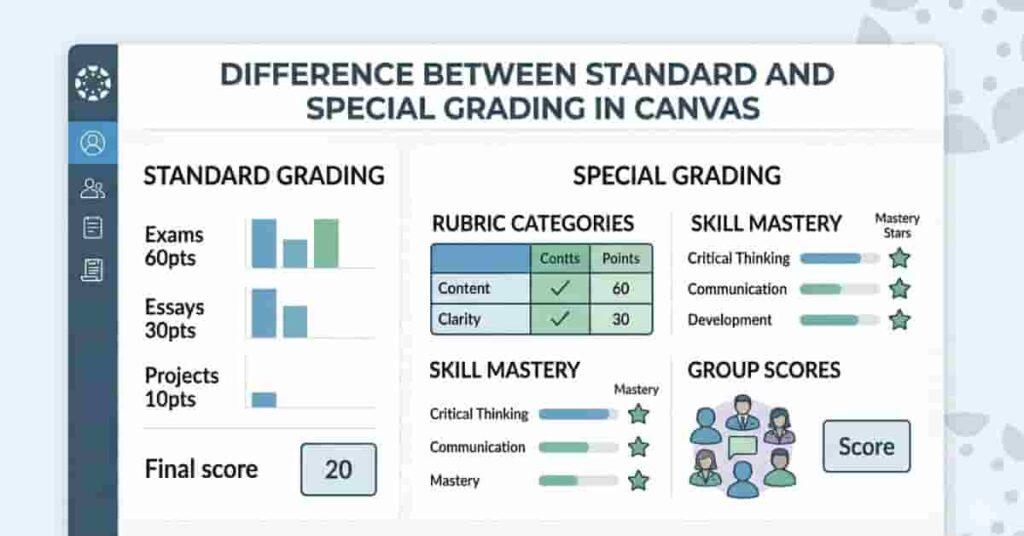
Standard grading in Canvas uses a percentage system. You submit work, earn points, and the total calculates your final grade. This works for straightforward assignments but may not capture deeper learning or collaboration.
Special grading types go beyond simple point totals. For example, a canvas rubric for grading breaks assignments into criteria such as clarity, research, and formatting. Standards-based grading measures skill mastery instead of overall percentages. These methods provide detailed feedback, not just a single score. Another difference is how grades are reviewed. Standard grading usually involves one instructor. Moderated grading lets multiple reviewers evaluate the same submission, reducing bias and improving fairness. Anonymous grading hides student identities.
Special grading can also change how grades are calculated. Group assignment grading distributes points across team members. Automatic grading instantly scores quizzes and homework. Complete/incomplete grading focuses on participation instead of performance. These variations affect how your final grade is calculated. When you know these differences, the gradebook makes more sense. You’ll see why some assignments use rubrics and why some grades don’t look like a percentage. This helps you make smart choices and succeed, even if you are using Canvas for the first time.s.
Takeaways
- Standard grading uses simple point-based calculations.
- Special grading provides detailed feedback and fairness.
- Some methods involve multiple reviewers or group scores.
- Grading type affects how your final grade is calculated.
Pro Tips
- Review rubric-based assignments before starting work.
- Monitor group grades to avoid surprises.
- Use a grade calculator to compare different grading types.
Anonymous Grading in Canvas
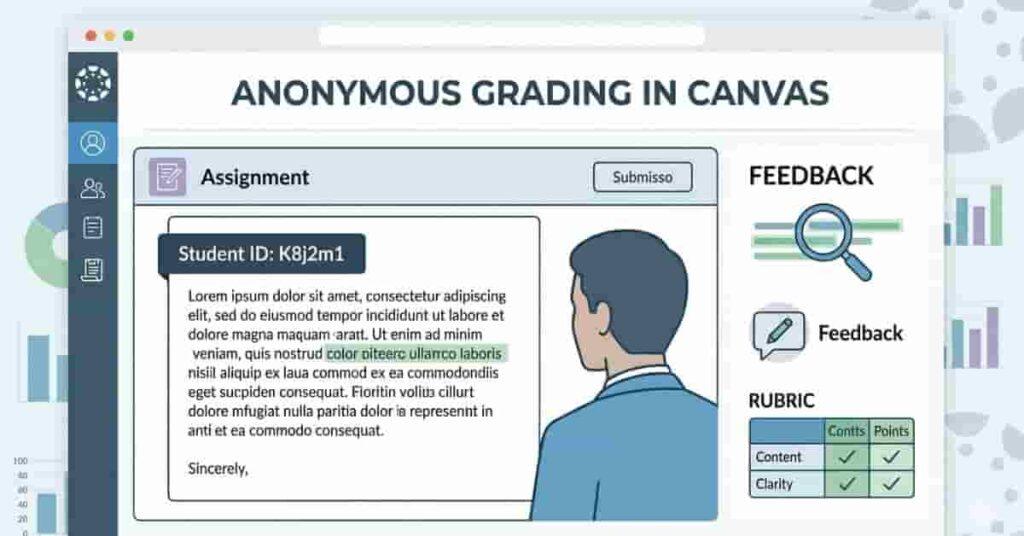
Anonymous grading in Canvas hides student names during evaluation. Instructors review submissions without seeing identities, helping reduce unconscious bias and promote fair scoring. Many universities in the USA use it for essays and subjective assignments.
When anonymous grading is active, Canvas assigns each submission a random label. Teachers focus only on content quality and rubric criteria. Students normally receive feedback, but their identities remain hidden during grading. Once grading finishes, names are revealed automatically.
This grading type is helpful in large classes. It ensures consistency across sections and builds trust by assuring students that grading is unbiased. Knowing how it works helps students interpret feedback correctly.
How It Works
Anonymous grading activates at the assignment level. Once enabled, Canvas removes student names from submissions so instructors see only anonymized identifiers, keeping evaluation focused on performance.
The process usually follows these steps:
- Instructor enables anonymous grading in assignment settings.
- Students submit assignments normally.
- Canvas replaces names with random identifiers.
- Instructor grades without seeing identities
- Names appear after grading is complete.
Students still receive full feedback and scores. The only change is during evaluation, ensuring grading remains fair and consistent.
Pro Tips
- Don’t include your name inside assignment files.
- Follow submission instructions carefully.
- Check feedback after grading is complete.
Benefits for Fairness and Objectivity
Anonymous grading improves fairness by removing identity-based bias. Instructors evaluate only the work, not the student. This helps maintain equal standards for everyone.
Key benefits include:
- Reduces unconscious bias in grading
- Ensures consistent scoring across students
- Builds student trust in the evaluation process
- Encourages focus on quality over reputation
It also helps in courses with multiple graders. Everyone reviews submissions without prior assumptions. This leads to more objective and balanced results. Students benefit from unbiased feedback that reflects actual performance.
Steps to Enable Anonymous Grading
Instructors can enable anonymous grading directly in Canvas assignment settings. The process is simple and takes only a few steps. Once activated, all submissions remain anonymous during grading.
Typical setup steps:
- Create or edit an assignment in Canvas.
- Open assignment settings
- Find the anonymous grading option.
- Enable the checkbox
- Save and publish the assignment.
After publishing, Canvas automatically handles anonymity. Students don’t need to change anything during submission. However, they should avoid adding personal identifiers inside files.
“Use the Canvas Grade Boundary Calculator to explore different scenarios and understand how each assignment affects your final score.”
Moderated Grading
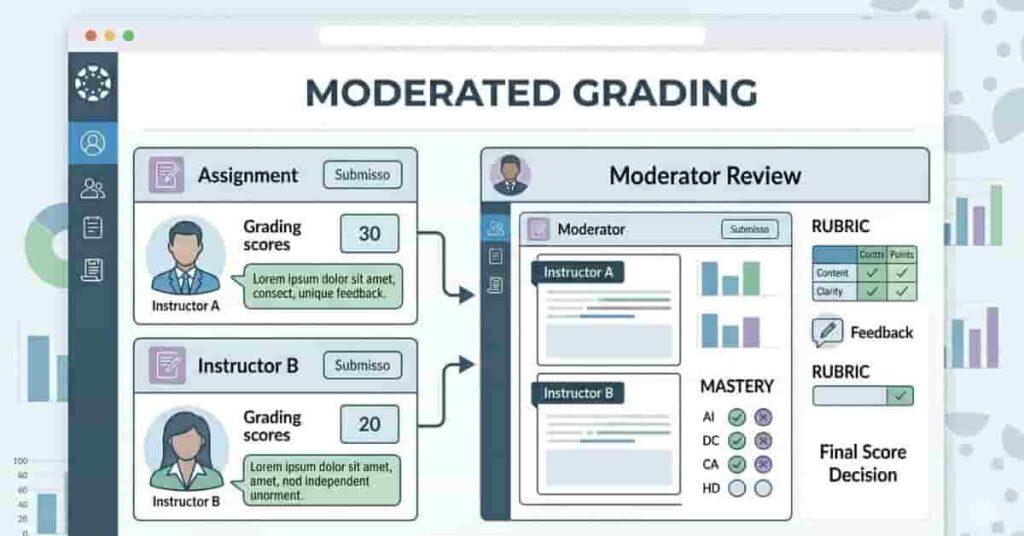
Moderated grading adds an extra review before final scores are released. Multiple graders assess the same assignment for greater consistency, especially in large classes with multiple instructors or teaching assistants.
In Canvas, moderated grading allows each grader to submit a score, and a moderator selects the final grade. This reduces bias and ensures fair evaluation. It is commonly used for essays, research papers, and subjective assignments.
For USA beginners, moderated grading explains longer feedback times since results await multiple reviews. The benefit is more balanced scoring and feedback from varied perspectives.
This method is useful for assignments needing detailed judgment, supporting fairness and transparency among instructors. Understanding moderation helps with patience and with interpreting feedback.
Takeaways
- Multiple graders review the same assignment.
- A moderator selects the final score.
- Improves fairness and consistency
- Results may take longer to appear.
What Moderated Grading Means
Moderated grading means more than one person independently evaluates your work. This keeps evaluations unbiased and focused on assignment criteria.
After grading, a moderator reviews submitted scores and averages or selects the best one, possibly adjusting feedback. The final grade is then released.
This method is common in writing-heavy courses, presentations, and research projects. It improves reliability when judgment is subjective, benefiting students with balanced scoring and clearer expectations.
How to Set It Up for Assignments
Instructors can enable moderated grading when creating an assignment. First, they open the assignment settings in Canvas. Then, they check the “Moderated Grading” option. This activates multiple reviewer support.
Next, instructors choose how many graders will review each submission. They also assign a moderator, who is responsible for selecting the final scores.. Some teachers combine this with rubric grading (grading using a specific scoring guide) for consistency. This ensures all graders follow the same criteria.
After setup, graders evaluate submissions separately. Canvas hides other reviewers’ scores during grading. Once all reviews are complete, the moderator finalizes grades. Students then see the approved score and feedback.
Rubric and Standards-Based Grading
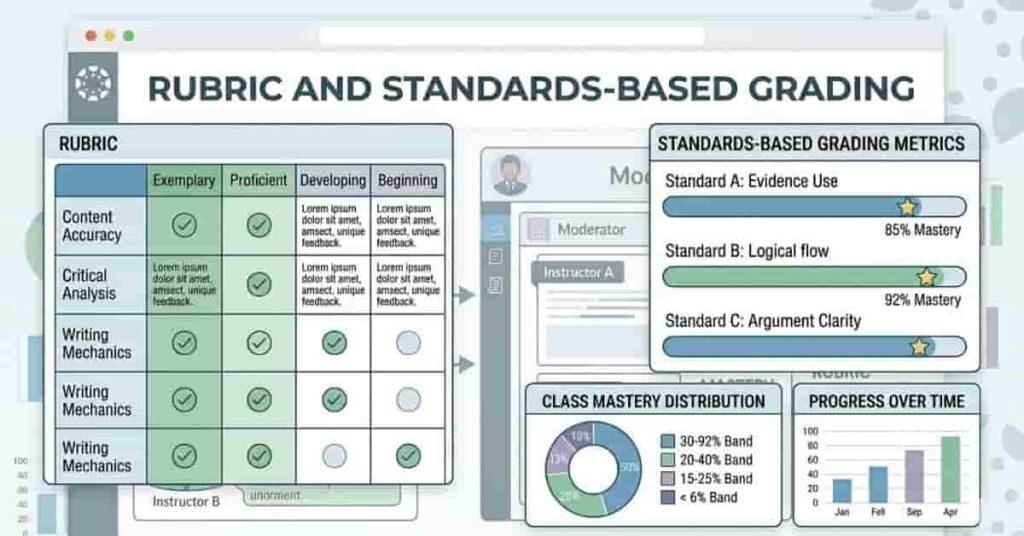
Rubric and standards-based grading help instructors evaluate work more clearly. Instead of a single total score, assignments are broken down into measurable criteria. This approach improves transparency and shows exactly where points are earned or lost. Many US colleges use Canvas rubric grading for essays, projects, and presentations.
A rubric lists specific categories such as organization, research, and clarity. Each category defines performance levels. Students review expectations before submitting work. This makes grading predictable and easy to understand. Instructors use rubrics to maintain consistent scoring across multiple submissions.
Standards-based grading focuses on skill mastery rather than percentages. Instead of a single score, it measures how well you meet learning objectives. For example, writing quality or problem-solving ability may be evaluated separately. This method highlights progress and identifies areas for improvement.
Together, these grading methods increase fairness and clarity. Instructors provide detailed feedback, not just a number. Students see which skills need attention. When you learn how these systems work, you can prepare assignments more strategically.
Takeaways
- Rubrics break assignments into scoring criteria.
- Standards-based grading measures skill mastery.
- Both methods improve transparency and fairness.
- Detailed feedback supports better learning outcomes.
Using Rubrics for Assignment Scoring
Rubrics offer a structured way to evaluate assignments. Each rubric includes criteria and performance levels. Instructors assign points based on how well your work meets expectations. This approach reduces guesswork and improves consistency.
For example, an essay rubric might include:
- Thesis clarity
- Evidence and research
- Organization and structure
- Grammar and formatting
Each category uses defined scoring levels. Students can review these before submitting. Reviewing helps you prioritize important requirements and avoid unnecessary points.
Rubrics also speed up grading. Instructors should select the appropriate performance level rather than write repetitive comments. Students receive clear, targeted feedback, making it easier to improve future assignments.
Pro Tips
- Always review the rubric before starting.
- Focus on the highest-weight criteria first.
- Use feedback to improve next submissions.
Standards-Based Grading Explained
Standards-based grading lets instructors evaluate learning objectives directly. Instead of assigning total points, instructors measure skill mastery. Each standard describes a specific competency. Students receive grades based on how well they meet those standards.
For example, a course may assess:
- Critical thinking skills
- Research accuracy
- Communication clarity
- Problem-solving ability
Scores often use labels like “Exceeds,” “Meets,” or “Needs Improvement.” This system shifts your focus from percentages to learning progress. It helps you recognize your strengths and weaknesses more clearly.hiHis method also supports long-term improvement. The score doesn’t permanently reduce averages. Nstead, it highlights areas needing practice. Many US educators prefer this approach for skill-based learning.
Combining Rubrics with Standards for Accuracy
Combining rubrics with standards creates a powerful grading system. Rubrics define scoring criteria, while standards measure skill mastery. Together, they provide a detailed and objective evaluation. This approach improves both fairness and accuracy.
Instructors may align rubric categories with standards. For example, “Research Quality” in a rubric may match a research competency. This ensures feedback directly relates to learning goals. Students can connect performance to specific skills.
This combination also increases consistency across graders. Rubrics guide scoring, and standards align expectations. Multiple instructors can evaluate work reliably. Students benefit from clearer, more meaningful feedback.
- Compare rubric criteria with course standards.
- Focus on skill-based improvement areas.
- Use feedback to track progress over time.
Other Special Grading Features
Canvas has more grading tools besides rubrics and moderation. These simplify scoring and support varied learning formats. Instructors use them for quizzes, teamwork, and participation assignments. Understanding them helps you interpret grades accurately.
Some courses rely on Canvas ‘ automatic grading for quizzes and homework. Others use canvas group assignment grading for collaborative projects. You may also see Canvas grading for participation tasks as complete or incomplete. Each option affects how scores appear in your gradebook.
These features often work alongside standard grading methods. For example, a course may use automatic grading for quizzes and rubrics for essays. Group assignments may be shared among team members. Complete/incomplete grading focuses on task completion rather than performance.
Knowing these features helps you plan effort and prioritize activities. It also minimizes grade confusion and surprises.
Takeaways
- Canvas offers multiple specialized grading features.
- Each feature supports different assignment types.
- Some focus on speed, others on collaboration
- Understanding them improves grade tracking.
Automatic Grading for Quizzes & Homework
Automatic grading instantly scores quizzes and certain homework assignments. Canvas evaluates answers based on predefined correct responses. This feature is common in multiple-choice and true/false quizzes. It saves instructors time and provides immediate feedback.
Students benefit from quick results. You can see scores right after submission. This helps identify mistakes early and adjust study strategies. Automatic grading also reduces manual scoring errors.
Not all questions are auto-graded. Essays or short answers may need instructor review. Many courses combine automatic grading with manual feedback to achieve speed and accuracy.
Pro Tips
- Review feedback immediately after submission.
- Retake practice quizzes when available.
- Check if essays require manual grading.
Group Assignment Grading
Group assignment grading scores shared team projects. Canvas gives scores to all group members, encouraging teamwork.
Some courses give everyone the same score; others adjust scores based on participation. Always review instructions.
Group grading is used for presentations, projects, and discussions. It assesses collaboration skills and requires good team coordination.
Complete/Incomplete Grading System
Complete/incomplete grading marks assignments as “Complete” or “Incomplete” instead of giving points. It’s often used for participation activities like discussion and practice tasks.
This method is simple— instructors check if requirements are met. It reduces pressure and lets students focus on engagement.
Incomplete tasks can affect your grade. Some courses weigh completion activities, so missing them may lower performance. Check how these impact your grade.
“Each type, whether anonymous or rubric-based, can be evaluated using our Canvas Grading Calculator for accurate prediction.”
Pro Tips
- Submit participation tasks on time.
- Confirm requirements before marking complete
- Don’t ignore low-weight completion assignments.
How to Track Your Grades Using the Calculator
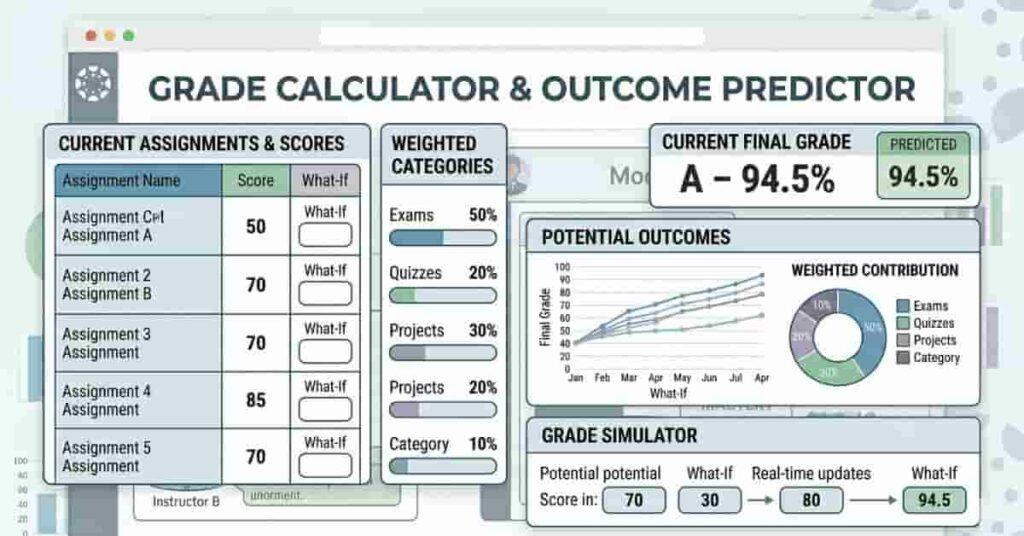
Different grading types can make your final score harder to estimate. Anonymous grading, rubrics, and group assignments all impact totals differently. A calculator helps you combine these results into one clear prediction. This is especially useful when courses use a mix of grading methods.
Start by collecting your current scores from Canvas. Include quizzes, assignments, and participation activities. Add the weights for each category. This helps you see how much each grading type affects your performance. You can also test ‘what-if’ scenarios before you submit work.
Use our Canvas Grade Calculator to see instantly how grading types affect your score. This lets you compare rubric grading, automatic quizzes, and group projects. Identify which assignments matter most. Planning is easier before deadlines.
Regularly tracking grades reduces surprises at the end of the term. It also helps you prioritize high-weight assignments. When you understand your predicted score, you can adjust study strategies confidently.
Takeaways
Combine different grading types into one prediction.
- Test “what-if” scores before submission
- Identify high-impact assignments
- Monitor progress throughout the course.
Predict Outcomes for Assignments with Different Grading Types
Each grading type affects your total differently. Automatic quizzes add points fast. Rubric-based assignments may have higher weight. Group projects spread scores across members. A calculator helps compare these effects.
Enter hypothetical scores for upcoming assignments. For example, test different outcomes for a rubric-based essay. Then adjust quiz scores to see how automatic grading impacts totals. You can also simulate group assignment results. This shows the best- and worst-case scenarios.
This approach helps focus on important tasks. If an assignment has high weight, prioritize it. If completion-based tasks add small points, submit them consistently. These insights improve your planning and reduce stress.
Tips for Students and Teachers
Understanding Canvas grading types is just one piece of the puzzle. Thoughtful planning and careful monitoring are your greatest allies on the journey to success. Whether you are a student or a teacher, taking a mindful approach helps everyone thrive. Try these simple, practical tips—they’re here to help you shine and keep confusion at bay.
Being proactive means fewer last-minute worries—a relief for everyone! Canvas provides a variety of helpful tools, and their value truly shines when you use them to stay on top of your progress. With some simple planning, students can feel confident about their efforts, and teachers can celebrate fairness and clarity in grading.
Plan Around High-Weight Assignments
High-weight assignments can really shape your final grade, so giving them the attention they deserve is a smart strategy. When students devote extra care to major essays, projects, or exams, they’re investing where it counts most. Teachers can highlight these assignments to help students make wise choices about their focus.
Keeping track of deadlines and how much each assignment counts helps you plan your study sessions without stress. Use the Canvas grade calculator to see the big picture and understand how your hard work pays off. A little preparation goes a long way to making grades feel more predictable and less overwhelming.
Monitor Grades Across Different Schemes
Many courses use a mix of grading styles—rubrics, automatic grading, and group projects. Staying aware of all these types gives you a clearer understanding of your progress, and Canvas makes it easy to check each assignment. Teachers can use this overview to bring consistency and fairness to every grade.
Regular monitoring helps spot trends. For example, low quiz scores may require extra study, while strong rubric performance shows mastery in key skills. Combining these insights ensures your final grade accurately reflects your effort.
Communicate with Instructors About Grading Methods
Open, friendly communication builds understanding about Canvas grading. Don’t hesitate to ask about rubrics, moderation, or anonymous grading—questions are always welcome. Teachers who clarify things early help everyone stay on the same page and prevent misunderstandings or last-minute worries.
It’s a great idea to double-check details like group grading rules, completion requirements, or standards-based criteria. Reaching out for clarification shows you care about doing your best and helps ensure your work is fairly evaluated.
Pro Tips
- Reach out early if grading seems unclear.
- Keep questions specific and polite.
- Document instructor responses for future reference
Conclusion
Understanding Canvas Special Grading Types equips students and teachers to achieve better outcomes. By knowing how anonymous grading, moderated grading, rubrics, standards-based grading, group assignments, automatic quizzes, and complete/incomplete systems work, you can take charge of how grades reflect your performance.
Grasping these options makes planning easier. You can prioritize high-weight assignments, track performance across schemes, and interpret feedback effectively. Beginners in the USA especially benefit by avoiding confusion and reducing grading surprises. Features like Canvas Rubric Grading, Canvas Moderated Grading, and Canvas Automatic Grading all play a key role in your overall performance.
Maximize your results by using the Canvas Grade Calculator. Enter your scores, test scenarios, and see the impact of each grading type instantly. This proactive approach sharpens planning and moves you closer to your goals.
“Take control of your grades today with the Canvas Grade Boundary Calculator and predict your outcomes with confidence.”

We are the Canvas Academic Team, a developer team focused on building simple and practical tools that help students succeed academically. This platform was created specifically for Canvas LMS students to make grade tracking, GPA calculations, exam planning, and academic management easier and more efficient.
Our focus is on creating fast, accurate, and student-friendly educational tools along with helpful learning resources that improve productivity and reduce academic stress.
Through CanvasGradeCalculator.com, our goal is to continue building useful resources that help students study smarter, stay organized, and achieve better academic results.