Table of Contents
Introduction
Unsure how many hours to study for Canvas courses? You’re not alone—most students guess their study time, often leading to low grades, stress, or burnout during finals.
You face a simple problem: without a clear plan, you can easily under-study, fall behind, or over-study, wasting time without improving results. Structured planning leads to success in Canvas LMS courses, especially when every assignment and exam carries a different weight.
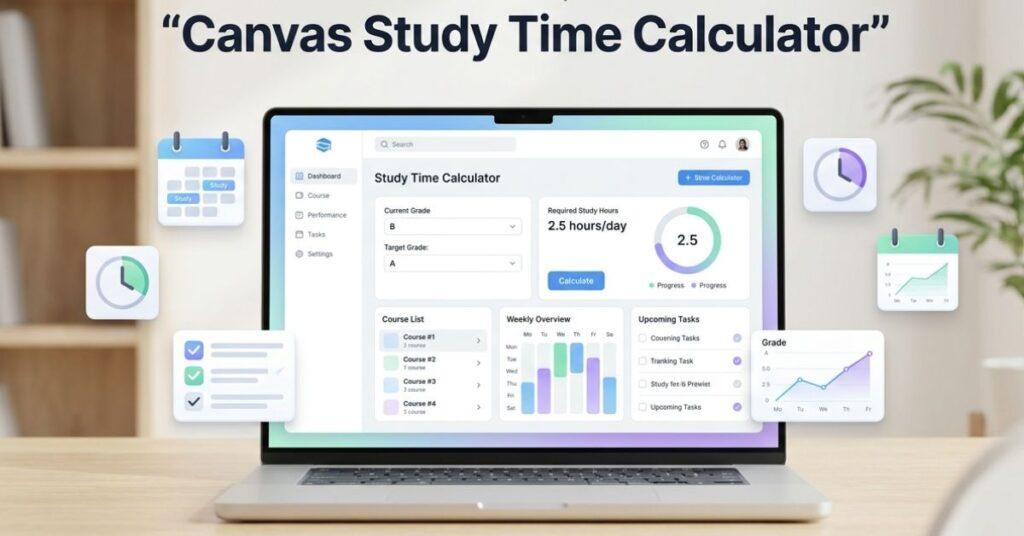
Stop guessing; take control with a canvas study time calculator that helps you plan your study hours based on your current grade, target score, and remaining coursework. This tool eliminates uncertainty and gives you clear direction for your study routine.
Ready to improve your grades efficiently and confidently? Try the Canvas Study Time Calculator now to create a personalized, actionable study plan that helps you reach your academic goal.
📘 Why Study Time Matters in Canvas Courses
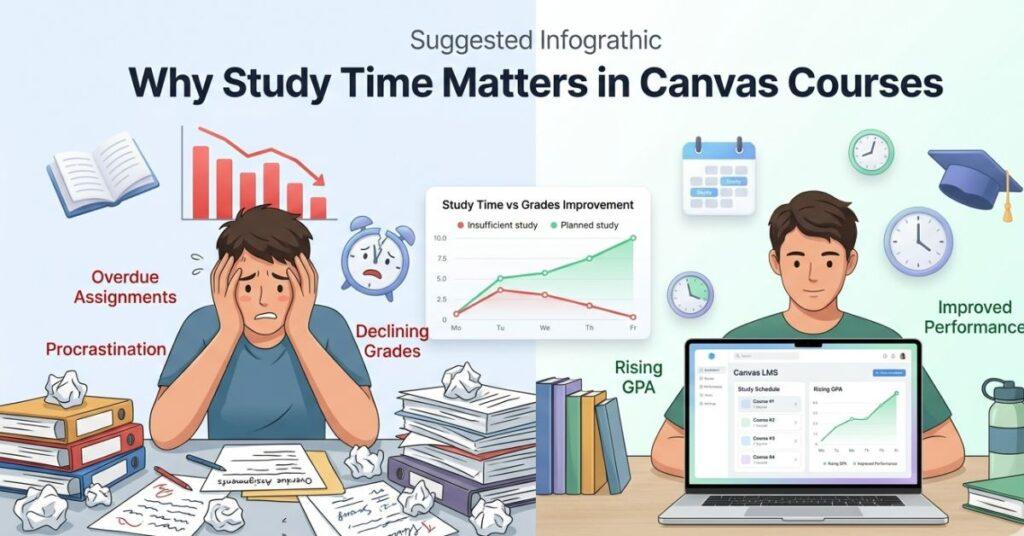
Effective time management directly influences student achievement in Canvas courses. When study hours are intentionally scheduled, students maintain consistency, meet assignment deadlines, and ultimately elevate grades and GPA.
Typically, students misjudge the actual workload required for a course. Recognizing the connection between credit hours and study time is essential. Academic guidelines specify that a 3-credit course demands several hours of independent study each week to excel.
For example, a 3-credit course may require 6–9 hours of weekly study time, depending on the difficulty level and your personal learning pace. Without a proper plan, students often rely on last-minute cramming, which leads to stress, poor retention, and lower exam performance.
On the other hand, following a structured canvas study schedule ensures steady progress throughout the semester. This is where understanding effective study time in Canvas becomes crucial—it helps you balance your workload, avoid burnout, and directly improve your study time vs. grade Canvas performance relationship over time.
Consistency outperforms cramming. Brief, regular study sessions are more productive than sporadic, high-pressure study marathons before exams.
🧮 How the Canvas Study Time Calculator Works
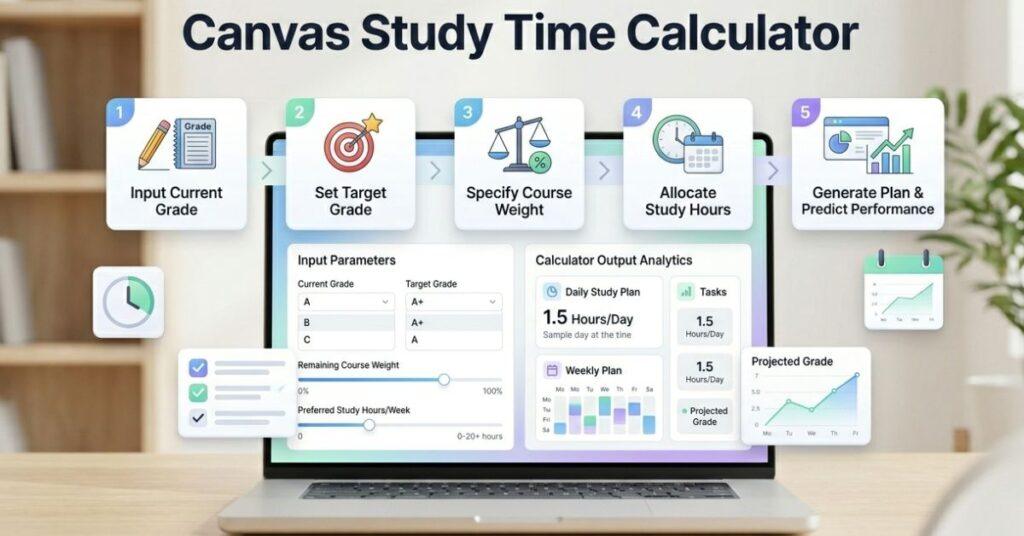
The Canvas Study Time Calculator turns your course performance and goals into a simple, actionable study plan—removing guesswork from academic planning.
📌 Step-by-Step Process
Step 1: Current Grade Input
Enter your current grade exactly as shown in Canvas. This will be used as the starting point for your study plan calculations.
Step 2: Target Grade Setting
Specify the final grade you are aiming for in this course. The calculator uses this to estimate the effort needed.
Step 3: Remaining Course Weight
Indicate the percentage of coursework still to be completed, including assignments, quizzes, and exams.
Step 4: Time Available (Days/Weeks)
Enter how much time you have before your final deadline or exam period.
Step 5: Study Intensity Level
Choose the study intensity that best fits your schedule and learning speed: light, moderate, or intense.
📊 What You Get in Results
After calculation, the tool provides:
- ⏳ Daily Study Hours – how much time you should study each day
- 📅 Weekly Study Plan – structured schedule across the week
- 🎯 Required Performance Level – what effort is needed to achieve your target grade
🚀 Tips to Improve Grades Using Smart Study Planning
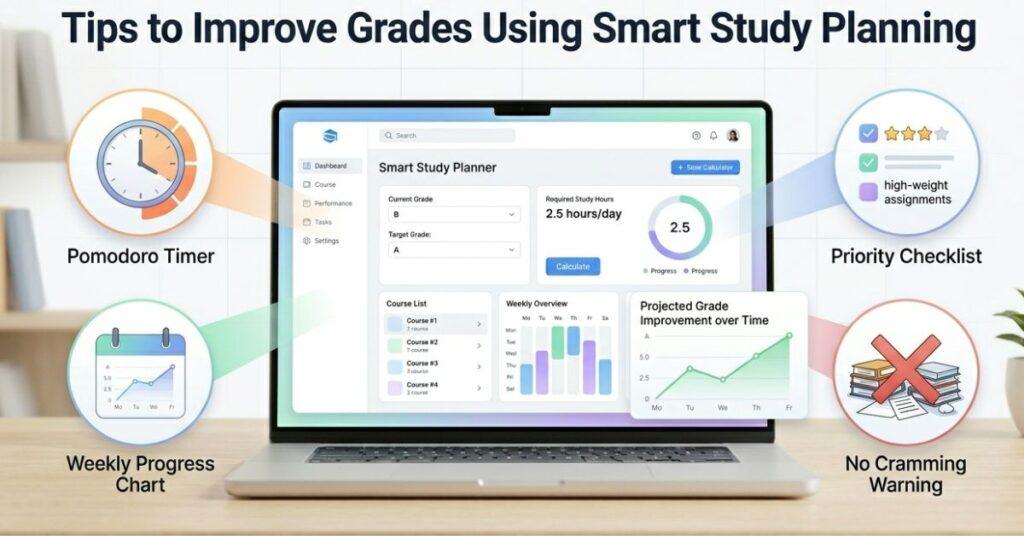
Study smarter in Canvas courses with a structured plan: manage time, lower stress, and improve grades.
⏱️ Use the Pomodoro Technique (Focus Blocks)
Power up your focus by dividing study time into energizing short sessions, followed by quick breaks. You’ll boost concentration and prevent burnout, setting yourself up for success every session.
🎯 Prioritize High-Weight Assignments
Choose to invest your energy in the tasks with the greatest impact on your grades. When you tackle top-weight assignments first, you’re actively maximizing your success.
📊 Track Your Weekly Progress
Weekly check-ins make you the architect of your progress. Celebrate what you’ve accomplished, redirect as needed, and confidently stay on track toward your goals.
⛔ Avoid Last-Minute Studying
Choose consistency over cramming and enjoy steady progress! By forming daily or weekly study habits, you’ll retain more, feel less stressed, and build lasting success.
📊 How to Plan Study Time for Multiple Canvas Courses
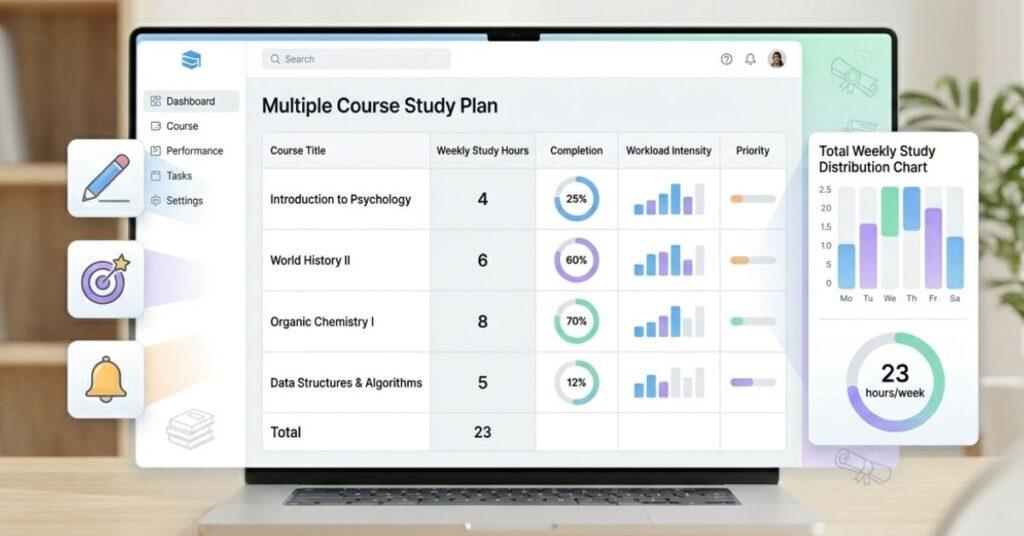
One of the biggest challenges students face is managing 3–5 Canvas courses simultaneously. Each course has different deadlines, workloads, and difficulty levels, which can make time management confusing without a proper plan.
The main solution is to allocate your weekly study hours smartly, based on each course’s priority and workload. Instead of studying randomly, create a plan that gives more time to courses with heavier demands. This consistency keeps you on track and reduces last-minute stress.
🧾 Example Weekly Study Plan
| Course A | 5 hours/week |
| Course B | 3 hours/week |
| Course C | 4 hours/week |
| Course D | 2 hours/week |
Smart planning gives more time to harder courses and keeps easier ones on track.
⚖️ Balance Workload & Deadlines
Do not divide time equally. Use deadlines and exam difficulty to set priorities each week.
By balancing your workload, you can improve your performance across all subjects rather than focusing too much on one course at the expense of others. This is where understanding the difference between study time vs grade canvas becomes very important.
🎯 Conclusion
Planning your study time is one of the most important steps toward improving academic performance in Canvas courses. Without a clear strategy, students often put in effort, which leads to stress, poor time management, and lower grades.
Adopting a systematic method clarifies how much time is needed, how to allocate it across courses, and how to maintain consistency. This enhances productivity and enables achievement with reduced pressure.
A well-designed routine, aided by a canvas study-time calculator, delivers clarity, focus, and confidence in preparation. Rather than resorting to last-minute study, you utilize an effective system aligned with your objectives.

We are the Canvas Academic Team, a developer team focused on building simple and practical tools that help students succeed academically. This platform was created specifically for Canvas LMS students to make grade tracking, GPA calculations, exam planning, and academic management easier and more efficient.
Our focus is on creating fast, accurate, and student-friendly educational tools along with helpful learning resources that improve productivity and reduce academic stress.
Through CanvasGradeCalculator.com, our goal is to continue building useful resources that help students study smarter, stay organized, and achieve better academic results.