Table of Contents
Introduction
Wondering where to find your classmates in Blackboard after joining a new course?
If you are new to Blackboard, finding other students can feel confusing at first. The course menu may look different depending on your school and Blackboard version.
Some instructors also limit access to student information for privacy and course management reasons.
This guide explains how to see your classmates on Blackboard using the options your course may provide. You will learn where to look for the class roster, Roster, People, or Users section.
We will also explain what to do if you cannot find a roster or only see limited information.
You will get simple steps for Blackboard Ultra and helpful notes for different course setups. By the end, you will know what options are available to you.
How to See Your Classmates on Blackboard
If you want to know how to see classmates on Blackboard, start by opening the course where you expect to find them. Blackboard can show a class roster when your school and instructor allow student access.
The exact navigation can vary between Blackboard versions and course setups. You may see options such as Roster, People, Users, or a similar course member section.
Open Your Blackboard Course
Sign in to Blackboard and open the Courses area. Select the course where you want to see your classmates.
Once the course opens, check the main course navigation. Look for a menu, panel, or link that provides access to course members.
Look for the Roster or People Section
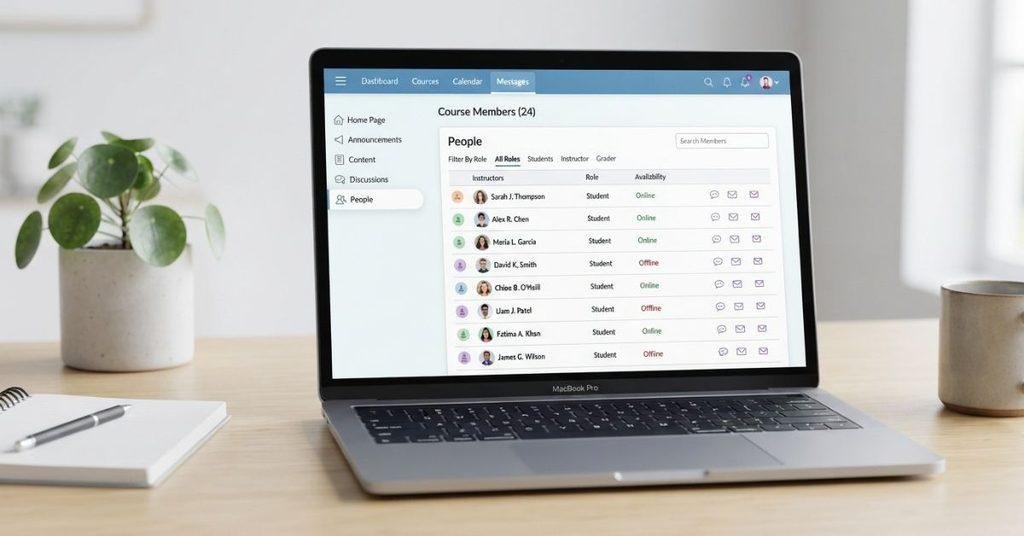
Search the course menu for Roster, People, Users, or another class member option. Blackboard Ultra may display these options differently based on your institution’s settings.
If you don’t see a roster, your school may have restricted student access. Your instructor may also choose not to display the complete class list.
Open the Class Roster
Select the available roster or people option. If your course provides student access, Blackboard should open a list of available course members.
The list may include names and other information your institution permits students to view. Available details can vary by course and privacy settings.
View Available Classmates
Review the classmates shown in the roster. Some courses may display only limited student information.
A simple general workflow is:
Courses → Your Course → Roster/People → View Classmates
This path is a useful starting point, but Blackboard navigation can vary. If you cannot find a roster, check the course menu or contact your instructor or school’s Blackboard support team.
How to See the Class Roster on Blackboard as a Student
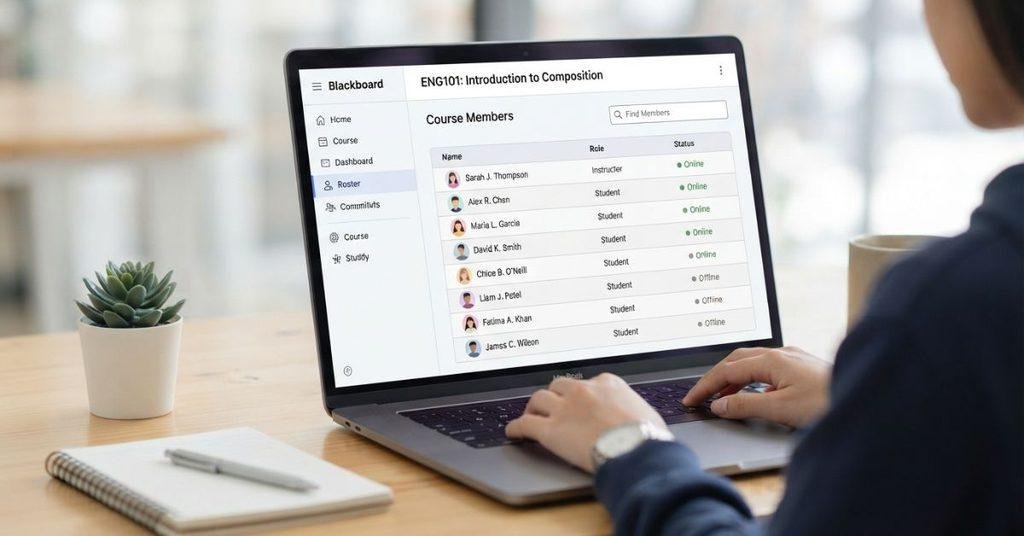
If you’re searching for how to see class roster on Blackboard as a student, start inside the specific course. The roster shows the course members that your institution allows students to view.
Depending on your Blackboard setup, the roster may include:
- Classmates’ names
- Your instructor
- Other course members
- Profile information, if your institution enables it
The information available can vary between schools and courses. Privacy settings, course permissions, and instructor choices can affect what students can see.
In Blackboard Ultra, look for a Roster, People, or similar course member option. Select it to view the available list. If you cannot find one, your course may not provide students with access to a complete roster.
How to See Who Is in Your Class on Blackboard
Want to know how to see who is in your class on Blackboard? The Roster or People area is the first place to check.
Open Courses, select your course, and look through the course navigation for a roster or people option. If available, it can show the classmates and other course members your school permits you to view.
However, not every Blackboard course gives students access to a complete class list. Your institution may restrict roster visibility because of course or privacy settings.
If you don’t see a Roster or People option, check the course menu carefully. You can also ask your instructor whether students have access to the class roster.
How to Find the Class Roster on Blackboard Ultra
Finding classmates in Blackboard Ultra usually starts from the course itself. After signing in, open Courses and select the course you want to check.
Look through the course navigation for a Roster, People, or course member area. If your course provides student roster access, opening that area should show the available course members.
A general workflow is:
Courses → Select Your Course → Roster/People/Member Area → View Available Members
Don’t rely on one exact click path for every Blackboard Ultra course. Schools can configure course navigation, permissions, and available tools differently.
If you don’t see a roster option, that doesn’t necessarily mean you are doing something wrong. The course may restrict student access to the class list.
How to See Classmates on Blackboard Original
Blackboard Original uses a different interface from Blackboard Ultra, so finding classmates may require different navigation.
Depending on your course setup, you may see terminology related to Users, Course Users, or roster information instead of a simple Roster option.
Start by opening your course and checking the available course menu and member-related tools. Look for an option that lets you view course users or participants.
The available information can also depend on your school’s settings. Some institutions restrict what students can see about other course members.
If you recently switched between Blackboard Original and Ultra, don’t assume both versions use the same menu structure. Check the options available in your specific course.
Why Can’t I See My Classmates on Blackboard?
If you can’t find your classmates, several different issues could explain it. Blackboard doesn’t guarantee that every student can access a complete class roster.
Common reasons include:
- Student roster visibility is restricted. Your institution may limit access to other students.
- Your instructor or institution disabled access. The course may not provide students with a roster.
- You’re checking the wrong course area. Look through the course navigation for Roster, People, Users, or similar options.
- You’re not enrolled correctly. An enrollment issue may prevent expected course information from appearing.
- Privacy restrictions apply. Your school may limit classmates’ names or profile details.
- You’re using a different Blackboard version. Blackboard Ultra and Original can use different navigation and terminology.
If you’ve checked the available course menus and still can’t find classmates, ask your instructor or school’s Blackboard support team whether student roster access is enabled.
Why Can’t I See the Class Roster on Blackboard?
If you don’t see a class roster on Blackboard, that doesn’t necessarily mean Blackboard is malfunctioning. Your course may simply limit access to course-member information.
Your instructor or institution can control which course tools and member information students can access. Some courses may provide a roster, while others may not show one to students.
Before troubleshooting your account, check the course navigation for terms such as Roster, People, Users, or Course Members. The available wording can vary between Blackboard Ultra and Original.
If none of these options appear, the restriction may come from your course or institution. In that situation, your instructor or Blackboard support team can confirm whether students should have roster access.
Can Students See Everyone in a Blackboard Class?
Not necessarily. Students may not always have access to a complete list of everyone enrolled in a Blackboard course.
Whether you can see all classmates depends on the course configuration and institution settings. Your school may restrict student access to course-member information for privacy or administrative reasons.
If a Roster or People area appears, it may show the course members your institution allows you to view. The information displayed can also vary between courses.
Therefore, don’t assume that missing classmates indicate an enrollment problem. A limited roster can be an intentional course setting.
If you need to confirm whether someone is enrolled, your instructor or institution’s support team can provide the appropriate guidance.
Can You See Your Classmates’ Email Addresses on Blackboard?
Seeing classmates in a Blackboard course does not automatically mean you can see their private email addresses.
Your Blackboard course may show classmates’ names while keeping their contact information hidden. Whether email addresses or other profile details appear depends on your institution’s privacy settings and Blackboard configuration.
Some courses may provide limited profile information, while others may restrict student contact details completely.
If you need to contact a classmate, check the communication tools your course provides. Your instructor may also provide an approved method for contacting other students.
Don’t assume that a visible classmate profile gives you access to private contact information. Blackboard displays only the information your course and institution make available.
Can You See Classmates’ Profiles on Blackboard?
Blackboard may let students view classmates’ profiles, but profile visibility varies by course and institution.
If profile access is enabled, you may see a classmate’s name and selected profile information. The amount of information shown depends on the settings your school and course use.
Some courses may display basic member information without showing detailed profiles. Other courses may restrict student profile visibility entirely.
If you can see the class roster but cannot open certain profiles, that does not necessarily indicate a technical problem. The student’s profile settings or your institution’s privacy rules may limit what you can access.
What If a Classmate Is Missing From the Blackboard Roster?
If someone is missing from your Blackboard roster, several explanations are possible. A missing name doesn’t automatically mean the student has been removed from the course.
Possible reasons include:
- Enrollment hasn’t updated yet.
- The student isn’t enrolled in your course or section.
- Roster visibility is restricted.
- Course data hasn’t synchronized yet.
Blackboard course information can depend on enrollment systems managed by your institution. Changes may also take time to appear in the course.
If you believe the missing classmate should be enrolled, contact your instructor first. Your school’s Blackboard or student-support office can also check enrollment information.
If you’re checking your course information and grades on Blackboard, you can also use our [Blackboard Grade Calculator] to estimate your current course grade.
Conclusion
Finding classmates on Blackboard usually starts with the Roster, People, Users, or course member area. However, the exact options depend on your Blackboard version and school settings.
If you’re wondering how to see classmates on Blackboard, open your course and check the available member-related options. Blackboard Ultra and Original may use different navigation and terminology.
You may see names or limited profile information when student access is enabled. You may not see every classmate or their private contact details.
If a roster is missing or a classmate doesn’t appear, check your course settings first. Contact your instructor or school support team if enrollment seems incorrect.
Share this guide with classmates who need help finding their Blackboard roster. Explore our other Blackboard resources for more practical tips.
Frequently Asked Questions
Find clear answers to common questions about viewing classmates and class rosters on Blackboard.
Open Courses and select the course you want to check. Look for a Roster, People, Users, or similar course-member option. If your institution allows student roster access, you may see available classmates there. The exact navigation can vary between Blackboard Ultra, Blackboard Original, and individual course configurations.
Open your Blackboard course and check the available course navigation for Roster, People, Users, or course members. If the feature is available to students, it may show classmates and other permitted course members. Some institutions restrict access to complete class lists, so you may not see everyone enrolled.
Start by opening the correct Blackboard course from Courses. Then check for a Roster, People, Users, or similar member section. The available options depend on your school’s Blackboard setup. If you cannot find a roster, your instructor or institution may have restricted student access to course-member information.
Open the relevant course and look for a Roster or People area. You may also find a course-member or user section, depending on your Blackboard version. If student roster access is enabled, you can view the course members that your institution makes available. Privacy and course settings can limit the information shown.
There is no single location that applies to every Blackboard course. Open your course and check its navigation for Roster, People, Users, or similar options. Blackboard Ultra and Original can use different layouts and terminology. If no roster option appears, your course may restrict student access to the class list.
Not necessarily. Students may not have access to a complete list of everyone enrolled in a course. Roster visibility depends on the institution’s settings and course configuration. If a roster is available, it may show only the course members and information that students are permitted to view.
Your course may restrict student access to the class roster. Other possibilities include checking the wrong course, enrollment not updating, or differences between Blackboard Ultra and Original. Check the course navigation for Roster, People, or Users. If you still cannot find classmates, ask your instructor or school support team.
A missing roster does not necessarily mean Blackboard has a technical problem. Your instructor or institution may have disabled or restricted student access to course-member information. The course may also use different terminology or navigation. Check the available course menus before contacting support.
Not automatically. Seeing classmates in a Blackboard course does not mean you can access their private email addresses. Contact information visibility depends on your institution’s privacy settings and Blackboard configuration. Your course may provide other approved communication tools for contacting classmates.
You may be able to view classmates’ profiles if your institution and course settings allow profile access. Available information can include names and selected profile details. However, Blackboard does not guarantee that every student’s profile will be visible. Privacy settings can limit what you can view.
Several reasons could explain a missing classmate. Their enrollment may not have updated, they may belong to another course section, or roster visibility may be restricted. Course data may also need time to synchronize. If you believe the student should appear, contact your instructor or institution’s support office.

We are the Canvas Academic Team, a developer team focused on building simple and practical tools that help students succeed academically. This platform was created specifically for Canvas LMS students to make grade tracking, GPA calculations, exam planning, and academic management easier and more efficient.
Our focus is on creating fast, accurate, and student-friendly educational tools along with helpful learning resources that improve productivity and reduce academic stress.
Through CanvasGradeCalculator.com, our goal is to continue building useful resources that help students study smarter, stay organized, and achieve better academic results.