
- Introduction
- Does Moodle Have AI Detection?
- Can Moodle Detect AI-Generated Text?
- Can Moodle Detect ChatGPT?
- How Can AI Use Be Checked in Moodle?
- Does Moodle Track What You Type in ChatGPT?
- Can Moodle Detect AI Without an AI Detector?
- What Can Moodle Actually Track?
- How Accurate Is AI Detection?
- Does Moodle Automatically Detect ChatGPT When You Submit an Assignment?
- Moodle AI Detection vs. Plagiarism Detection
- What Should Students Know About AI Use in Moodle?
- Conclusion
- Frequently Asked Questions
Introduction
Have you ever submitted an assignment through Moodle and wondered whether your instructor could tell you used ChatGPT?
If you’re a student in the USA, this question can create real concerns about assignments, academic integrity, and school policies. Understanding how Moodle works can help you avoid confusion and make informed decisions about using AI for schoolwork.
So, does Moodle have AI detection, or does it rely on other tools to identify AI-generated writing? The answer depends on the features and integrations your school uses. Moodle is a learning management system, but AI detection is a separate capability that may involve third-party tools.
In this guide, you’ll discover whether Moodle can detect AI-generated text and whether it can detect ChatGPT specifically. We’ll also explain the differences between AI detectors, plagiarism checkers, and online proctoring software.
By the end, you’ll understand what Moodle can do, how additional detection tools may work, and why their results aren’t always conclusive. You’ll also learn why checking your institution’s academic integrity policy matters when using AI for assignments.
Does Moodle Have AI Detection?
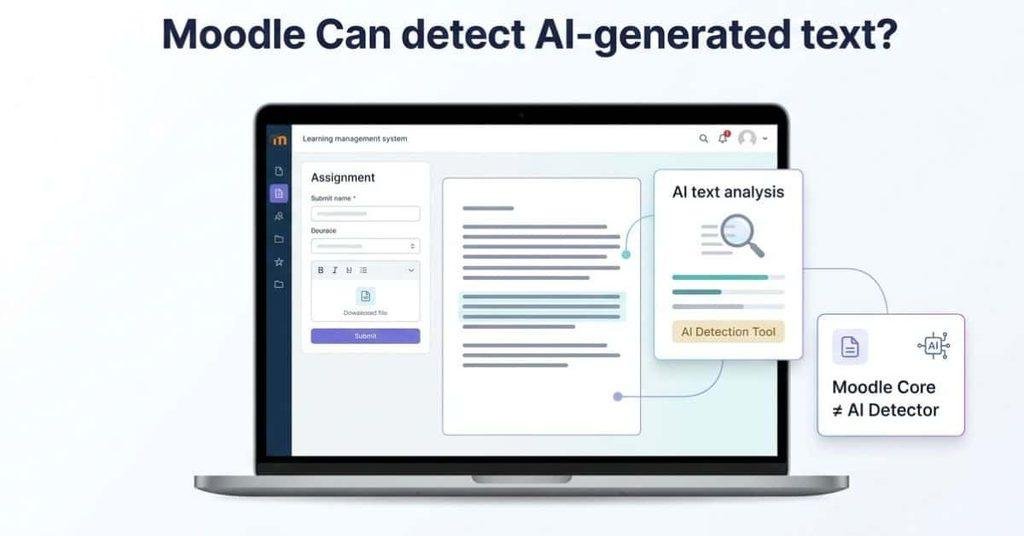
Moodle does not include a built-in AI writing detector in its standard core features. This means Moodle alone cannot reliably determine whether a student used ChatGPT to write an assignment. However, a school may add third-party tools that check for AI-generated content.
Moodle is a learning management system (LMS) that helps schools manage courses, assignments, quizzes, grades, and student activities. Its core purpose is to support online learning, not to identify AI-written text. So, if you’re wondering, “does Moodle have AI detection?” the answer depends on the tools your institution uses alongside Moodle.
How Moodle Works With AI Detection Tools
Some schools connect external services or plugins to Moodle to support academic integrity. Depending on the integration, these tools may analyze submitted writing and estimate whether AI helped produce it. Other integrations focus on plagiarism, exam monitoring, or different aspects of assessment security.
This distinction matters because an instructor may access AI-related reports through Moodle without Moodle itself performing the analysis. The external service may handle detection and send its results back to the course platform.
Your experience also depends on your school’s Moodle setup. Administrators choose which plugins and integrations to install, while instructors may decide how to use available features. Not every Moodle course has AI detection enabled, and the presence of Moodle alone doesn’t prove that your assignments undergo AI analysis.
If you need a definite answer, check your course guidelines or ask your instructor which tools they use to review assignments.
Can Moodle Detect AI-Generated Text?
AI detection refers to tools that analyze writing and estimate whether a person or an AI system, such as ChatGPT, may have produced the text. Schools may use these tools to review student assignments and support academic integrity policies.
Moodle cannot independently determine whether a student used AI through its standard core features. Simply uploading an essay, discussion post, or homework assignment to Moodle does not automatically mean the platform has identified AI-generated writing.
However, some institutions integrate external AI-detection services with Moodle. Depending on the integration, these services may analyze submitted text and provide a report to instructors. The exact features available depend on the school’s setup and the tools it chooses to use.
It’s also important to understand that AI detection differs from plagiarism detection. An AI detector estimates the likelihood that text came from an AI model, while a plagiarism checker looks for similarities with existing sources. Neither result automatically proves that a student violated academic rules.
Moodle vs. AI Detection Tools
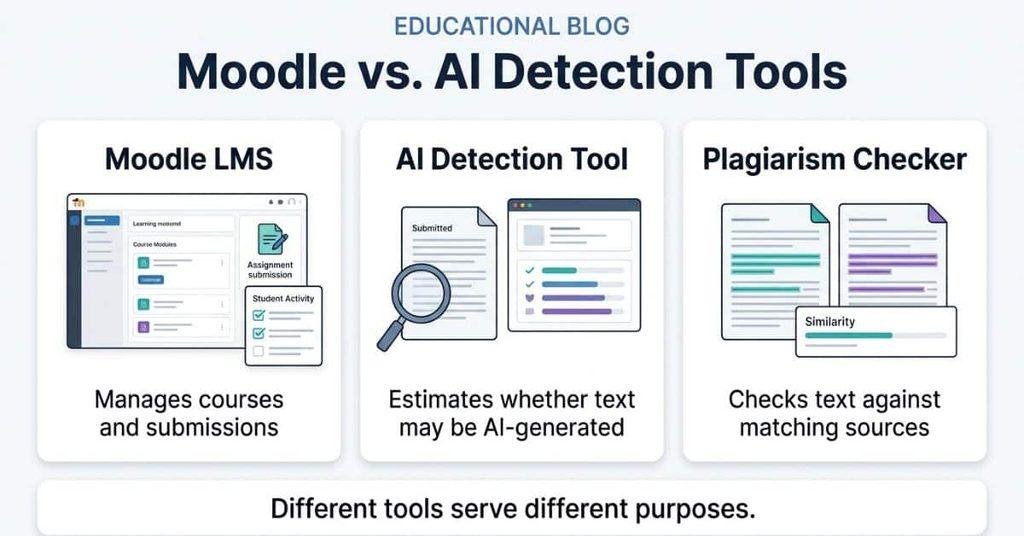
These technologies serve different purposes, even when a school uses them together.
| Technology | Purpose |
|---|---|
| Moodle | Manages online courses, assignments, quizzes, and grades. |
| AI detector | Estimates whether writing may have been generated by AI. |
| Plagiarism checker | Identifies similarities between submitted work and existing sources. |
| Proctoring software | Monitors an assessment environment, depending on the available features. |
A school may use Moodle alongside one or more of these tools. However, their availability depends on institutional configuration and the specific integrations in place.
AI detection results also have limitations. Human writing can sometimes receive false AI flags, while AI-generated writing may go undetected. For this reason, instructors should consider context, assignment requirements, and other evidence rather than relying on a detector score alone.
Can Moodle Detect ChatGPT?
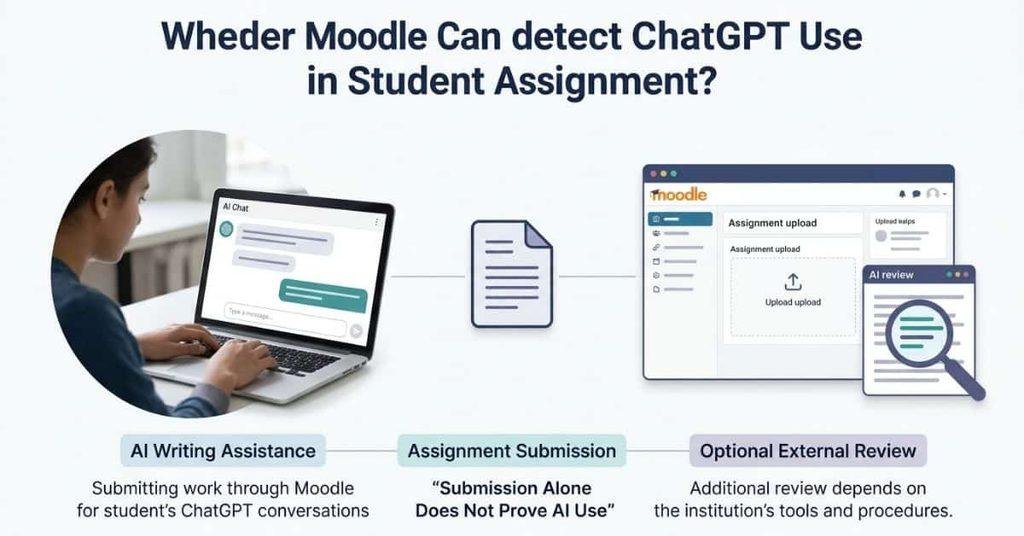
Moodle cannot automatically detect ChatGPT use through its standard core features alone. Uploading an assignment or pasting text into a Moodle submission box does not, by itself, mean the platform can identify whether ChatGPT helped write it.
However, your school may connect Moodle to external AI-detection tools. These services can analyze submitted writing and provide estimates that help instructors review assignments. The availability and capabilities of these tools depend on the institution’s configuration.
For example, an instructor might use an integrated detection service to review an essay submitted through Moodle. The instructor may then consider the report alongside the assignment instructions, writing samples, citations, and other relevant evidence.
It’s important to remember that ChatGPT detection is not automatic or guaranteed. AI detectors can produce false positives and false negatives, so their results do not conclusively establish who wrote a piece of text.
If you’re concerned about your submission, review your institution’s academic integrity policy. Follow its rules for AI assistance, citations, and disclosure. These requirements can differ between schools, courses, and assignments.
Does Moodle Know If You Used ChatGPT?
Submitting an assignment through Moodle does not automatically give Moodle access to your ChatGPT conversations or browsing activity. Moodle generally handles the information submitted to or collected through the learning platform, according to its configuration and privacy practices.
However, your instructor may use additional tools to evaluate your submitted work. These could include AI-detection services, plagiarism checkers, or other assessment methods. Such tools may identify patterns or similarities that prompt further review, but they cannot always determine exactly how you created an assignment.
For example, an AI detector might flag a paragraph as potentially AI-generated. That result is an estimate, not definitive proof that you used ChatGPT. Similarly, a low AI score does not guarantee that a detector will never raise concerns.
The key distinction is that Moodle submission and ChatGPT activity are not the same thing. Whether your school uses AI-detection tools depends on its policies, integrations, and review process. When in doubt, ask your instructor which AI tools are used and what kinds of assistance your assignment permits.
How Can AI Use Be Checked in Moodle?
Schools may check student assignments for possible AI-generated writing by connecting Moodle to external AI-detection or academic-integrity tools. However, the exact process depends on the institution’s setup. Moodle’s standard core features do not independently identify ChatGPT-generated text.
A typical workflow may look like this:
- Student submits an assignment: The student uploads a document or enters text into a Moodle assignment.
- Moodle processes the submission: Moodle handles the assignment according to the course settings and submission method.
- An external tool receives the content: If the institution has configured a suitable integration, an AI-detection or academic-integrity service may receive the submitted work.
- The tool analyzes the writing: Depending on its capabilities, the service may estimate whether the text contains patterns associated with AI-generated content.
- The instructor reviews the results: The instructor may consider the report alongside the assignment requirements and other relevant evidence.
Not every Moodle course follows this workflow. Some institutions use external tools, while others may not use AI detection at all. The availability of reports and the information they contain also vary by integration.
Remember: An AI-detection result is an estimate, not definitive proof of AI use. Instructors should interpret results carefully and follow their institution’s academic integrity policies.
Does Moodle Track What You Type in ChatGPT?
Moodle activity and ChatGPT activity are separate. Moodle can handle information submitted through its learning platform, but submitting an assignment does not automatically give Moodle access to everything you type on the ChatGPT website or app.
For example, Moodle may record assignment submissions and other course activity, depending on its settings. It does not automatically receive your ChatGPT prompts, conversations, or typing history simply because you use both services.
An institution may receive additional information when an external tool is integrated with Moodle. However, the information available depends on the integration and its permissions. This does not mean the integration can automatically access your entire ChatGPT history.
Can Moodle Detect AI Without an AI Detector?
No, Moodle cannot reliably identify AI-generated writing through its standard core features alone. Although Moodle can record student activity and manage assignment submissions, these functions do not automatically reveal whether a student used ChatGPT.
Moodle’s activity logs can provide information about events within the learning platform. Depending on the configuration, these records may show when a student accessed a course resource, submitted an assignment, or completed a quiz. Instructors and administrators can use this information to understand activity within their courses.
However, tracking student activity is different from detecting AI-generated text. Moodle may record an assignment submission without determining how the student wrote it. Identifying possible AI-generated writing generally requires a separate detection tool or another review method.
For example, an instructor might see that you submitted an essay at a particular time. That record does not establish whether you wrote the essay yourself, used ChatGPT for assistance, or drafted it with another tool.
Schools may use additional software to review assignments, but its availability depends on their setup. AI-detection results can also be inaccurate, so instructors should consider other evidence before drawing conclusions.
What Can Moodle Actually Track?
Moodle can record different types of student activity, depending on the platform’s settings, permissions, and installed features. These records help instructors manage courses and understand how students interact with learning materials.
Common examples include:
- Course activity: Access to course pages and learning resources.
- Assignment submissions: Submission times, uploaded files, and submission status.
- Quiz activity: Quiz attempts, answers, and recorded events, depending on the quiz configuration.
- Login and activity information: Available records of account access and actions within Moodle.
- Resource access: Events involving course files, pages, and other learning materials.
- Other recorded events: Additional actions captured by Moodle or installed plugins.
The exact information available varies by Moodle version, configuration, permissions, and integrations. Activity logs also don’t necessarily capture every action a student performs on their device.
Most importantly, Moodle activity tracking does not automatically detect AI-generated content. A record showing that you opened a course page or submitted an essay cannot, by itself, establish whether ChatGPT helped create that essay.
If you’re researching other types of monitoring, these related guides explore separate questions: Can Moodle Track Tabs?, Moodle Cheating Detection, and Moodle Screenshot / Screen Monitoring.
How Accurate Is AI Detection?
AI detectors can help instructors review student assignments, but they cannot guarantee that a piece of writing came from ChatGPT. These tools estimate whether text contains patterns associated with AI-generated content. Their results should be treated as indicators, not absolute proof.
False positives are possible. This means a detector may flag human-written work as potentially AI-generated. False negatives can also occur when AI-generated writing receives little or no suspicion. Results may vary depending on the tool, the text, and how the student edited the content.
Different AI detectors can also produce different results for the same assignment. A high score from one tool does not automatically mean another tool will reach the same conclusion. Similarly, a low score does not guarantee that the writing contains no AI-generated material.
Human review remains important when evaluating possible AI use. An instructor may consider the assignment instructions, writing samples, citations, drafts, and the student’s explanation of their work. The appropriate review process depends on the institution’s academic integrity policy.
If your Moodle course uses an external AI detector, remember that its report is only one source of information. An AI-detection score alone should not be treated as definitive evidence of academic misconduct.
Does Moodle Automatically Detect ChatGPT When You Submit an Assignment?
No. Submitting an assignment through Moodle does not automatically mean Moodle detects ChatGPT use. Moodle’s standard core features do not independently identify AI-generated writing.
Detection depends on whether your institution has connected an AI-detection tool or uses another method to review submitted work. The available features depend on the school’s configuration and the specific tools it uses.
For example, submitting an essay through Moodle may simply record the file, submission time, and assignment status. If your school uses an integrated AI detector, that service may also analyze the submitted text.
However, detection is not guaranteed, and a tool’s results may be incorrect. Check your school’s academic integrity and AI-use policies to understand which tools your instructors use and whether your assignment permits ChatGPT assistance.
Moodle AI Detection vs. Plagiarism Detection
AI detection and plagiarism detection serve different purposes, even when a school uses both alongside Moodle. Understanding the difference can help you interpret assignment reports and avoid confusion about academic integrity.
AI detection estimates whether writing may have been generated by artificial intelligence. Plagiarism detection looks for matching or similar text in existing sources, such as websites, publications, and previously submitted work. These tools examine different signals, so their results may not always agree.
For example, a student might submit original writing created with ChatGPT that does not closely match existing sources. A plagiarism checker may find few similarities, while an AI detector may flag the writing as potentially AI-generated. Neither result alone proves academic misconduct.
| Feature | AI Detection | Plagiarism Detection |
|---|---|---|
| Main purpose | Estimates whether text may be AI-generated | Finds matching or similar content |
| What it checks | Patterns and characteristics of writing | Similarities with existing sources |
| Same technology? | No | No |
| Built into every Moodle site? | Not necessarily | Depends on available features and integrations |
| Main limitation | Can produce false positives and false negatives | A similarity match does not automatically prove plagiarism |
Moodle’s standard core features do not independently provide comprehensive AI-writing detection. Plagiarism-checking capabilities also depend on the tools and integrations available in a particular Moodle installation.
Some external services offer both AI detection and plagiarism checking, but these remain distinct functions. Always read the report carefully and follow your institution’s academic integrity rules.
What Should Students Know About AI Use in Moodle?
If you use Moodle for school assignments, understanding your institution’s AI policy is more useful than making assumptions about detection. Different schools, instructors, and assignments may have different rules about ChatGPT and other AI tools.
Here are five practical steps to follow:
- Check your course syllabus. Look for instructions about AI assistance, citations, and permitted tools.
- Read your institution’s AI policy. Understand whether your school allows AI for brainstorming, research, editing, or drafting.
- Follow assignment-specific instructions. An instructor may permit AI for one task but prohibit it for another.
- Keep your drafts and notes. Where appropriate, save outlines, research notes, drafts, and revision history that show how your work developed.
- Use AI responsibly. Follow disclosure requirements and make sure your submitted work meets the assignment’s expectations.
Don’t assume that an AI detector is the only way an instructor can evaluate your work. Instructors may also review citations, compare submissions with assignment requirements, ask questions about your reasoning, or request an explanation of your writing process.
At the same time, don’t assume that Moodle automatically detects every use of ChatGPT. The available detection capabilities depend on the school’s configuration and any additional tools it uses.
The safest approach is to understand the rules before submitting your assignment. If you’re unsure whether a particular use of AI is allowed, ask your instructor for clarification.
Conclusion
So, does Moodle have AI detection? Moodle’s standard features don’t independently detect AI-generated writing or automatically identify ChatGPT use. However, schools may connect external AI detectors, plagiarism checkers, or other academic-integrity tools to review student assignments.
Remember that AI detectors provide estimates, not absolute proof. Their results can vary, and instructors may consider other evidence when reviewing submitted work. Your school’s AI policy and assignment instructions determine which uses of ChatGPT are permitted.
The best approach is to understand your course requirements and use AI responsibly. If you’re unsure whether a particular use is allowed, ask your instructor before submitting your work.
Found this guide helpful? Share it with classmates who have similar questions, and explore more educational guides and calculators on our website.
Frequently Asked Questions
Find clear answers about Moodle, ChatGPT, and AI detection.
Moodle does not include a built-in AI-writing detector in its standard core features. However, schools may integrate third-party AI-detection tools to review student assignments. Whether these tools are available depends on the institution’s configuration.
Moodle cannot independently identify AI-generated text through its standard core features. An institution may connect an external AI detector to analyze submitted assignments. These tools estimate whether writing may come from AI, but their results are not always accurate.
Moodle cannot automatically identify ChatGPT-generated writing on its own. However, an integrated AI-detection tool may flag submitted text as potentially AI-generated. Such results are estimates, not definitive proof that a student used ChatGPT.
No, submitting an assignment through Moodle does not automatically mean ChatGPT use is detected. Detection depends on whether the institution uses additional tools or review methods. Students should check their school’s AI policy for specific requirements.
Not automatically. Moodle does not gain access to your ChatGPT conversations simply because you submit an assignment. However, instructors may use external detection tools or other methods to evaluate submitted work.
Moodle does not automatically receive your ChatGPT prompts, conversations, or typing history just because you use both platforms. Information available to an institution depends on its tools, integrations, and permissions.
Moodle’s standard core features cannot reliably identify AI-generated writing without additional detection capabilities. Its activity logs may record course interactions and assignment submissions, but these records do not establish whether ChatGPT created the text.

We are the Canvas Academic Team, a developer team focused on building simple and practical tools that help students succeed academically. This platform was created specifically for Canvas LMS students to make grade tracking, GPA calculations, exam planning, and academic management easier and more efficient.
Our focus is on creating fast, accurate, and student-friendly educational tools along with helpful learning resources that improve productivity and reduce academic stress.
Through CanvasGradeCalculator.com, our goal is to continue building useful resources that help students study smarter, stay organized, and achieve better academic results.