Table of Contents
Introduction
Have you ever wondered whether your Blackboard assignment can tell if you used AI?
If you are a college student in the USA, this question can feel confusing. Blackboard includes many tools, but they do not all detect AI-generated writing. Understanding what each tool does can help you avoid unnecessary worry.
So, does Blackboard detect AI? The answer depends on the Blackboard product, your school’s settings, and the tools connected to your course. SafeAssign, for example, focuses mainly on matching submitted text with existing sources.
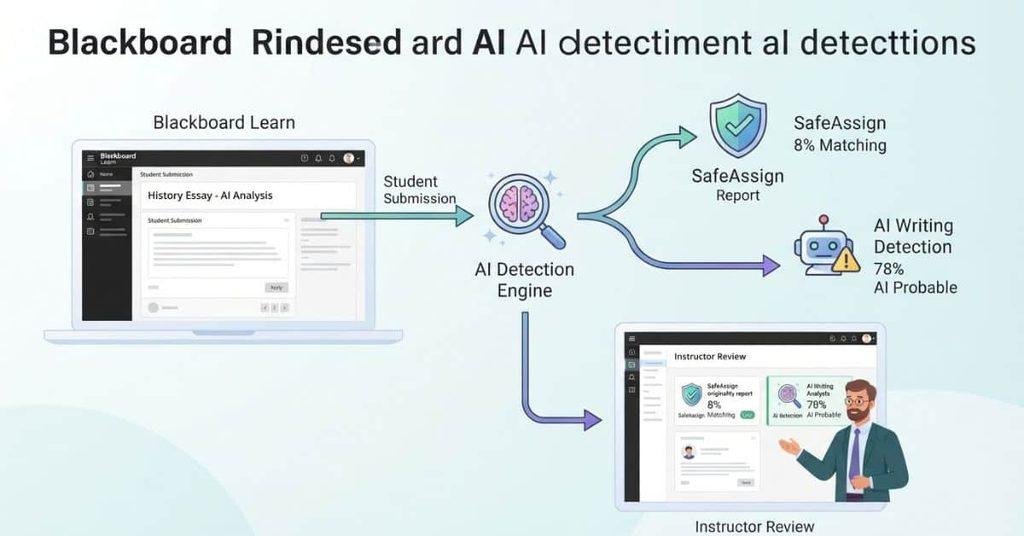
In this guide, you will learn how Blackboard, SafeAssign, and AI detection tools differ. You will also see why AI-related features may appear in some Blackboard courses. We will explain what these tools can and cannot tell instructors about your writing.
By the end, you will have a clear understanding of Blackboard AI detection and what may happen when you submit an assignment.
Does Blackboard Have an AI Detector?
If you search “does Blackboard have an AI detector,” the answer depends on which Blackboard products and tools your school uses. Blackboard primarily works as a learning management system (LMS) for courses, assignments, grades, discussions, and other learning activities. AI detection is not something you should assume comes with every Blackboard course.
This explains why students often connect Blackboard with AI detection. Instructors can use Blackboard alongside tools that check submissions for plagiarism, originality, or possible AI-generated content. Some schools may also connect third-party academic integrity tools to their Blackboard courses.
So, does Blackboard detect AI? Not as a universal feature across every Blackboard installation. The available tools can vary by product, institution, course setup, and enabled integrations. Always check your course instructions or ask your instructor which tools apply to your assignment.
Is AI Detection Built Into Blackboard?
A learning management system and an AI detector serve different purposes. Blackboard provides the course environment where students submit assignments and instructors manage coursework. An AI detector, by contrast, analyzes writing for patterns that may indicate AI-generated content.
This distinction matters when you see an AI-related feature in a Blackboard assignment. The feature may come from an integrated service rather than Blackboard’s core LMS functions. Your school may also use separate plagiarism, originality, or academic-integrity software.
Blackboard products and institutional configurations can differ, so avoid assuming that every Blackboard course has identical detection capabilities. The specific tools connected to your course determine what instructors can access.
Pro Tip: Check the assignment instructions and your school’s academic-integrity policy before submitting AI-assisted work.
Can Blackboard Detect AI-Generated Writing?
Many students ask whether Blackboard can tell when an assignment came from ChatGPT. The key distinction is between Blackboard itself and tools connected to it.
Blackboard provides assignment submission and course management features. Those features can record submissions, grades, timestamps, and other course activity. However, normal LMS functions should not automatically be described as AI detection.
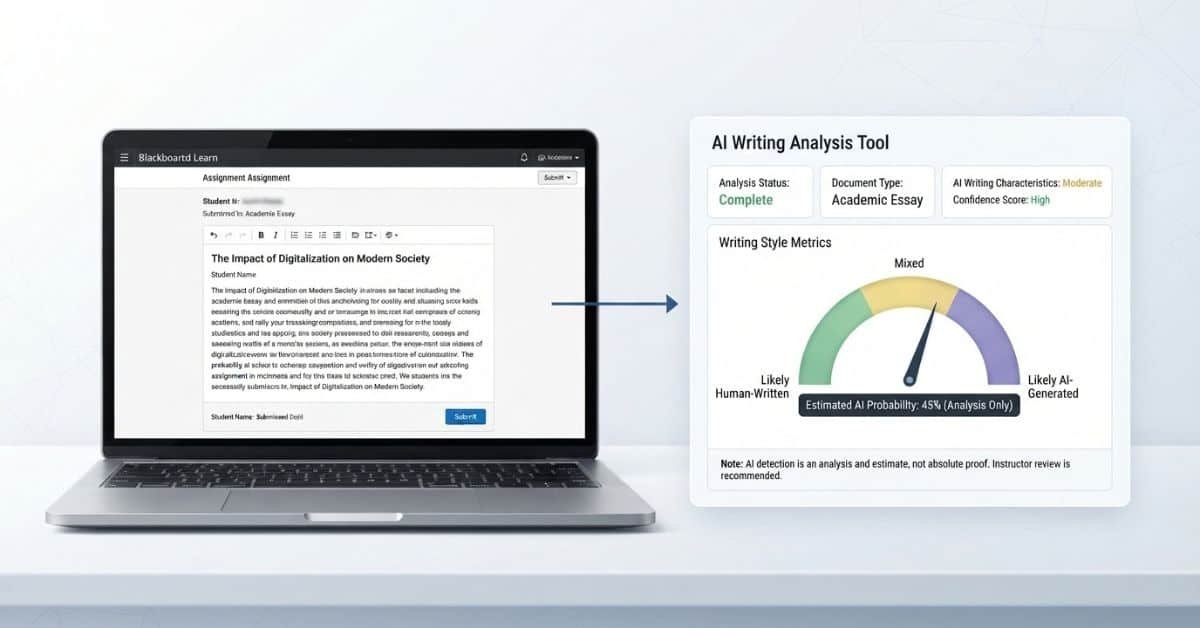
AI detection works differently. An AI detector analyzes submitted writing and may estimate whether the text contains patterns associated with AI-generated content. That result is an estimate, not direct proof that a student used ChatGPT or another AI tool.
So, can Blackboard independently determine that you used ChatGPT? You should not assume that it can. What an instructor sees depends on the Blackboard product, course configuration, and any connected academic-integrity tools.
It also helps to separate two types of information:
- AI-writing detection: A tool analyzes text and may flag it as potentially AI-generated.
- Assignment activity: Blackboard can handle normal submission and course-management information.
- Instructor review: An instructor may consider the available tool results alongside the assignment and course requirements.
A Blackboard submission record alone does not automatically establish that AI created the writing.
Can Blackboard Tell If You Used ChatGPT?
This is one of the most common concerns for students. There is an important difference between knowing ChatGPT was used and estimating that text may have been AI-generated.
Blackboard does not simply receive a submission and automatically know that ChatGPT produced it. If an AI-detection service is connected to the course, that service may analyze the submitted writing and provide a result.
An AI-detection result does not necessarily identify the exact AI tool used. It may indicate that writing appears consistent with AI-generated text. An instructor can then review that result within the broader context of the assignment.
Other assignment information may also be available to instructors. For example, they may review the submitted work, assignment requirements, or other course information. These sources provide different types of evidence and should not be treated as the same thing as AI detection.
Expert Tip: Check your school’s academic-integrity policy before using ChatGPT for coursework. Policies can differ between institutions, courses, and assignments.
What AI Checker Does Blackboard Use?
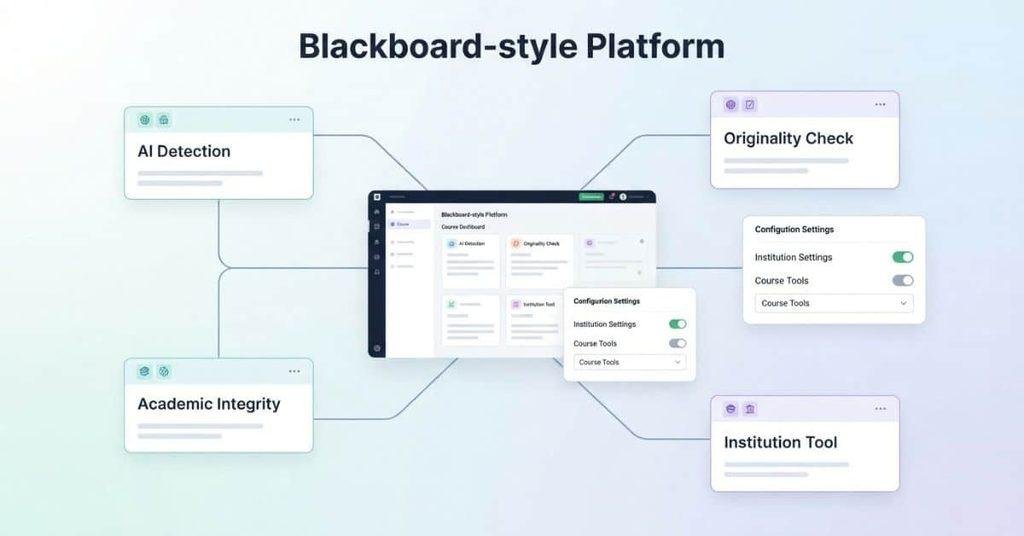
If you search “what AI checker does Blackboard use,” you may expect one standard tool across all Blackboard courses. Blackboard does not necessarily provide one universal AI checker that every institution uses in the same way.
Schools can connect additional services to their Blackboard environment. These services may provide plagiarism checking, originality reports, AI-related analysis, or other academic-integrity features. The exact options depend on the institution’s setup and the Blackboard products or integrations it has enabled.
That means the answer to “what AI detector does Blackboard use” can vary. One university may use a particular third-party service, while another may use different tools or no AI-detection service.
The name of the actual tool matters because different systems can have different functions and reporting methods. Students should avoid treating every AI-related warning or report as a standard Blackboard feature.
If your instructor mentions an AI score or detection report, ask which system generated it. You can also check your course instructions or your school’s academic-integrity documentation.
Does Blackboard Use a Third-Party AI Detector?
Blackboard courses can use integrated or additional services for academic-integrity checks. The specific service depends on how your institution has configured its learning environment.
Your course may therefore show features that do not represent a universal Blackboard function. Students should check assignment instructions, course documentation, or institutional guidance to identify the specific system being used.
This distinction can prevent confusion between Blackboard, an integrated service, and an AI detector. If you see an AI-related result, look for the tool’s name and review your school’s guidance about how that result is used.
Does SafeAssign on Blackboard Detect AI?
If you’re wondering “does SafeAssign on Blackboard detect AI,” it’s important to separate SafeAssign’s purpose from AI detection. SafeAssign is Blackboard’s originality-checking service. It compares submitted work with existing sources and identifies areas of matching or similar text.
SafeAssign generates an Originality Report showing potential matches and their sources. Its reported percentage reflects text matching, not a direct measurement of whether ChatGPT or another AI tool created the assignment.
Anthology also distinguishes SafeAssign from AI detectors in its guidance about AI and academic integrity. Therefore, students shouldn’t automatically interpret a SafeAssign result as an AI-detection result.
SafeAssign vs AI Detection
These two systems answer different questions.
Similarity checking asks: “Does this submission contain text that matches existing sources?”
SafeAssign compares submitted work against sources such as institutional submissions, its reference database, and internet content. It then reports potential matching text for review.
AI detection asks: “Does this writing appear to have been generated by AI?”
An AI detector uses a different type of analysis. It may estimate whether writing shows patterns associated with AI-generated text.
The distinction is simple:
- SafeAssign: Finds potential text matches with existing sources.
- AI detection: Estimates whether text may be AI-generated.
- SafeAssign percentage: Represents text matching, not AI usage.
- AI-detection result: Represents an AI-related assessment, if a separate tool provides one.
This means a submission can have matching text without being AI-generated. It can also have little matching text while still raising questions through a separate AI-detection system.
Does a SafeAssign Score Mean AI Was Detected?
No. A SafeAssign score does not automatically mean AI was detected.
SafeAssign’s overall score relates to the probability that submitted content matches existing sources. Blackboard describes this score as a warning indicator that instructors should review rather than as an automatic plagiarism finding.
For example, properly cited quotations can contribute to matching text. Common phrases can also produce matches. Therefore, the percentage needs context.
An AI-generated-text assessment is a different measurement. If your institution uses a separate AI-detection tool, its result should not be confused with the SafeAssign similarity percentage.
Does Blackboard Ultra Have AI Detection?
Blackboard Ultra does not automatically mean that an AI detector is present. Blackboard Ultra refers to the newer course experience and interface within Blackboard Learn. It provides tools for managing courses, assignments, assessments, grading, and student submissions.
AI detection is a separate issue. A school can use SafeAssign or other academic-integrity services within its Blackboard environment. The specific tools available can depend on institutional configuration and the assessment setup.
SafeAssign itself can be available in Ultra courses, including current Blackboard documentation describing SafeAssign functionality for Ultra environments.
Therefore, seeing Blackboard Ultra does not tell you that an AI detector is checking your assignment. Look at the assignment details and your institution’s guidance to identify which tools your course actually uses.
Blackboard vs Blackboard Ultra for AI Detection
Think of Blackboard as the broader LMS platform and Blackboard Ultra as a modern experience within that platform.
Neither name alone tells you that an AI detector is active. A course may use SafeAssign or another integrated service, while another course may have different tools enabled.
The important question is not simply whether you use Blackboard or Ultra. Instead, check which assessment and academic-integrity tools your institution has enabled for your course.
How Does AI Detection Work in Blackboard Assignments?
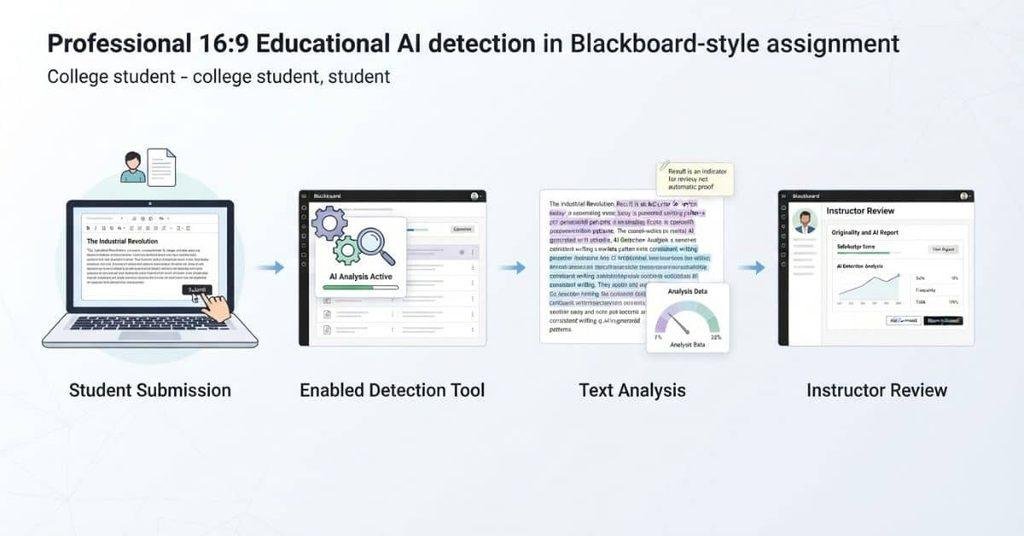
The AI-detection process can vary between Blackboard courses. It depends on the tools, integrations, assignment settings, and policies used by your institution.
When an assignment includes an enabled AI-detection or academic-integrity service, the general workflow may look like this:
- You submit your assignment through Blackboard.
- The enabled tool or service processes the submission.
- The service analyzes the text according to its available capabilities.
- An instructor may receive a report or result from the enabled tool.
- The instructor interprets the result alongside the assignment and other relevant information.
Not every Blackboard assignment follows this exact process. Some courses may use SafeAssign, another integrated service, or no AI-detection tool at all.
The important point is that Blackboard acts as the course platform. The specific analysis depends on the tools connected to that course.
Does Blackboard Automatically Flag AI Writing?
Students should not assume that every Blackboard submission receives an automatic AI verdict. Whether a submission gets any AI-related analysis depends on the tools and settings enabled for that assignment.
Several factors can affect what happens:
- Tool configuration: Your institution chooses which services it uses.
- Assignment settings: An instructor may enable specific checking features for an assignment.
- Institution policies: Schools can establish different academic-integrity procedures.
- Available reports: Different tools can provide different types of results.
- Human review: Instructors may need to interpret results rather than treat them as automatic conclusions.
A report can provide information for review, but the report itself does not replace the instructor’s judgment. Always follow your course’s specific instructions when using AI tools for assignments.
Can Blackboard Tell If an Essay Was Written by AI?
The question “can Blackboard tell if an essay was written by AI” needs a careful distinction. Blackboard itself does not automatically know who wrote a piece of text simply because a student submitted it through the LMS.
If an institution uses an AI-detection service, that service may analyze the submitted writing. It can then provide an assessment based on its own detection methods. That assessment does not directly prove who wrote the essay or which tool produced it.
AI detection can also involve uncertainty. Results may require interpretation rather than being treated as definitive proof of AI use. This is especially important when students and instructors discuss a detection result.
An institution’s academic-integrity process may consider additional information. Depending on the school’s policies, this could include the assignment itself, submission information, drafts, citations, or communication with the student.
The key distinction is simple: AI detection provides an assessment of text, not direct knowledge of the author’s actions.
Can Blackboard Detect ChatGPT Specifically?
Detecting ChatGPT specifically is different from analyzing text for characteristics associated with AI-generated writing.
An AI-detection system may assess whether writing appears AI-generated. That does not necessarily mean the system can identify ChatGPT as the exact source of the text.
Different AI tools can produce similar writing patterns. A text-based analysis may therefore focus on characteristics of the submitted writing rather than proving which AI application created it.
So, a student should not interpret an AI-related result as automatically meaning, “Blackboard knows I used ChatGPT.” The specific tool, report, and institutional process determine what information is actually available.
How Accurate Is AI Detection on Blackboard?
AI detection can provide useful information, but it is not infallible. A detection result should not automatically be treated as proof that a student used AI.
AI detectors analyze writing for patterns associated with AI-generated text. Their results can vary based on factors such as text length, writing style, the detection tool, and the type of content being analyzed. Human-written work can potentially receive an AI-related flag, while AI-generated writing may not always receive one.
This means an AI-detection result needs context. Blackboard itself does not establish the accuracy of a separate detection service. The specific tool generating the result matters.
Instructors may also consider other information when reviewing an assignment. Your school’s academic-integrity policy can explain how AI-related reports should be handled.
Can AI Detectors Give False Positives?
Yes, an AI detector can potentially flag human-written text. A false positive occurs when a detection system indicates that writing may be AI-generated even though a person wrote it.
Detection tools use their own methods and models to analyze text. Results can therefore vary between tools and submissions. Writing style, text length, and other characteristics can affect the analysis.
For this reason, an AI-related score should not automatically be treated as definitive proof. An instructor may need to review the result alongside the actual assignment and relevant school policies.
Can AI Writing Avoid Detection?
AI-generated writing may not always receive an AI-related flag. Detection systems make estimates based on the text they analyze, so they cannot guarantee that every AI-generated passage will be identified.
Results can vary between tools and types of writing. Changes in the text, writing style, length, or other factors may also affect a detector’s assessment.
The important point for students is that AI detection is not a guaranteed test of authorship. Follow your instructor’s and institution’s rules rather than relying on an AI detector’s result.
Does Blackboard Check for AI on Every Assignment?
If you’re asking “does Blackboard check for AI” on every assignment, don’t assume that it does. Blackboard assignments can use different tools and settings depending on the institution, instructor, course, and assignment.
An ordinary Blackboard assignment does not automatically mean that AI detection is enabled. Some courses may use an integrated academic-integrity service, while others may not use AI-related analysis.
The best way to determine what applies to your assignment is to check the available course information. Look at the assignment instructions, syllabus, and your school’s academic-integrity policy.
You can also ask your instructor which checking tools apply if the instructions are unclear. This is more reliable than assuming that every Blackboard submission receives the same analysis.
Quick checklist:
- Check the assignment instructions.
- Review your course syllabus.
- Read your school’s AI policy.
- Look for the name of any enabled checking tool.
- Ask your instructor if the requirements remain unclear.
What Can Teachers See When Blackboard Detects AI?
What an instructor can see depends on the Blackboard setup and the tools connected to the course. There is no single instructor view that applies to every Blackboard course.
Depending on the assignment and enabled services, an instructor may have access to:
- Assignment submissions: The work you submitted through Blackboard.
- Similarity reports: Available when a service such as SafeAssign is enabled.
- AI-related indicators or reports: Available when an appropriate AI-detection service or feature is enabled.
- Submission information: Details associated with the assignment submission.
- Other course activity: Information that Blackboard or connected tools make available to the instructor.
- Academic-integrity information: Additional evidence considered under your institution’s procedures.
An AI-related report should also be understood in context. A report can provide an assessment or indicator, while the instructor and institution determine how to interpret it under their academic-integrity rules.
Does Blackboard Automatically Tell Your Professor You Used AI?
Not necessarily. Blackboard does not automatically give every instructor the same AI-use notification for every assignment.
The workflow depends on the tools and settings used for that particular course. If an AI-detection service is connected and enabled, it may generate an AI-related indicator or report that an instructor can access.
If no such service is enabled, a normal assignment submission should not automatically produce an AI-detection result.
The specific tool matters. Check your assignment instructions or institution’s documentation to understand what your professor can see.
Blackboard AI Detection vs SafeAssign vs Other Tools
These systems can serve different purposes, so their names should not be treated as interchangeable.
| System / Feature | Main purpose | AI detection? | Depends on configuration? |
|---|---|---|---|
| Blackboard | LMS and course management | Not a universal standalone AI detector; integrated tools or features may provide AI-related analysis | Yes |
| SafeAssign | Text similarity and originality checking | Its similarity workflow should not automatically be treated as AI detection | Product and configuration dependent |
| AI-detection tool | Estimates whether text may be AI-generated | Yes, when designed for AI detection | Yes |
| Proctoring tool | Exam monitoring and assessment security | Not primarily AI-writing detection | Yes |
Blackboard provides the learning environment for courses, assignments, grades, and submissions. AI-related analysis can depend on additional tools or enabled features.
SafeAssign focuses on comparing submitted text with existing sources and producing an originality report. A SafeAssign similarity result should not automatically be interpreted as an AI-generated-text result.
An AI-detection tool has a different purpose. It analyzes writing and may estimate whether the text contains characteristics associated with AI-generated content.
A proctoring tool primarily monitors exams or assessment conditions. Its purpose differs from checking whether an essay was written by AI.
How to Know Whether Your Blackboard Assignment Uses AI Detection
Students often wonder whether their Blackboard assignment includes an AI check. The easiest way to find out is to look for information about the specific assignment and course, rather than assuming Blackboard checks everything.
Start with these sources:
- Assignment instructions: Look for references to AI detection, originality checking, or specific tools.
- Course syllabus: Check the instructor’s rules about AI and academic integrity.
- Academic-integrity policy: Your school may explain which tools and procedures it uses.
- Blackboard assignment information: Review any available details about originality or checking services.
- SafeAssign information: If SafeAssign appears, review what type of report it provides.
- Institutional documentation: Your school’s official website may explain its Blackboard and academic-integrity tools.
- Instructor’s instructions: Follow any specific guidance provided for the assignment.
If you still cannot determine which system applies, ask your instructor. The instructor or institution can clarify which tools are enabled for your course.
Pro Tip: Focus on the name of the actual checking tool. “Submitted through Blackboard” does not automatically mean “checked by an AI detector.”
What Happens If Blackboard Flags an Assignment for AI?
An AI-related indicator does not automatically mean that an instructor has definitive proof of AI use. The exact process depends on the detection tool, course setup, and institutional policy.
A general process may look like this:
AI-related indicator or report → Instructor reviews the submission → Additional context may be considered → Institutional policy applies
The instructor may review the submitted writing and any available report. Depending on the school’s procedures, they may also consider other relevant information about the assignment.
An AI-detection result is an assessment of the text, not necessarily direct proof of who wrote it or which tool created it. Students should therefore avoid assuming that a flag automatically determines the outcome of an academic-integrity matter.
If you believe an AI-related result is incorrect, check your institution’s stated review or appeal process. Follow the required steps and provide any information requested by your school.
Your institution’s academic-integrity policy is the appropriate source for understanding what happens after a report is generated.
Conclusion
Blackboard is mainly an LMS, so does Blackboard detect AI depends on the tools and settings your institution uses. SafeAssign focuses on text similarity, while separate AI-detection tools may estimate whether writing appears AI-generated.
An AI-related result should not automatically be treated as proof of AI use. Detection methods can vary, and instructors may review additional information under their school’s academic-integrity policy.
For the clearest answer, check your assignment instructions, syllabus, and institution’s AI policy. You can also ask your instructor which tools apply to your coursework.
Have you seen an AI-related report in Blackboard? Share your experience or questions in the comments. Explore our other student guides for practical explanations of Blackboard, grades, and academic tools.
Blackboard AI Detection — Common Questions
Blackboard is primarily an LMS, not a universal AI detector. AI detection may come from integrated tools or features enabled by your institution.
Blackboard does not automatically detect AI in every assignment. AI-related analysis depends on the tools and settings used by your institution.
Blackboard does not automatically know that ChatGPT wrote your assignment. A separate AI-detection tool may analyze submitted text for AI-like characteristics.
Not every Blackboard assignment receives AI analysis. Check your assignment instructions and course policies for the specific tools being used.
There is no single AI checker that every Blackboard institution uses. Schools can use different integrated or additional services.
The specific AI detector depends on your institution’s Blackboard configuration. Check your course information or ask your instructor for the tool’s name.
SafeAssign primarily checks submitted text for similarities with existing sources. Its similarity score should not automatically be interpreted as an AI-detection result.
Using Blackboard Ultra does not automatically mean AI detection is enabled. AI-related checking depends on the tools and settings used by your institution.
Blackboard itself should not be treated as automatically detecting every AI-generated essay. An integrated AI-detection service may analyze submitted writing when enabled.
Not every submission receives an automatic AI flag. Any AI-related indicator depends on the tool, assignment settings, and institutional configuration.
Blackboard does not automatically prove that ChatGPT created a submission. A connected detection tool may provide an AI-related assessment for instructor review.
AI detection can vary when writing changes, but there is no reliable rule for predicting how a detector will respond. Detection results are not guaranteed.
No. AI-detection results are not infallible. Human-written text can potentially be flagged, and AI-generated text may not always be identified.

We are the Canvas Academic Team, a developer team focused on building simple and practical tools that help students succeed academically. This platform was created specifically for Canvas LMS students to make grade tracking, GPA calculations, exam planning, and academic management easier and more efficient.
Our focus is on creating fast, accurate, and student-friendly educational tools along with helpful learning resources that improve productivity and reduce academic stress.
Through CanvasGradeCalculator.com, our goal is to continue building useful resources that help students study smarter, stay organized, and achieve better academic results.