Canvas Grade Calculator – Track, Predict & Optimize Your Grades Instantly

Tracking grades in Canvas LMS can be confusing when assignments, quizzes, and exams are weighted differently. Our Canvas Grade Calculator instantly clarifies your standing and shows what you need to improve. Simply enter a few details to calculate your current grade, predict your final score, and estimate GPA—no spreadsheets or complicated formulas required.

What Is a Canvas Grade Calculator?

A Canvas Grade Calculator is an online tool that calculates course grades based on Canvas LMS, quickly and accurately applying all weightings for instant results.
It helps you:
  • Calculate your current course grade.
  • Predict final exam outcomes.
  • Understand GPA impact
  • Plan smarter for upcoming assessments.
Students, educators, and parents gain clarity and accuracy in grade tracking with this tool.

How Canvas Calculates Grades (Weighted vs Points-Based)
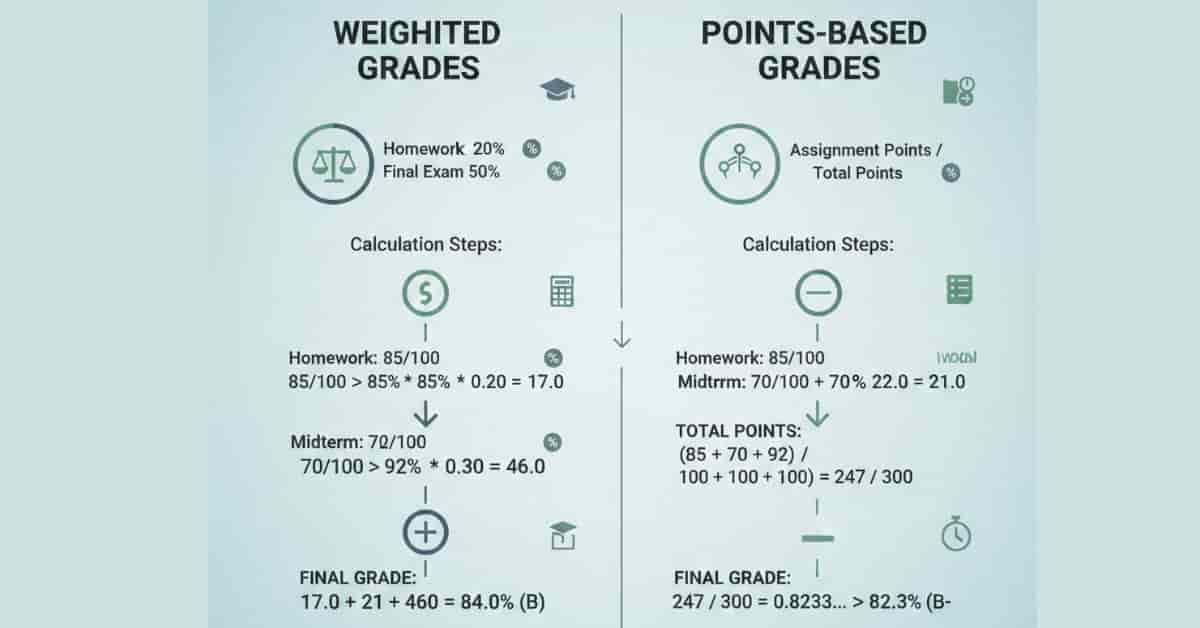
Infographic comparing Canvas LMS weighted vs points-based grading systems with example calculations and final grades

Have you ever wondered how Canvas calculates your grades? Before you use a grade calculator, let’s explore how Canvas LMS handles your score.

Weighted Grades

Most courses use a weighted-average system, where each category has a different weight.
Example:
  • Homework – 20%
  • Midterm – 30%
  • Final Exam – 50%
Your score in each category is multiplied by its weight and then added together.

Points-Based Grades

In other courses, instructors may use a points system. Here, your assignment scores are summed and divided by the total possible points.
Our Canvas Grade Calculator supports both systems, so your results always match how your instructor grades your course.

Why Use Our Canvas Grade Calculator?

Our tool is designed to work perfectly with Canvas LMS grading methods and student needs.

Key Benefits

  • 🎯 Accurate Results – Handles weighted and points-based grades precisely
  • ⚡ Instant Calculations – No waiting, no manual math
  • 📊 All-in-One Tool – Grades, GPA, and final exam prediction
  • 📱 Works Everywhere – Mobile, tablet, and desktop friendly
  • 🔒 Privacy First – No login, no data storage
  • ⏱️ Time Saver – Avoid spreadsheets and confusion

📖 How to Use the Canvas Grade Calculator

📌 Step 1️⃣: Enter Your Assignments with Scores and Weights

  • Homework → 85% (Score), 20% (Weight)

  • Quiz → 90% (Score), 20% (Weight)

  • Midterm → 75% (Score), 30% (Weight)

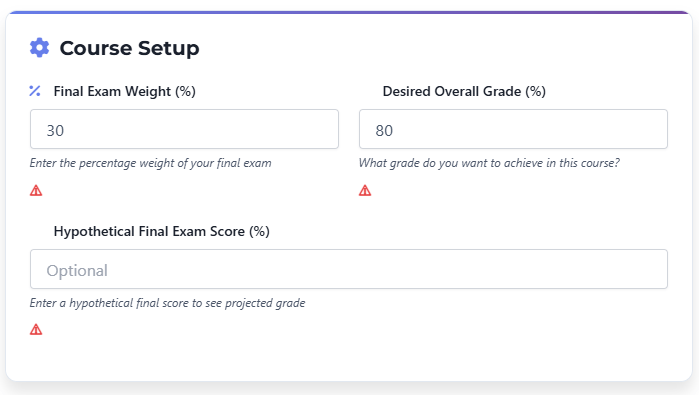
Final Exam Weight → 30%
👉 Total Weight = 100% ✅ Perfect!

Assignments and weights entered in Canvas Grade Calculator with total 100%
     “Here, the calculator confirms that the total weight equals 100%.”

📌 Step 2️⃣: Check Your Current Grade (Without Final)

  • Current Grade (without final) → 82.1%

Letter Grade → B- (2.7 GPA)
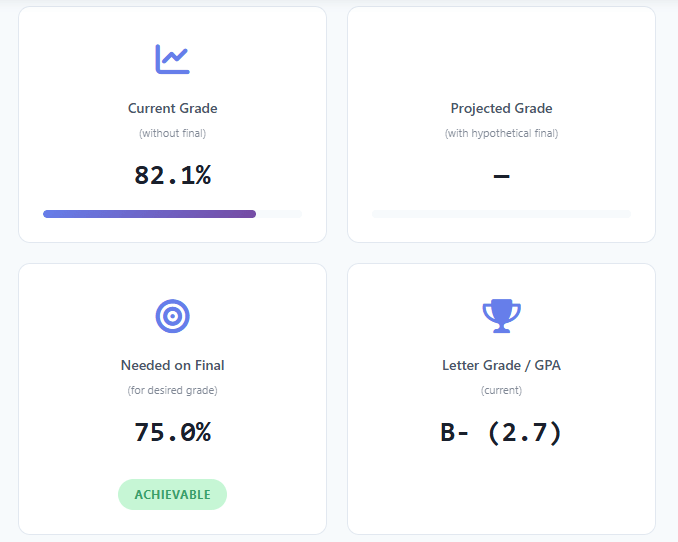
Canvas Grade Calculator showing current grade 82.1% and B- GPA
      “In this example, the student’s current grade is 82.1%, which equals a B- (2.7 GPA).”

“Once you know what you need on your final, you can see how it affects your overall GPA with our Canvas GPA Calculator.”

📌 Step 3️⃣: Test a Hypothetical Final Exam Score

Hypothetical Final Exam Score (optional) → 75%
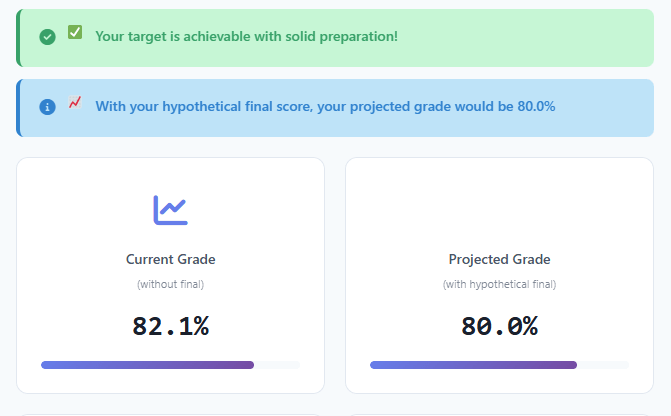
Projected grade after entering hypothetical final exam score in Canvas Calculator”

      “By entering 75%, the calculator projects the final grade instantly.”

📌 Step 4️⃣: Set Your Desired Overall Grade

  • Desired Overall Grade → 80%

“Desired grade 80 percent entered in Canvas Grade Calculator inpu
      “Here, the student sets 80% as the target grade.”

📌 Step 5️⃣: See What You Need on the Final Exam

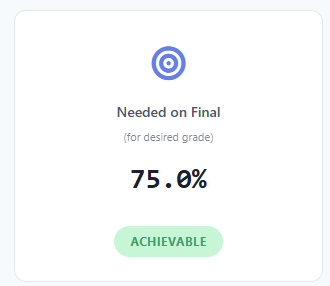
  • Needed on Final → 75.0% (Achievable)

Needed on final exam: 75 percent to achieve 80 overall, Canvas Grade Calculator result
“To achieve an 80% overall, this student needs 75% on the final — marked as achievable.”

👉 “Follow these simple steps and calculate in seconds.
[Try the Calculator Today]

Canvas Grade Calculator vs Other Methods

Feature Canvas Grade Calculator Manual Math Other Tools
Ease of Use ✅ Very Easy ❌ Time-consuming ⚠ Varies
Accuracy ✅ High ⚠ Human error ⚠ Not guaranteed
Speed ✅ Instant ❌ Slow ⚠ Mixed
Accessibility ✅ Anytime online ❌ Limited ⚠ Depends
Extra Features ✅ GPA, Final Prediction ❌ None ⚠ Limited

Who Can Benefit From This Tool?

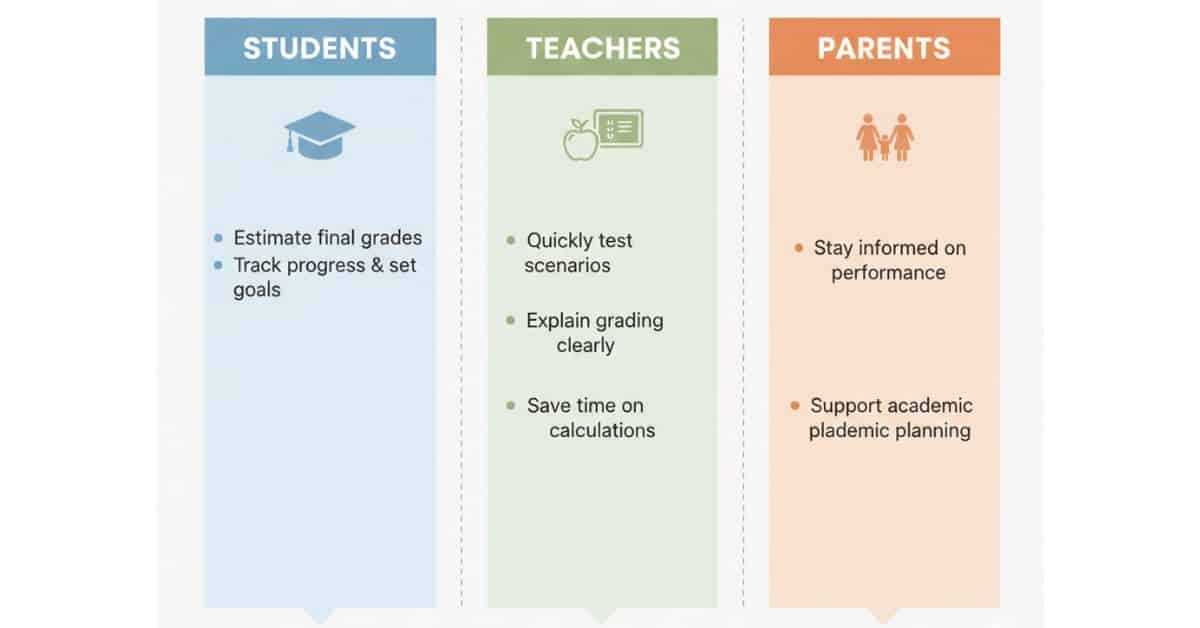
Infographic showing Canvas Grade Calculator benefits for students, teachers, and parents with key features for each group

🎓 Students

  • Know what score you need on finals.
  • Track progress throughout the semester
  • Reduce stress and avoid surprises.

👩‍🏫 Teachers

  • Calculate class averages quickly.
  • Explain grading clearly to students.
  • Test grading scenarios easily

👨‍👩‍👧 Parents

  • Monitor academic performance
  • Help children set realistic goals.
  • Stay informed without confusion.

Common Mistakes When Calculating Canvas Grades

  • ❌ Entering incorrect weights
  • ❌ Not matching the syllabus
  • ❌ Forgetting dropped assignments
  • ❌ Confusing GPA with course grade
  • ❌ Ignoring extra credit rules
Avoid these by double-checking your inputs and always following your course syllabus.

Bonus: Smart Study & Grade Planning Tips
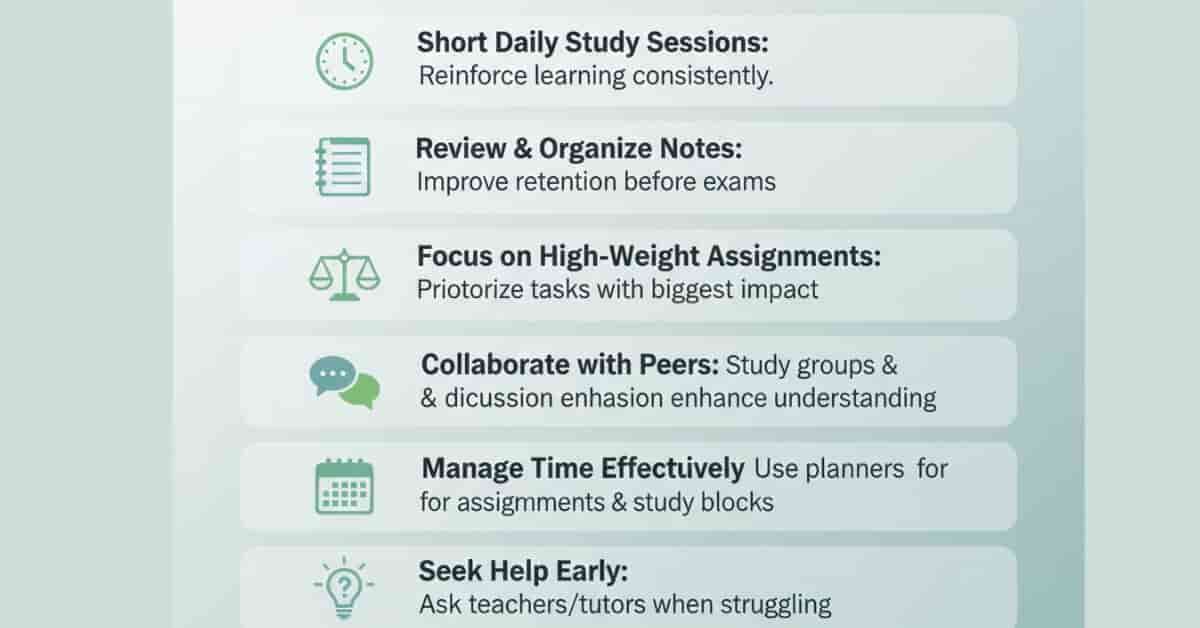
canvas-grade-calculator-study-tips-infographic

Maximize your results and stay on top of your grades with practical strategies. Whether you’re a student aiming higher or a parent/teacher tracking progress, these tips make grade planning smarter and stress-free:

Set aside short, focused study sessions each day rather than cramming at the last minute. Consistency helps retain concepts better.

📝 Review Notes Regularly

Recap key lessons for 10–15 minutes daily to reinforce memory.

🎯 Focus on High-Weight Assignments

Target work that counts most for your grade to maximize impact.

🤝 Collaborate & Learn with Peers

Team up with classmates—explaining topics deepens your understanding.

⏱️ Manage Time Effectively

Start assignments early, break tasks into smaller parts, and practice timed exams.

💡 Seek Help Early

Ask teachers, tutors, or peers for help before issues escalate.

🧮 Pro Tips for Accurate Grade Planning

  • Use your instructor’s precise assignment weights.

  • Keep Total = 100% → Double-check that all weights add up correctly.

  • Keep records of your results for planning ahead.

  • Test possible final scores to adapt your strategy early.

  • Check Dropped Grades: If your course allows dropping the lowest scores, make sure to apply them in calculations.

Tip: Combining these smart strategies with you Combine these strategies with your Canvas Grade Calculator to improve grades, reduce stress, and meet your academic goals.
“If your course allows dropping the lowest scores, use our Drop Lowest Grade Guide to update your calculation.”

🎯 Example (Quick Demo)

🎯 Real Example Setup

Let’s walk through a real scenario that most students face. Suppose your course has the following grading breakdown:

  • Homework (20%) → 90%
  • Quiz (30%) → 85%
  • Midterm (30%) → 88%
  • Final Exam (20%) → ??? (not taken yet)
  • Desired Overall Grade → 80% (B target)

👉 These inputs are added to the Canvas Grade Calculator.
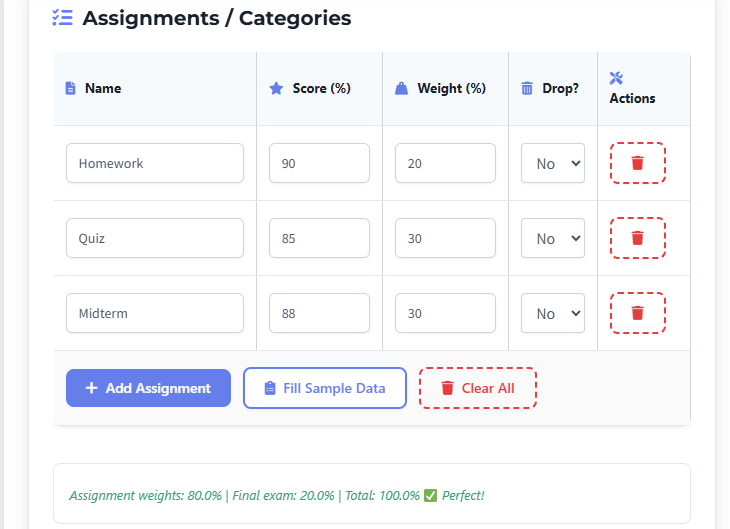
Canvas Grade Calculator Example Input


 📊 Results from Calculator

Based on the above data, here’s what the calculator shows:

  • Current Grade (without final): 87.4%
  • Needed on Final (for desired grade): 50.5%✅ Achievable
  • Letter Grade / GPA (current): B+ (3.3)

Canvas Grade Calculator Results

This shows how the calculator helps answer the most common student question:

“What do I need on my final to pass or get an A?”

“For more advanced planning, check out our Canvas vs GPA Calculators guide to track grades and plan GPA efficiently.”

📌 ❓ FAQs – Canvas Grade Calculator

1️⃣ Is the Canvas Grade Calculator free to use?

✅ Yes! Our Canvas Grade Calculator is completely free with no signup, subscription, or hidden charges. You can calculate your grades, final exam scores, and GPA instantly without paying a dime.

👩‍🏫 Absolutely! Teachers can use it to:

  • Calculate class averages quickly

  • Test grading scenarios for assignments and exams

  • Explain weighted grading to students clearly
    It’s a perfect companion for educators who want to save time and maintain transparent grading.

🔐 No. We take privacy seriously. None of your grades, scores, or personal data is saved or shared. All calculations happen instantly on your device.

📱 Yes! The calculator works smoothly on:

  • Smartphones

  • Tablets

  • Laptops or desktops
    This means you can check your grades anywhere, anytime—even on the go.

🎓 Yes. Besides course grades, the Canvas Grade Calculator can estimate your GPA equivalent. For a deeper dive into GPA tracking, check our Canvas GPA Calculator guide.

🧮 The calculator supports weighted and points-based grading systems used by Canvas LMS. Just enter your assignment scores and their corresponding weights, and the tool calculates your current grade, projected final score, and GPA automatically.

⚡ Absolutely! Enter any hypothetical score to see how it affects your final grade. This helps you:

  • Plan study priorities

  • Set realistic target grades

  • Reduce exam stress

📌 You can account for dropped assignments when entering scores. Make sure to apply the dropped grades for accurate final calculations. For step-by-step guidance, see our Drop Lowest Grade Guide.

✅ Extremely accurate. The calculator uses the exact weights and points you provide. It instantly calculates your final grade and GPA without manual errors, spreadsheets, or guesswork.

💡 Explore our full guides:

These resources help you plan smarter, improve your grades, and stay on track all semester.

Scroll to Top