Introduction
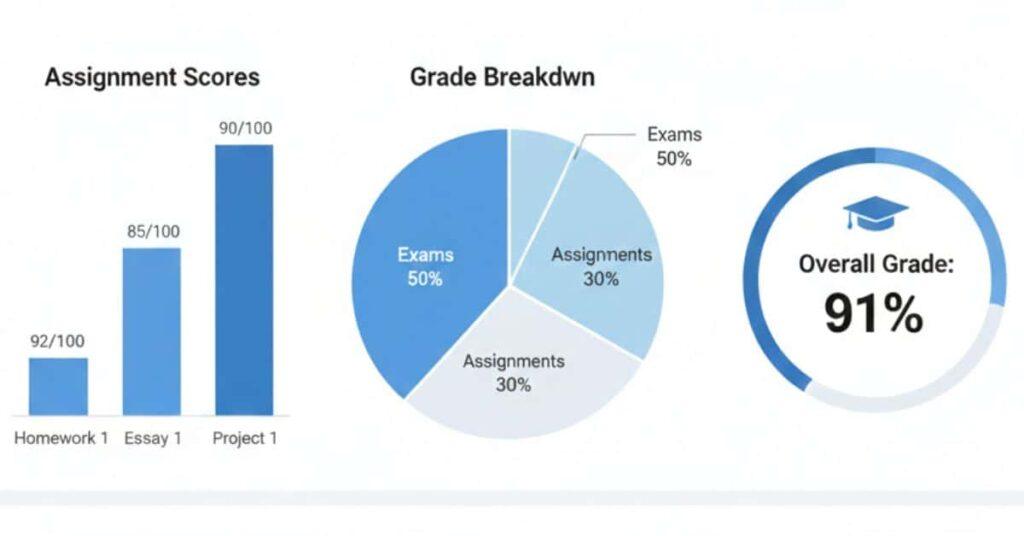
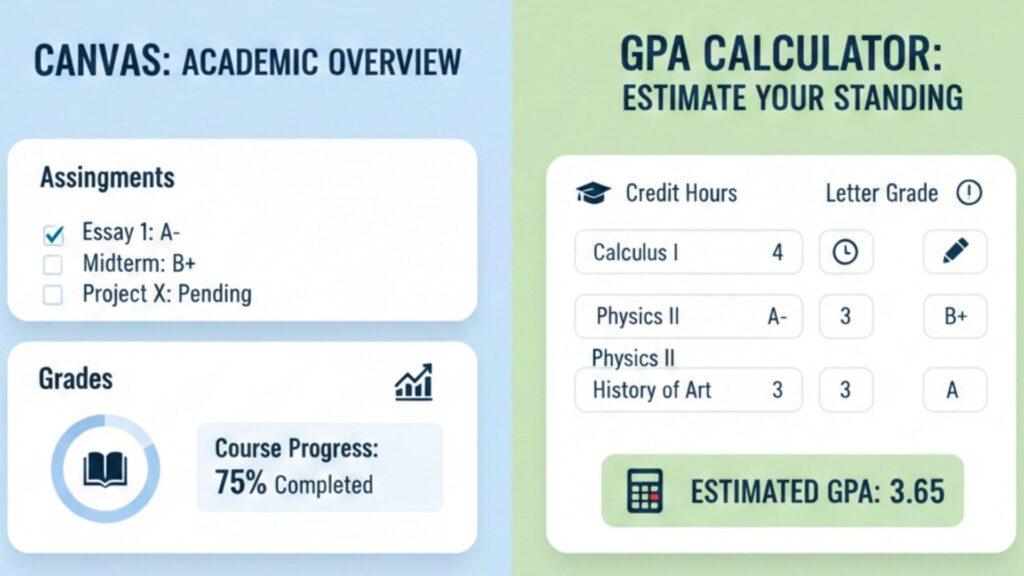
Have you ever wondered if your Canvas grades actually reflect your GPA? Many students in the USA get confused about this. Canvas tracks course-level grades, but it does not calculate your overall GPA. This misunderstanding can make academic planning stressful, especially for beginners trying to predict semester outcomes.
In reality, GPA is calculated using credit hours and grade points, which Canvas alone doesn’t account for. That’s where canvas vs. GPA calculators come into play. Using the right tool helps you track course progress, estimate final grades, and see how different scores affect your cumulative GPA.
This guide will explain the differences between Canvas grade tracking and GPA calculators. You’ll learn when to use a Canvas Grade Calculator for course assignments and when a GPA calculator for Canvas or a Canvas GPA calculator extension is better for semester planning. By the end, you’ll know exactly how to calculate GPA on Canvas and manage your grades confidently.
Does Canvas Calculate Your GPA?
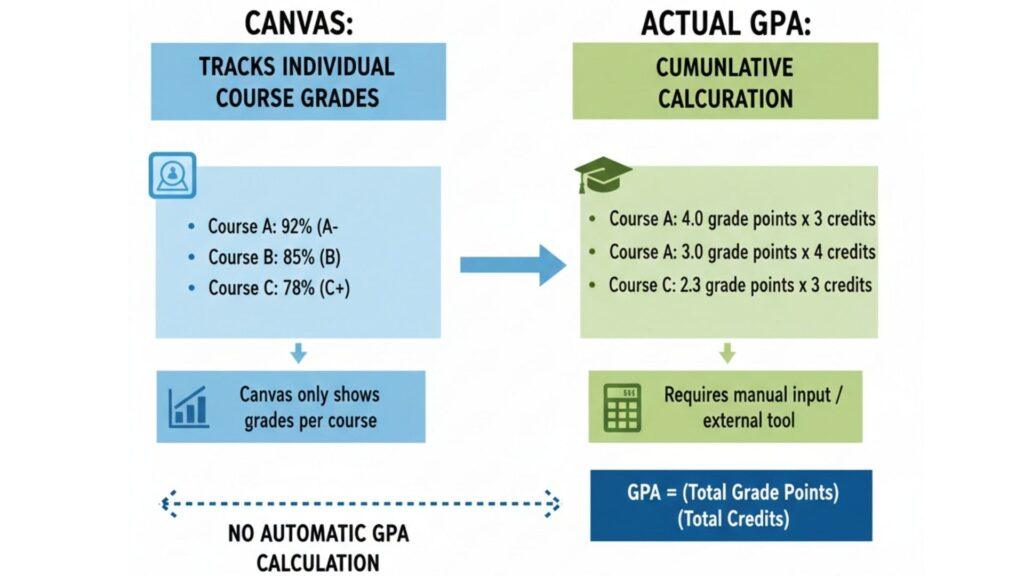
Students often mix up Canvas vs. GPA calculators, especially when grades update in real time. Canvas looks official, so the confusion makes sense. But Canvas and GPA calculators serve very different roles. Here’s how to apply this effectively:
Many students assume Canvas shows their GPA — it doesn’t
Canvas does not calculate your GPA. It never has. Canvas tracks grades inside individual courses only. When students ask, “Does Canvas calculate GPA? the answer stays no.
The confusion starts because Canvas shows:
- Percentages
- Letter grades
- Course averages
These look similar to GPA data. But Canvas stops at the course level. It does not combine classes. It does not use credit hours. It does not produce a cumulative GPA.
If you want GPA estimates, students turn to tools like a GPA calculator for Canvas or a Canvas GPA calculator extension. Those tools work outside Canvas. Canvas itself stays focused on course performance only.
Canvas displays course-level grades, not cumulative GPA.
Each Canvas grade belongs to one class. That’s it. A 90% in Math and an 85% in History stay separate. Canvas never merges them.
This is why you can’t calculate GPA through Canvas alone. Canvas does not:
- Compare multiple courses
- Apply credit hours
- Weight grades across a semester
Canvas works best as a canvas overall grade and GPA calculator alternative for single courses. For full GPA tracking, students must export grades or use a separate calculator. That’s where confusion usually ends.
GPA is calculated using credit hours and grade points
GPA works very differently from Canvas grades. Schools calculate GPA using this formula:
- Grade points × credit hours
- Divide by total credits
Example:
- A = 4.0 points
- B = 3.0 points
A 4-credit class affects GPA more than a 2-credit class. Canvas does not store or apply credit hours. That’s why calculating GPA on Canvas always requires outside tools or manual steps.
Purpose of this guide: choosing the right tool
This guide helps students stop guessing and start planning.
Use a Canvas Grade Calculator to:
- Track assignments
- Predict final exam impact
- Monitor one course
Use a GPA Calculator to:
- Estimate semester GPA
- Run what-if scenarios
- Plan academic goals
Canvas shows progress. GPA calculators show direction. Use both at the right time.
What Canvas Grades Really Mean
Understanding Canvas vs. GPA calculators starts with knowing what a Canvas grade actually represents. Canvas grades look essential, but they serve a narrow purpose. They measure how you perform in one course, not your academic standing. Here’s how to apply this effectively:
Course percentage vs academic GPA
A Canvas grade shows a percentage score for a single class. It reflects assignment scores, quizzes, exams, and weights set by the instructor. That’s all.
Academic GPA works differently. GPA combines many courses, applies credit hours, and converts grades into grade points. Canvas never does this.
This is why questions like “Does Canvas calculate GPA or can you calculate GPA through Canvas cause confusion. Canvas shows progress. GPA shows performance.
If you want GPA insight, you need a GPA calculator for Canvas or a Canvas GPA calculator extension. Canvas alone cannot do that job.
Example: 92% in Biology ≠ GPA
Let’s say you earn a 92% in Biology. Canvas may label it an “A.” That looks great. But it’s still one course only.
Your GPA depends on:
- How many credits does Biology carry?
- Grades in other courses
- Your school’s GPA scale
A 92% Biology grade helps your GPA, but it does not equal your GPA. This gap explains why students search for how to calculate GPA on Canvas and feel stuck.
Canvas grade = performance in one class
Think of a Canvas grade as a course report, not a transcript. It answers one question:
“How am I doing in this class right now?”
Canvas ignores:
- Credit hours
- Other courses
- Cumulative averages
That’s by design, not a flaw.
Where Canvas works best
Canvas shines for daily academic control:
- Assignment tracking
- Final exam impact planning
- Course progress monitoring
For everything else, pair it with a canvas overall grade and GPA calculator.
How GPA Is Actually Calculated
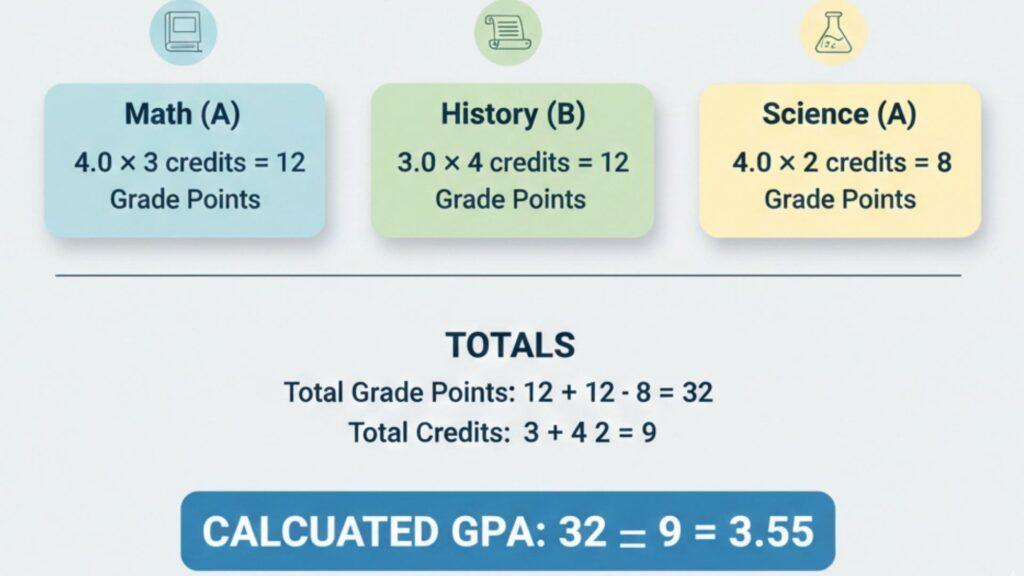
To understand Canvas vs. GPA calculators, you need to know how GPA really works. GPA is not a percentage. It’s a weighted average based on grade points and credit hours. Canvas does not perform this math. Here’s how to apply this effectively:
GPA definition (student-friendly and straightforward)
GPA stands for Grade Point Average. It shows your academic performance across all courses, not just one class. Schools use GPA for transcripts, honors, and academic standing.
Each course grade converts into a grade point value. That value depends on your school’s grading scale. Canvas may show letter grades, but it does not calculate GPA. That’s why students ask if Canvas calculates GPA or look for a GPA calculator for Canvas.
The GPA formula explained.
The GPA formula looks simple, but credit hours make it powerful:
- Grade points × Credit hours
- Add all course results
- Divide by total credit hours
Formula:
(Grade points × Credit hours) ÷ Total credits
Canvas does not store credit hours. Because of this, calculating GPA on Canvas always requires a separate tool or manual steps.
Letter grade to GPA scale example
Most colleges follow a standard scale:
- A = 4.0
- B = 3.0
- C = 2.0
Example conversion:
- 95% → A → 4.0 GPA
A Canvas GPA calculator extension or Canvas overall grade and GPA calculator uses this conversion automatically. Canvas itself does not.
Why credit hours matter most
Credit hours control GPA weight. A 4-credit class affects GPA more than a 2-credit class.
This is the biggest reason you cannot calculate GPA through Canvas alone.
Weighted vs unweighted GPA (college context)
Unweighted GPA treats all courses equally. Weighted GPA gives extra value to advanced classes. Policies vary by school, so always verify with official records.
Canvas Grade Calculator vs GPA Calculator (Side-by-Side Comparison)
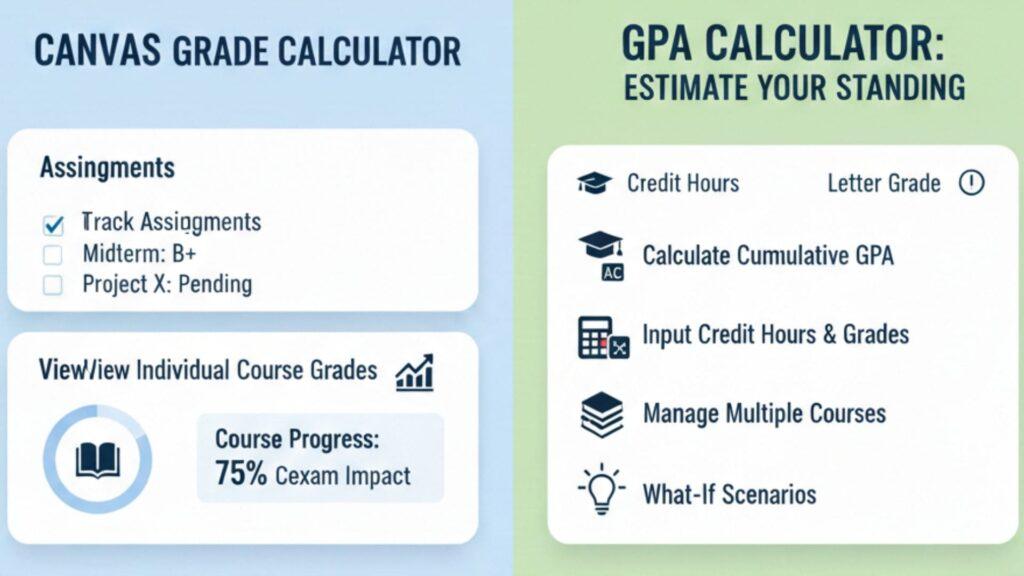
When students compare Canvas vs. GPA calculators, the key difference comes down to scope. Each tool answers a different academic question. One focuses on a single class. The other looks at your complete academic picture. Here’s how to apply this effectively:
Key differences explained clearly.
A Canvas Grade Calculator works at the course level. It helps you understand how assignments, categories, and final exams affect one class. It answers questions like:
- What’s my current grade?
- What score do I need on the final?
- How does one assignment change my percentage?
A GPA Calculator for Canvas works across courses. It uses credit hours and grade points to estimate cumulative GPA. It answers questions like:
- What’s my semester GPA?
- How will this grade affect my overall GPA?
- What happens if I score higher next term?
Side-by-side comparison table
| Feature | Canvas Grade Calculator | GPA Calculator |
|---|---|---|
| Tracks individual course grades | ✅ | ❌ |
| Calculates cumulative GPA | ❌ | ✅ |
| Uses credit hours | ❌ | ✅ |
| Predicts final exam impact | ✅ | ❌ |
| Predicts future GPA (What-If) | ❌ | ✅ |
| Supports multiple courses | ❌ | ✅ |
| Official GPA | ❌ | ❌ (Registrar only) |
When Should You Use a Canvas Grade Calculator vs a GPA Calculator?
Choosing between tools is easier once you understand the canvas vs. the GPA calculators. Each tool serves a clear purpose. Using the wrong one leads to confusion. Using both gives control. Here’s how to apply this effectively:
Use a Canvas Grade Calculator when:
A Canvas Grade Calculator helps with day-to-day course management. It focuses on one class at a time and reacts to new grades instantly.
Use it for:
- Tracking assignment scores and category weights
- Calculating final exam requirements
- Seeing how missed or improved work changes your grade
- Monitoring course progress during the term
This tool answers questions like “What do I need on the final?” It does not answer whether Canvas calculates GPA. That’s not its role.
Use a GPA Calculator when:
A GPA Calculator for Canvas looks beyond one course. It combines grades, credit hours, and GPA scales.
Use it for:
- Planning semester GPA goals
- Estimating cumulative GPA across courses
- Running “what-if” scenarios for future grades
- Testing how credit-heavy courses affect GPA
This is the right tool when students ask how to calculate GPA on Canvas or use a Canvas GPA calculator extension.
Best strategy: use both tools together
Canvas tools show where you stand today. GPA calculators show where you’re headed next.
Pairing a Canvas Grade Calculator with a Canvas overall grade and GPA calculator gives complete academic control. You track progress, plan outcomes, and avoid surprises at term’s end.
Tools & Extensions for GPA Calculation in Canvas
When comparing Canvas vs. GPA calculators, many students look for shortcuts inside Canvas. Tools and extensions can help, but they come with limits. Here’s how to apply this effectively:
Canvas GPA calculator extensions
Chrome extensions add GPA features on top of Canvas. They read your course grades and estimate your GPA. Students often try them when asking, “Does Canvas calculate GPA or “Can you calculate GPA through Canvas.
These tools feel convenient because they sit inside Canvas. But they still rely on assumptions. Many extensions guess credit hours or grading scales. That can affect accuracy. Use them as estimation tools, not official records.
Online GPA calculators for Canvas students
Online tools work outside Canvas. You manually enter:
- Course percentages
- Credit hours
- GPA scale
A GPA calculator for Canvas gives more control than extensions. You can adjust inputs and run what-if scenarios. This method works better for students learning how to calculate GPA on Canvas correctly.
Extensions vs web calculators: key differences
- Extensions: Faster, less control, higher error risk
- Web calculators: Slower, more accurate, better planning
A canvas overall grade and GPA calculator online usually gives more precise results.
Pros and cons to remember
Pros
- Fast GPA estimates
- Easy predictions
Cons
- Not always accurate
- Privacy considerations
Important reminder
No tool replaces official transcripts. Always verify GPA with your institution’s records.
Can You Calculate GPA Through Canvas? (Common Scenarios)
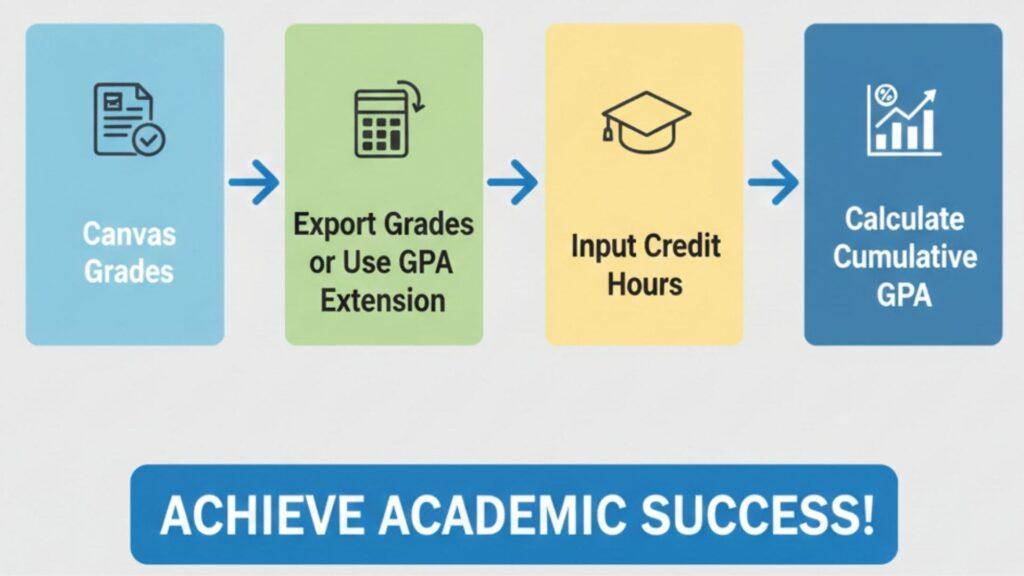
Many students ask, “Can you calculate GPA through Canvas? The honest answer is: only indirectly. Canvas shows course grades, but it does not calculate your real GPA. This is where students often get confused and rely on quick fixes like browser extensions.
Methods students usually try.
To answer questions like “Does Canvas calculate GPA or “How to calculate GPA on Canvas, students use a few standard methods:
- Manual GPA calculators, where grades and credit hours are entered by hand
- Canvas grade exports copied into spreadsheets
- GPA calculator extensions that estimate GPA inside the browser
While these options seem convenient, they often trade speed for accuracy.
Why extensions are not always reliable
Most GPA calculator extensions work with limited data. They usually miss key details such as exact credit hours, custom grading scales, or weighted courses. Some also raise privacy concerns because they access your Canvas data directly. As a result, GPA estimates can be misleading or inconsistent.
Best practice (recommended by experts)
The most reliable approach is to use Canvas only for course-level tracking and pair it with a dedicated GPA calculator for Canvas. An advanced online tool—like a full canvas overall grade and GPA calculator—lets you enter accurate credit hours, select the correct grading scale, and run realistic “what-if” scenarios.
This method gives students more control, better accuracy, and greater trust—without relying on risky extensions or rough guesses.
Tips to Track Grades and GPA Effectively
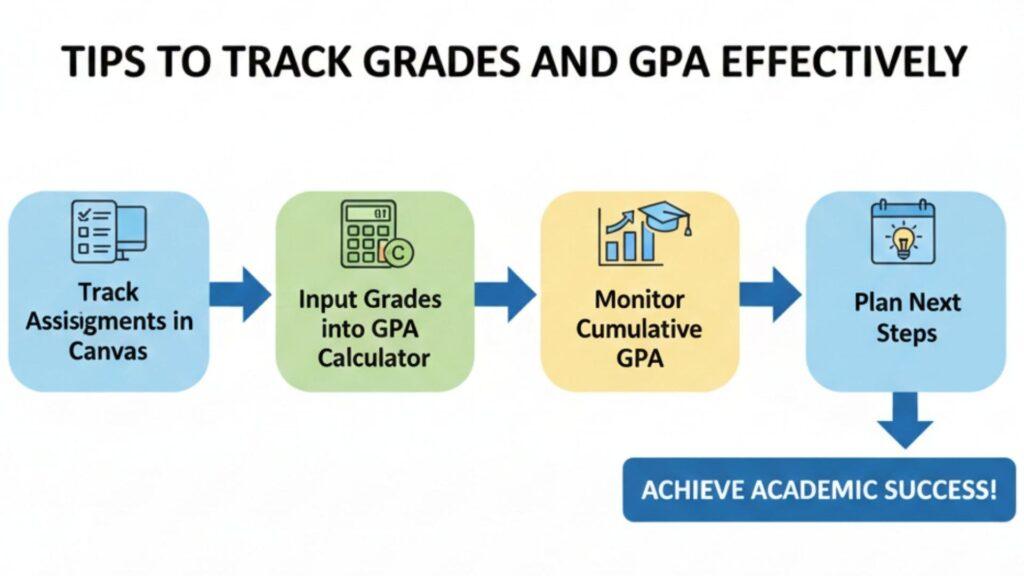
Managing your grades becomes much easier when you use the right tools the right way. Understanding canvas vs. GPA calculators helps students avoid confusion, wrong estimates, and last-minute stress. Follow these proven tips to stay in control of your academic progress.
Use Canvas for daily course performance.
Canvas works best for day-to-day tracking. Use it to check assignments, quizzes, attendance, and participation. Check your grades regularly to see how each new score affects your course percentage.
Use a dedicated GPA calculator for planning.
For semester and cumulative planning, rely on a trusted GPA calculator for Canvas, not rough estimates or extensions. A full-featured online calculator lets you add correct credit hours, select accurate grading scales, and test realistic “what-if” scenarios with confidence.
Track credit hours carefully
Credit hours directly impact your GPA. Higher-credit courses carry more weight, so entering them correctly is essential for accurate results.
Always confirm grading scales.
Not all colleges use the same GPA scale. Before calculating, double-check your institution’s letter-to-point conversion to avoid misleading results.
Keep personal GPA records as backup.
Save grade exports or maintain a simple spreadsheet. This gives you a reliable reference beyond Canvas or browser tools.
conclusion
In this guide, we explored the key differences between canvas vs gpa calculators. You learned that Canvas tracks course grades, while GPA calculators estimate your cumulative performance. We covered how GPA is calculated, when to use a Canvas Grade Calculator, and when a gpa calculator for Canvas or a canvas GPA calculator extension is most helpful.
Remember, Canvas alone cannot answer does Canvas calculate GPA or provide official records. Using both tools together helps you plan better, reduce stress, and set clear academic goals.
Now it’s your turn: track your progress, try out a canvas overall grade and GPA calculator, and share your experiences in the comments. Your insights could help other students plan smarter too.

We are the Canvas Academic Team, a developer team focused on building simple and practical tools that help students succeed academically. This platform was created specifically for Canvas LMS students to make grade tracking, GPA calculations, exam planning, and academic management easier and more efficient.
Our focus is on creating fast, accurate, and student-friendly educational tools along with helpful learning resources that improve productivity and reduce academic stress.
Through CanvasGradeCalculator.com, our goal is to continue building useful resources that help students study smarter, stay organized, and achieve better academic results.